Dear Community,
I am trying to create the JSON theme.
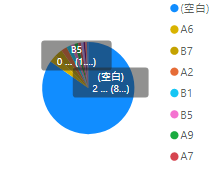
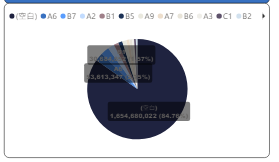
My theme is accepted and works, except the chart's label background.
How can I do?
"pieChart": {
				"*": {
					"general": [{
						"responsive": true,
						"keepLayerOrder": true
					}],
					"background": [{
						"show": true,
						"color": { "solid": { "color": "#FFFFFF"}},
						"transparency": 0
					}],
					"border": [{
						"color": { "solid": { "color": "#000000"}},
						"show": true,
						"radius": 10
					}],
					"title": [{
						"show": true,
						"fontColor": { "solid": { "color": "#000000" } },
						"background": { "solid": { "color": "#FFFFFF" } },
						"alignment": "center",
						"fontSize": 14
					}],
					"legend": [{
						"show": true,
						"position": "Top",
						"showTitle": true,
						"titleText": "",
						"legendColor": { "solid": { "color": "#01B8AA"}},
						"fontFamily": "Segoe UI",
						"fontSize": 12
					}],
					"labels": [{
						"show": true,
						"labelStyle": "Category, data value, percent of total",
						"color": { "solid": { "color": "#605E5C"}},
						"labelDisplayUnits": "0",
						"labelPrecision": 0,
						"fontSize": 9,
						"fontFamily": "Arial Black",
						"position": "inside",
						"enableBackground": true,
						"backgroundColor": { "solid": { "color": "#FFFFFF" }},
						"backgroundTransparency":30
					}]
				}
			}
default theme
My theme(It can't see clearly)
Regards,
Betty


