





Don't miss your chance to take the Fabric Data Engineer (DP-700) exam on us!
Learn moreWe've captured the moments from FabCon & SQLCon that everyone is talking about, and we are bringing them to the community, live and on-demand. Starts on April 14th. Register now
Dear Community
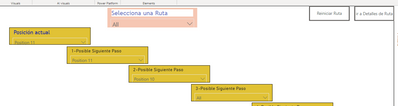
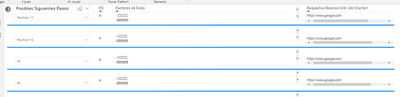
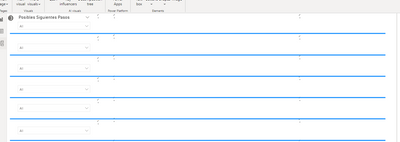
i inserted a reset button to my power bi report, is working well with slicers but doesnt clear the content on tables. how can i solved this issue. here some screenshots
Solved! Go to Solution.
Hi @JoseDavidM ,
I download your pbix file ,and test ,but successful.
First ,I choose some slicer:
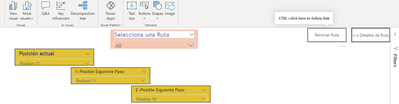
Then I ctrl+click reset button:
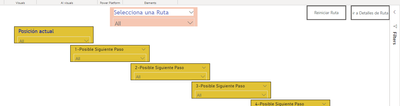
Final:All has been reset:
Best Regards
Lucien
Hi @JoseDavidM ,
I download your pbix file ,and test ,but successful.
First ,I choose some slicer:
Then I ctrl+click reset button:
Final:All has been reset:
Best Regards
Lucien
Hi @JoseDavidM ,
Has your problem been solved? If so, you can share your solution and mark it so that people with the same problem can find it quickly. Alternatively, you can see the following article, which I hope will be of help to you.
Power BI – Reset Slicers with a Bookmark Button:https://hatfullofdata.blog/power-bi-resetting-slicers-with-a-bookmark-button/
BEST Regards
Lucien
Hi, i still have the issue. i believe that the problem is not with the slicers but with the table visual objects. in the link below you can find the PIBX and the dataset. thank you for your help
@JoseDavidM , When you saved this bookmark what was the table data. It might be taken a snapshot of that. Or have changed anything with like all visual/selective visual option in the bookmark?
Can you share a sample pbix after removing sensitive data.
Also check this
https://radacad.com/clear-all-slicers-in-power-bi-a-bookmark-story
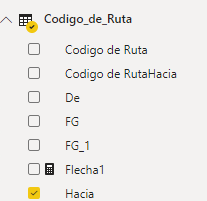
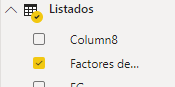
Hi, thank you for your quick response. When i selected a value in the first field (Slider) the report show the value on the second field (table). see below the fields that i use for each visual object
this behavior is expected. the issue is when i selected a blank value or not value at all in the slider
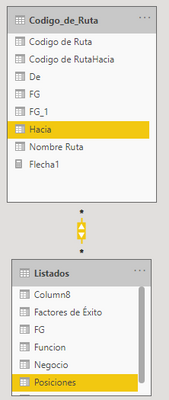
this es the tables structure
If you have recently started exploring Fabric, we'd love to hear how it's going. Your feedback can help with product improvements.
A new Power BI DataViz World Championship is coming this June! Don't miss out on submitting your entry.
Share feedback directly with Fabric product managers, participate in targeted research studies and influence the Fabric roadmap.
| User | Count |
|---|---|
| 53 | |
| 37 | |
| 35 | |
| 19 | |
| 17 |
| User | Count |
|---|---|
| 74 | |
| 70 | |
| 39 | |
| 35 | |
| 23 |