Hi,
I'm having an issue connecting to databricks with Import mode. I choose the connector, put in the Server Hostname, HTTP Path and connect with my AAD. Then the error pops up. I'm using a cluster that uses Personal Compute, if that matters.
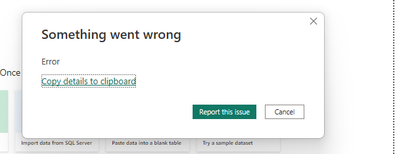
Here's the error:
Feedback Type:
Frown (Error)
Error Message:
Error
Stack Trace:
Microsoft.Mashup.Client.UI.Shared.ExceptionResultException
at Microsoft.Mashup.Evaluator.EvaluationHost.OnException(IEngineHost engineHost, IMessageChannel channel, ExceptionMessage message)
at Microsoft.Mashup.Evaluator.MessageHandlers.TryDispatch(IMessageChannel channel, Message message)
at Microsoft.Mashup.Evaluator.MessageHandlers.Dispatch(IMessageChannel channel, Message message)
at Microsoft.Mashup.Evaluator.ChannelMessenger.ChannelMessageHandlers.TryDispatch(IMessageChannel channel, Message message)
at Microsoft.Mashup.Evaluator.MessageHandlers.Dispatch(IMessageChannel channel, Message message)
at Microsoft.Mashup.Evaluator.Interface.IMessageChannelExtensions.WaitFor[T](IMessageChannel channel)
at Microsoft.Mashup.Evaluator.RemotePreviewValueSource.PreviewValueSource.WaitFor(Func`1 condition, Boolean disposing)
at Microsoft.Mashup.Evaluator.RemotePreviewValueSource.PreviewValueSource.get_TableSource()
at Microsoft.Mashup.Evaluator.Interface.TracingPreviewValueSource.get_TableSource()
at Microsoft.Mashup.Host.Document.Analysis.PackageDocumentAnalysisInfo.PackagePartitionAnalysisInfo.SetPreviewValue(EvaluationResult2`1 result, Func`1 getStaleSince, Func`1 getSampled)
Stack Trace Message:
Error
Invocation Stack Trace:
at Microsoft.Mashup.Host.Document.ExceptionExtensions.GetCurrentInvocationStackTrace()
at Microsoft.Mashup.Client.UI.Shared.StackTraceInfo..ctor(String exceptionStackTrace, String invocationStackTrace, String exceptionMessage)
at Microsoft.PowerBI.Client.Windows.Telemetry.PowerBIUserFeedbackServices.GetStackTraceInfo(Exception e)
at Microsoft.PowerBI.Client.Windows.Telemetry.PowerBIUserFeedbackServices.ReportException(IWindowHandle activeWindow, IUIHost uiHost, FeedbackPackageInfo feedbackPackageInfo, Exception e, Boolean useGDICapture)
at Microsoft.Mashup.Client.UI.Shared.UnexpectedExceptionHandler.<>c__DisplayClass14_0.<HandleException>b__0()
at Microsoft.Mashup.Client.UI.Shared.UnexpectedExceptionHandler.HandleException(Exception e)
at Microsoft.PowerBI.Client.Windows.Utilities.PowerBIFormUnexpectedExceptionHandler.HandleException(Exception e)
at Microsoft.Mashup.Client.UI.Shared.DataImporter.HandleImportEvaluationException(ExceptionResult exceptionView, Query query, String sourceID, String formulaTitle, Boolean isNewQuery, Boolean isFromEditor)
at Microsoft.Mashup.Client.UI.Shared.DataImporter.OnGetPreviewResult(PreviewResult preview, Query query, String sourceID, String formulaTitle, Nullable`1 explicitImportDestination, Boolean isNewQuery, Boolean isFromEditor)
at Microsoft.Mashup.Client.UI.Shared.DataImporter.GetPreviewResult(Query query, String sourceID, String formulaTitle, Boolean isNewQuery, Boolean isFromEditor, Nullable`1 explicitImportDestination)
at Microsoft.Mashup.Client.UI.Shared.DataImporter.<>c__DisplayClass87_1.<OnQuerySettingsResolved>b__0()
at Microsoft.Mashup.Host.Document.ExceptionHandlerExtensions.HandleExceptions(IExceptionHandler exceptionHandler, Action action)
at System.RuntimeMethodHandle.InvokeMethod(Object target, Object[] arguments, Signature sig, Boolean constructor)
at System.Reflection.RuntimeMethodInfo.UnsafeInvokeInternal(Object obj, Object[] parameters, Object[] arguments)
at System.Delegate.DynamicInvokeImpl(Object[] args)
at System.Windows.Forms.Control.InvokeMarshaledCallbackDo(ThreadMethodEntry tme)
at System.Windows.Forms.Control.InvokeMarshaledCallbackHelper(Object obj)
at System.Threading.ExecutionContext.RunInternal(ExecutionContext executionContext, ContextCallback callback, Object state, Boolean preserveSyncCtx)
at System.Threading.ExecutionContext.Run(ExecutionContext executionContext, ContextCallback callback, Object state, Boolean preserveSyncCtx)
at System.Threading.ExecutionContext.Run(ExecutionContext executionContext, ContextCallback callback, Object state)
at System.Windows.Forms.Control.InvokeMarshaledCallback(ThreadMethodEntry tme)
at System.Windows.Forms.Control.InvokeMarshaledCallbacks()
at System.Windows.Forms.Control.WndProc(Message& m)
at System.Windows.Forms.NativeWindow.Callback(IntPtr hWnd, Int32 msg, IntPtr wparam, IntPtr lparam)
at System.Windows.Forms.UnsafeNativeMethods.DispatchMessageW(MSG& msg)
at System.Windows.Forms.UnsafeNativeMethods.DispatchMessageW(MSG& msg)
at System.Windows.Forms.Application.ComponentManager.System.Windows.Forms.UnsafeNativeMethods.IMsoComponentManager.FPushMessageLoop(IntPtr dwComponentID, Int32 reason, Int32 pvLoopData)
at System.Windows.Forms.Application.ThreadContext.RunMessageLoopInner(Int32 reason, ApplicationContext context)
at System.Windows.Forms.Application.ThreadContext.RunMessageLoop(Int32 reason, ApplicationContext context)
at System.Windows.Forms.Form.ShowDialog(IWin32Window owner)
at Microsoft.Mashup.Client.UI.Shared.WindowManager.ShowModal[T](T dialog, Func`1 showModalFunction)
at Microsoft.PowerBI.Client.Program.<>c__DisplayClass4_1.<Main>b__3()
at Microsoft.PowerBI.Client.Windows.IExceptionHandlerExtensions.<>c__DisplayClass3_0.<HandleExceptionsWithNestedTasks>b__0()
at Microsoft.Mashup.Host.Document.ExceptionHandlerExtensions.HandleExceptions(IExceptionHandler exceptionHandler, Action action)
at Microsoft.PowerBI.Client.Program.Main(String[] args)
PowerBINonFatalError:
{"AppName":"PBIDesktop","AppVersion":"2.111.590.0","ModuleName":"","Component":"Microsoft.Mashup.Evaluator.EvaluationHost","Error":"Microsoft.Mashup.Client.UI.Shared.ExceptionResultException","MethodDef":"OnException","ErrorOffset":""}
Model Default Mode:
Empty
Model Version:
PowerBI_V1


