Get certified for free when you join Fabric Data Days 2026 and dive into Fabric, Power BI, SQL, AI, and other essential data skills.
Join nowJuly 7 - July 17 | Round 2 of the Power BI Dataviz World Championships. Don't miss your chance! Learn more
Solved! Go to Solution.
Hi @Kumar11109,
You can try the custom visual Box and Whisker chart which is a convenient way of graphically depicting groups of numerical data through their quartiles in Power BI. ![]()
Regards
Hi @Kumar11109,
You can try the custom visual Box and Whisker chart which is a convenient way of graphically depicting groups of numerical data through their quartiles in Power BI. ![]()
Regards
This worked. Thank You for your help.
Hi @v-ljerr-msft,
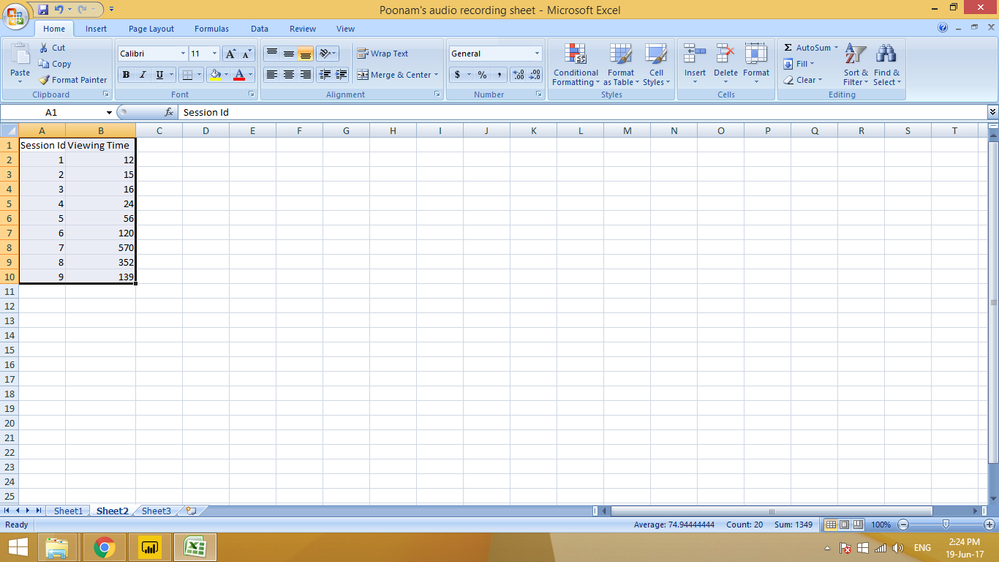
I tried the box and whisker chart, but what fields do I need to fill out in sampling and category. In my data, I have viewing time for each session. I need to create box and whisker chart for the same. I am attaching a sample of the data set.
Thank You,
Kumar Ashwarya
Hello @v-ljerr-msft
I will work on it and get back to you?? Hopefully, this would solve my purpose.
Thank You,
Kumar Ashwarya
Join us in Barcelona for FabCon and SQLCon, the Fabric, Power BI, SQL, and AI community event. Save €200 with code FABCMTY200.
Join Data Days 2026: 60 days of free live/on-demand sessions, challenges, study groups, and certification opportunities.
| User | Count |
|---|---|
| 26 | |
| 25 | |
| 19 | |
| 19 | |
| 15 |
| User | Count |
|---|---|
| 48 | |
| 45 | |
| 43 | |
| 39 | |
| 37 |