Share feedback directly with Fabric product managers, participate in targeted research studies and influence the Fabric roadmap.
Sign up nowGet Fabric certified for FREE! Don't miss your chance! Learn more
Solved! Go to Solution.
Hi @Kumar11109,
You can try the custom visual Box and Whisker chart which is a convenient way of graphically depicting groups of numerical data through their quartiles in Power BI. ![]()
Regards
Hi @Kumar11109,
You can try the custom visual Box and Whisker chart which is a convenient way of graphically depicting groups of numerical data through their quartiles in Power BI. ![]()
Regards
This worked. Thank You for your help.
Hi @v-ljerr-msft,
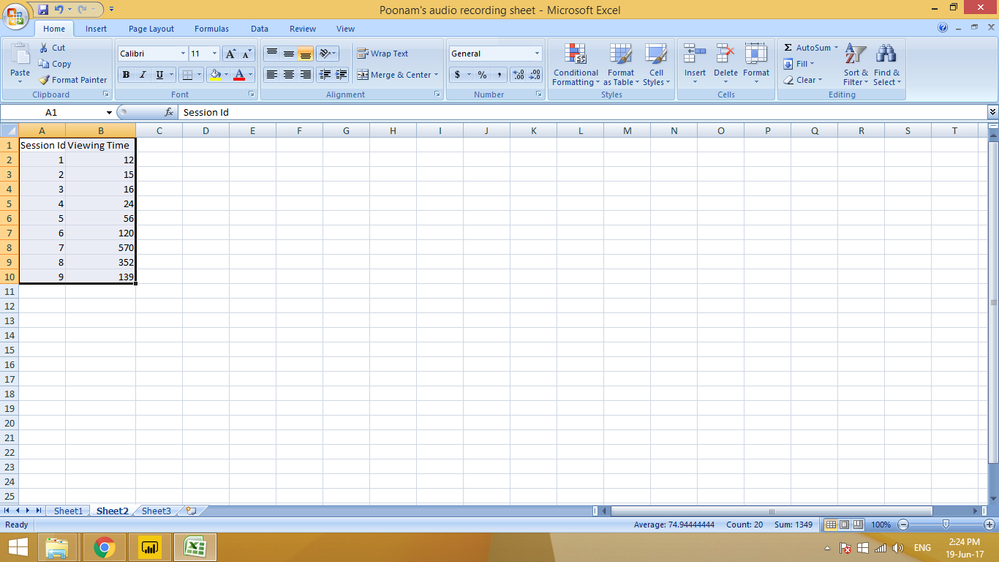
I tried the box and whisker chart, but what fields do I need to fill out in sampling and category. In my data, I have viewing time for each session. I need to create box and whisker chart for the same. I am attaching a sample of the data set.
Thank You,
Kumar Ashwarya
Hello @v-ljerr-msft
I will work on it and get back to you?? Hopefully, this would solve my purpose.
Thank You,
Kumar Ashwarya
If you love stickers, then you will definitely want to check out our Community Sticker Challenge!
Check out the January 2026 Power BI update to learn about new features.
| User | Count |
|---|---|
| 65 | |
| 64 | |
| 45 | |
| 21 | |
| 18 |
| User | Count |
|---|---|
| 115 | |
| 114 | |
| 38 | |
| 36 | |
| 26 |