
Don't miss your chance to take the Fabric Data Engineer (DP-700) exam on us!
Learn moreWe've captured the moments from FabCon & SQLCon that everyone is talking about, and we are bringing them to the community, live and on-demand. Starts on April 14th. Register now
Hi,
I'm trying to insert a few "dots" symbol to a column with a custom column, but i can only get one characte, this worksr:
CustomColumn
=Text.Insert(Text.From([Column]),2,".")
What if I want to add another dot after the fourth and sixth characters? I've tried a few things withous success, i don't know what's the right syntax, something like this maybe but i can't get it to work:
CustomColumn
=Text.Insert(Text.From([Column]),2,".",4,".",6,".")
CustomColumn
=Text.Insert(Text.From([Column]),2,4,6,".")
Solved! Go to Solution.
Hi @mcflurry
Add a custom column like :
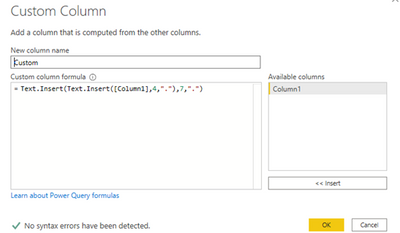
Column=Text.Insert(Text.Insert([Column1],4,"."),7,".")
And the effect is as shown:
Best Regards
Community Support Team _ Ailsa Tao
If this post helps, then please consider Accept it as the solution to help the other members find it more quickly.
Hi @mcflurry
Add a custom column like :
Column=Text.Insert(Text.Insert([Column1],4,"."),7,".")
And the effect is as shown:
Best Regards
Community Support Team _ Ailsa Tao
If this post helps, then please consider Accept it as the solution to help the other members find it more quickly.
Hi !
You should use the following Power Query (M) code to do your transformation for Custom column;
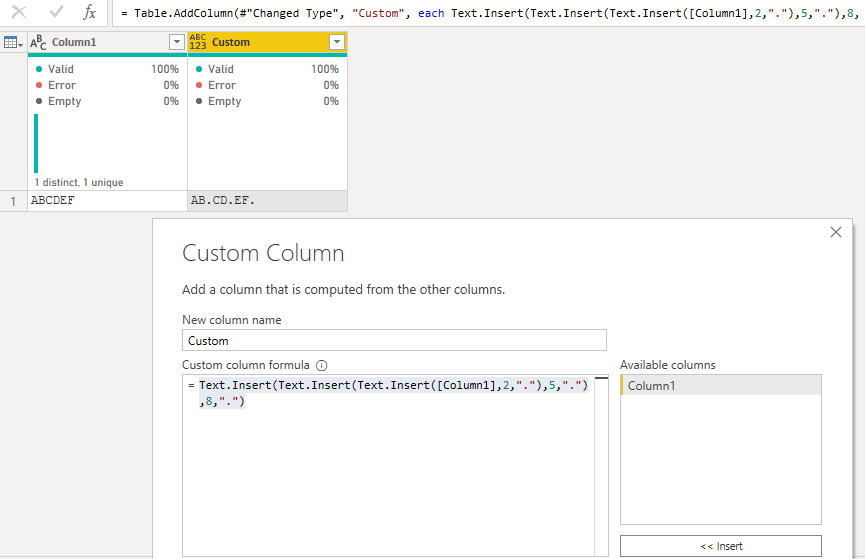
Text.Insert(Text.Insert(Text.Insert([Column1],2,"."),5,"."),8,".")
Replace Character
First replacement will be done on 2nd position, now your string has one more character in it, so to replace 4th character in orginal string you need to replace 5th position and similary for 6th caharacter in orignal string you need to replace 8th position
Regards,
Hasham
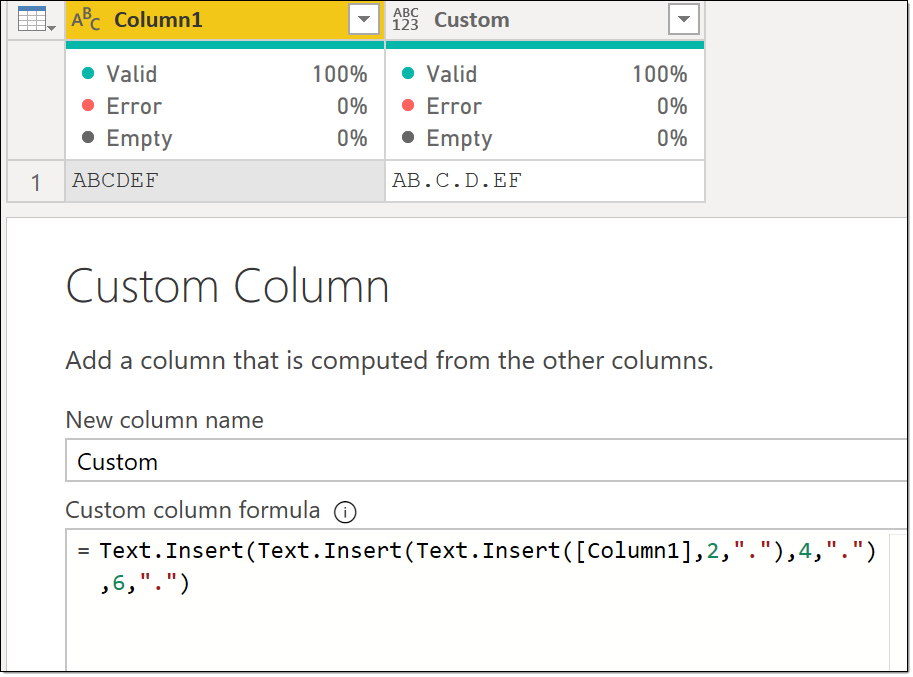
@mcflurry - Like this?
Text.Insert(
Text.Insert(
Text.Insert(
[Column1],
2,
"."
),
4,
"."
),
6,
"."
)
Proud to be a Super User!
If you have recently started exploring Fabric, we'd love to hear how it's going. Your feedback can help with product improvements.
A new Power BI DataViz World Championship is coming this June! Don't miss out on submitting your entry.
Share feedback directly with Fabric product managers, participate in targeted research studies and influence the Fabric roadmap.
| User | Count |
|---|---|
| 55 | |
| 34 | |
| 32 | |
| 19 | |
| 17 |
| User | Count |
|---|---|
| 75 | |
| 72 | |
| 38 | |
| 35 | |
| 25 |