cancel
Showing results for 
Search instead for 
Did you mean: 

The Power BI Data Visualization World Championships is back! Get ahead of the game and start preparing now! Learn more

Reply
roshak
Frequent Visitor

In drill thru, how to show all values in a slicer that uses same field as the dimension filter

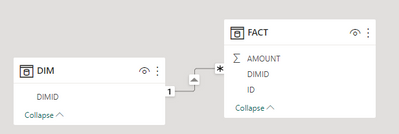
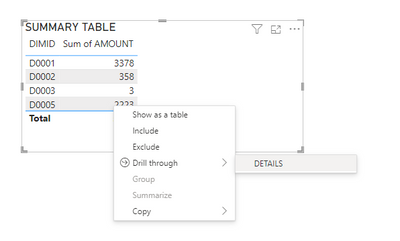
I have a SUMMARY page showing aggregate fact information by a given dimension. I have a DETAILS drill through page configured using that same dimension.

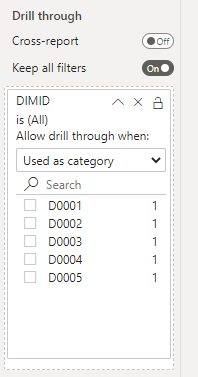
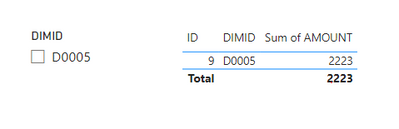
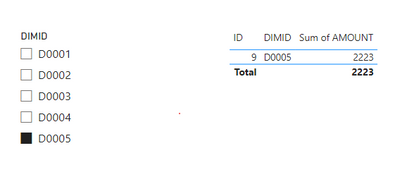
1 - relationships.png2 - summary.png3 - drill thru filter.png4 - current behavior.png

How can I allow a drill through operation to occur on a specific dimension while also providing a slicer for that same dimension on the target page that allows the user to switch dimensions?


5 - desired behavior.png

Objectives
1. Have a slicer on the details page showing all possible dimensional values
1. Set the slicer value to the value passed by the drill thru action without filtering the slicers other values
1. Allow the user to change the dimension details shown using the slicer... effectively changing the original drillthru selection


Link to Sample File 

3 REPLIES 3
AnjanaTh
Frequent Visitor

Is there any solution to this or workaround??

jdbuchanan71
Super User
Super User

@roshak 

There is not a way to setup the behaviour you are looking for.  Drillthrough filters are applied as 'Filters on this page' (the target page) so your DIMD slicer would be filtered along with the rest of the target page.

If the user clears the filter on the filter panel, then they could select a different DIMD value in the slicer.
You could put a DIMD slicer on your summary page and synch it with the slicer on the detail page then make a navigation button that jumps to the detail page.  That's about the closest I can think of to what you are looking for.

That is unfortunate.  I would have assumed that to be a relatively common use case. 

Helpful resources

Announcements
Power BI DataViz World Championships

Power BI Dataviz World Championships

The Power BI Data Visualization World Championships is back! Get ahead of the game and start preparing now!

November Power BI Update Carousel

Power BI Monthly Update - November 2025

Check out the November 2025 Power BI update to learn about new features.

FabCon Atlanta 2026 carousel

FabCon Atlanta 2026

Join us at FabCon Atlanta, March 16-20, for the ultimate Fabric, Power BI, AI and SQL community-led event. Save $200 with code FABCOMM.