This time we’re going bigger than ever. Fabric, Power BI, SQL, AI and more. We're covering it all. You won't want to miss it.
Learn moreLevel up your Power BI skills this month - build one visual each week and tell better stories with data! Get started
Hi All,
How to get the detailed data from the different schema based file , after connecting to the folder in Power BI Desktop.
Thanks,
Pratima
Solved! Go to Solution.
Hi @Pratima,
>>How to get the detailed data from the different schema based file , after connecting to the folder in Power BI Desktop.
You can refer to below steps to deal with specific file types which "get data" from folder:
1. Write a custom function to analysis different file type.
2. Get Data from folder.
3. Add custom function to invoke aboe custom function.
Formula:
let
AnalysisFile = (FilePath as text, Extension as text) =>
let
values = {
{".xlsx", Excel.Workbook(File.Contents(FilePath), true)},
{".csv", Csv.Document(File.Contents(FilePath))},
{".txt", Csv.Document(File.Contents(FilePath))},
{Extension, null}
},
Result = List.First(List.Select(values, each _{0}=Extension)){1}
in
Result
in
AnalysisFile
Full query;
let
Source = Folder.Files("C:\Users\xxxxx\Desktop"),
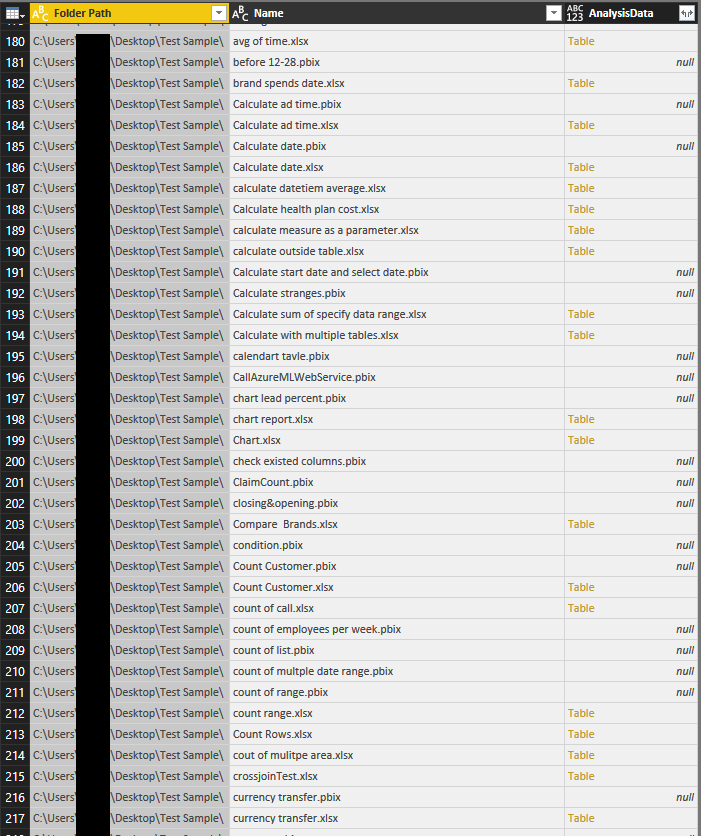
#"Filtered Rows" = Table.SelectColumns(Table.AddColumn(Source,"AnalysisData", each AnalysisFile([Folder Path]&[Name],[Extension])),{"Folder Path","Name","AnalysisData"})
in
#"Filtered Rows"
Regards,
Xiaoxin Sheng
Hi @Pratima,
>>How to get the detailed data from the different schema based file , after connecting to the folder in Power BI Desktop.
You can refer to below steps to deal with specific file types which "get data" from folder:
1. Write a custom function to analysis different file type.
2. Get Data from folder.
3. Add custom function to invoke aboe custom function.
Formula:
let
AnalysisFile = (FilePath as text, Extension as text) =>
let
values = {
{".xlsx", Excel.Workbook(File.Contents(FilePath), true)},
{".csv", Csv.Document(File.Contents(FilePath))},
{".txt", Csv.Document(File.Contents(FilePath))},
{Extension, null}
},
Result = List.First(List.Select(values, each _{0}=Extension)){1}
in
Result
in
AnalysisFile
Full query;
let
Source = Folder.Files("C:\Users\xxxxx\Desktop"),
#"Filtered Rows" = Table.SelectColumns(Table.AddColumn(Source,"AnalysisData", each AnalysisFile([Folder Path]&[Name],[Extension])),{"Folder Path","Name","AnalysisData"})
in
#"Filtered Rows"
Regards,
Xiaoxin Sheng
Sign up to receive a private message when registration opens and key events begin.
If you have recently started exploring Fabric, we'd love to hear how it's going. Your feedback can help with product improvements.
| User | Count |
|---|---|
| 29 | |
| 22 | |
| 22 | |
| 20 | |
| 15 |
| User | Count |
|---|---|
| 64 | |
| 41 | |
| 24 | |
| 22 | |
| 22 |