Learn from the best! Meet the four finalists headed to the FINALS of the Power BI Dataviz World Championships! Register now
A very dumb question.
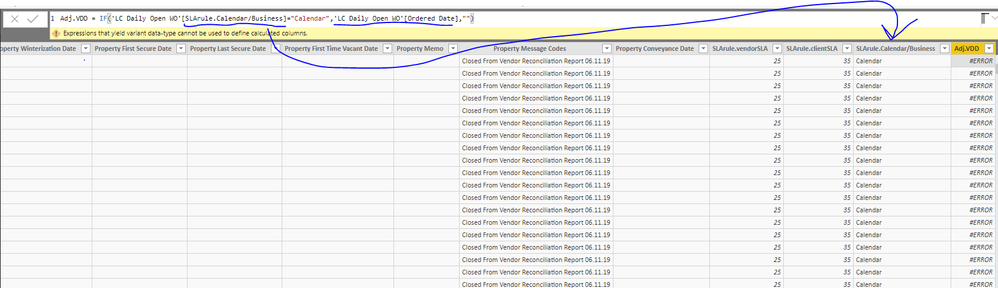
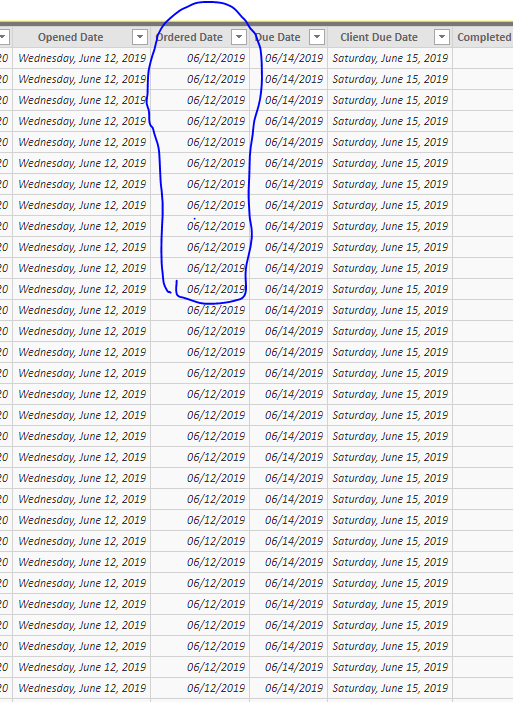
Why PowerBI couldn't return order dates when my condition is true?
Solved! Go to Solution.
The 'IF' statement has two possible outcomes. They must both be of the same data type.
Hey,
this is due to the fact, IF can not return values of different data types, your statement will return a date (Ordered Date) or a string "".
You can use this instead:
Column = IF('Table1'[CheckCondition] = "Calendar" , 'Table1'[Ordered Date] , BLANK())
Instead of returning an empty string "", return BLANK(), if the IF condition equals to FALSE
Hopefully this is what you are looking for.
Regards,
Tom
Hey,
this is due to the fact, IF can not return values of different data types, your statement will return a date (Ordered Date) or a string "".
You can use this instead:
Column = IF('Table1'[CheckCondition] = "Calendar" , 'Table1'[Ordered Date] , BLANK())
Instead of returning an empty string "", return BLANK(), if the IF condition equals to FALSE
Hopefully this is what you are looking for.
Regards,
Tom
yes, it's what I was looking for.
What is the expression used to caclulate the SLArule.Calendar/Business column?
The 'IF' statement has two possible outcomes. They must both be of the same data type.
Awesome and interesting.
I learned that using BLANK(), instead of "" fixes the issue.
it's not output from an expression. it's just fixed text.
thanks for your help.
| User | Count |
|---|---|
| 60 | |
| 46 | |
| 32 | |
| 16 | |
| 16 |
| User | Count |
|---|---|
| 82 | |
| 68 | |
| 43 | |
| 26 | |
| 25 |