Learn from the best! Meet the four finalists headed to the FINALS of the Power BI Dataviz World Championships! Register now
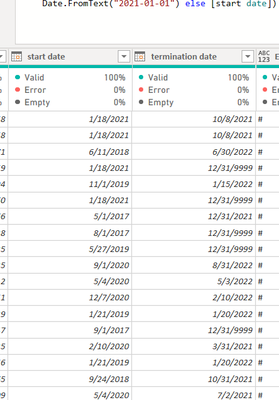
I have a table with start date and termination date as below.
I would like to replace the [start date] if it is before the first day of current year.
So I have create a custom function as below.
let
GetYearStart = () =>
if [start date]< #date(Date.Year(DateTime.LocalNow()),1,1)
and [termination date] < #date(Date.Year(DateTime.LocalNow()),1,1) then null else if [start date]< #date(Date.Year(DateTime.LocalNow()),1,1) then #date(Date.Year(DateTime.LocalNow()),1,1) else [start date]
in GetYearStart
I then create a new column by invoking the custom function, I got an error . How can I correct the custom function?
Solved! Go to Solution.
HI @Jeanxyz
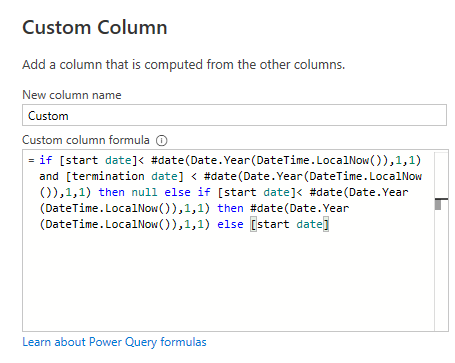
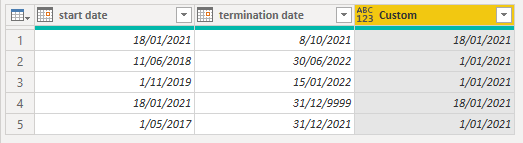
You don't need to write a custom function for this, just use your logic in a new Custom Column
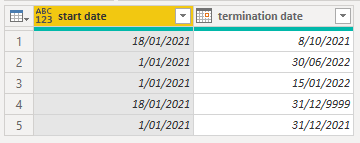
Then delete the original start date column, rename the new column and rearrange columns
If you really want to use a custom function, you need to modify the code so that you are passing in 2 argumenst to it, the start date and termination date, here's the code
let
GetYearStart = (start_date, termination_date) =>
if start_date < #date(Date.Year(DateTime.LocalNow()),1,1)
and termination_date < #date(Date.Year(DateTime.LocalNow()),1,1) then null else if start_date < #date(Date.Year(DateTime.LocalNow()),1,1) then #date(Date.Year(DateTime.LocalNow()),1,1) else start_date
in
GetYearStart
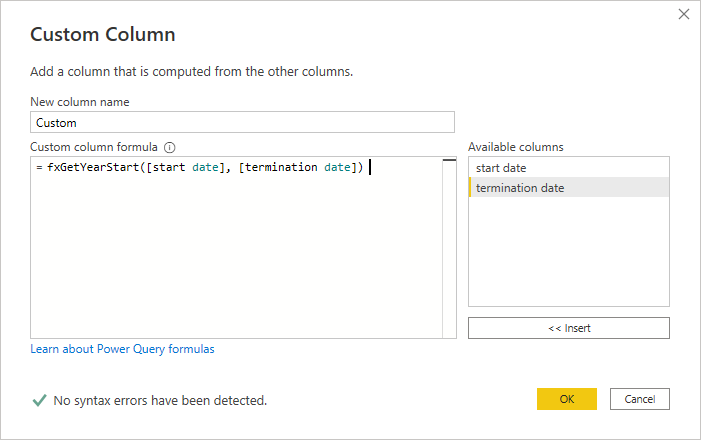
You then call that function in a new Custom Column supplying the [start date] and [termination date] columns as the two function arguments
Regards
Phil
Proud to be a Super User!
HI @Jeanxyz
You don't need to write a custom function for this, just use your logic in a new Custom Column
Then delete the original start date column, rename the new column and rearrange columns
If you really want to use a custom function, you need to modify the code so that you are passing in 2 argumenst to it, the start date and termination date, here's the code
let
GetYearStart = (start_date, termination_date) =>
if start_date < #date(Date.Year(DateTime.LocalNow()),1,1)
and termination_date < #date(Date.Year(DateTime.LocalNow()),1,1) then null else if start_date < #date(Date.Year(DateTime.LocalNow()),1,1) then #date(Date.Year(DateTime.LocalNow()),1,1) else start_date
in
GetYearStart
You then call that function in a new Custom Column supplying the [start date] and [termination date] columns as the two function arguments
Regards
Phil
Proud to be a Super User!
| User | Count |
|---|---|
| 57 | |
| 43 | |
| 32 | |
| 16 | |
| 13 |
| User | Count |
|---|---|
| 84 | |
| 70 | |
| 38 | |
| 27 | |
| 24 |