I have a table that changes per country with changes according to slicer for country. At a given moment a particular country is select I have used filter pane to show only top 10 city sales both in table and in pie chart. For reference both look similar to what I have shown below.
| City | Sales_leather | Sales_tin |
| A | 100 | 87 |
| B | 80 | 87 |
| C | 77 | 54 |
| D | 7 | 122 |
| E | 34 | 67 |
| F | 65 | 26 |
| G | 23 | 57 |
| H | 65 | 14 |
| I | 32 | 45 |
| J | 56 | 19 |
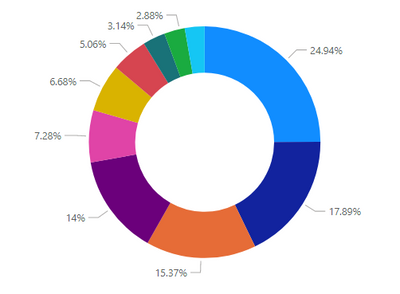
Now instead of showing legend of pie charts (as I have one more pie chart in the sheet) I would rather like to have the city columns background colored of the same color code that I want in pie chart. To have it I had created a table with rank and color codes that I need. Now I want the index numbers of each city for the particular selected country and match it with my rank table where I can not merge the relation of a measure with rank table. The rank table is shown below.
rankcolor
| 1 | #074E64 |
| 2 | #007FA3 |
| 3 | #30ABCE |
| 4 | #8DC0DD |
| 5 | #007770 |
| 6 | #5F7419 |
| 7 | #7E9B21 |
| 8 | #9CBD23 |
| 9 | #808080 |
| 10 | #969696 |
| | |
| | |
I want then for my table to look something similar to this:
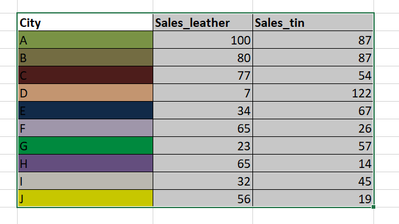
Of course ,both the background color and pie chart should show same colors. But another problem is I have a slicer which when selected for another country should still follow the same color code ranking as my table. Please help me how could I achieve this.
Thanks in advance 🙂


