
Don't miss your chance to take the Fabric Data Engineer (DP-600) exam for FREE! Find out how by watching the DP-600 session on-demand now through April 28th.
Learn moreJoin the FabCon + SQLCon recap series. Up next: Power BI, Real-Time Intelligence, IQ and AI, and Data Factory take center stage. All sessions are available on-demand after the live show. Register now
Hello,
Is it possible to conditionally format multiple text columns with one measure? To explain, I have an "inspection" form with over 200 rows of "yes/no" questions. If there is a no, I would like to be able to highlight that specific column (with a red background, for example). I understand the workaround trick of = IF ( 'Table' [Column 1] ) = "yes", 1, 0) and then conditionally formatting that specific column by 1 = color and 0 = color. However, when working with 200+ columns I was wondering if there was an easier way.
Thanks!
Solved! Go to Solution.
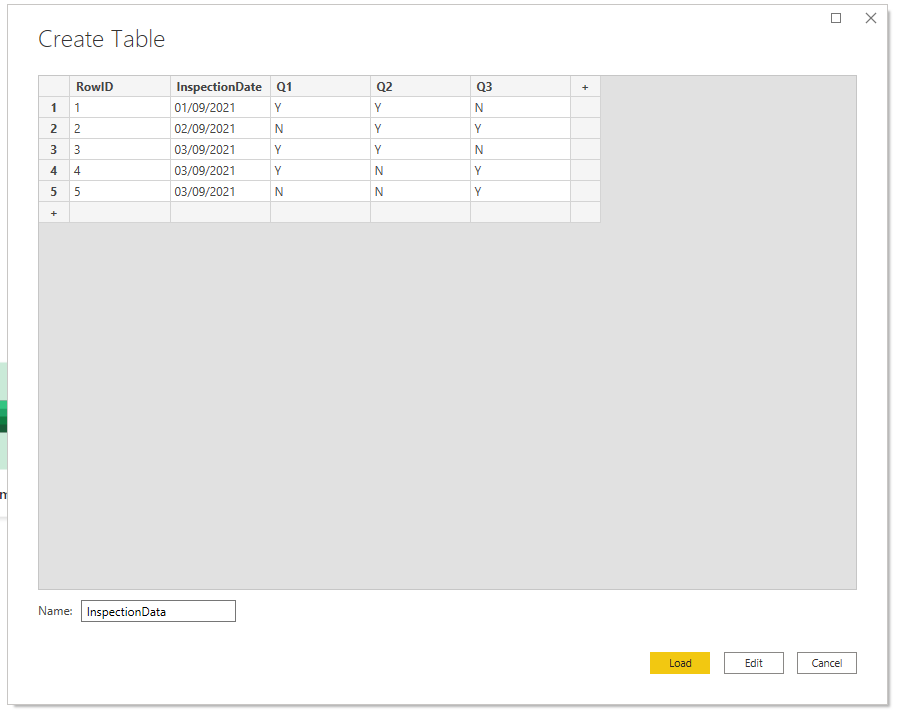
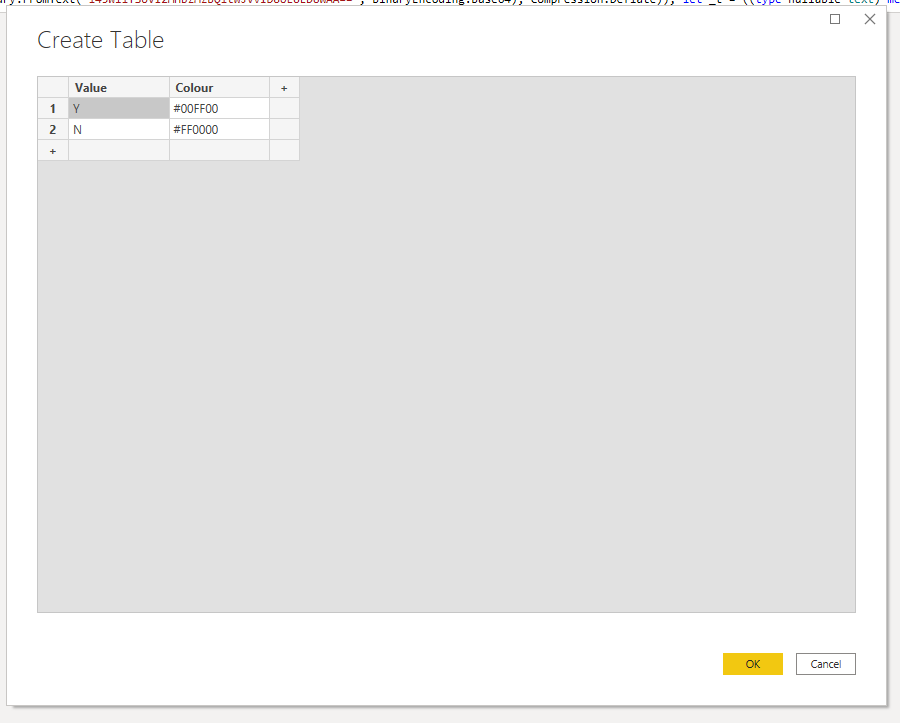
Hey @Anonymous, when I usually have a lot of conditional stuff, I would unpivot the columns, join on a lookup table (i.e. to get your colours) and then if neccesary pivot that back into columns, using your (unaggragted) colour value as the cell value. Some steps below
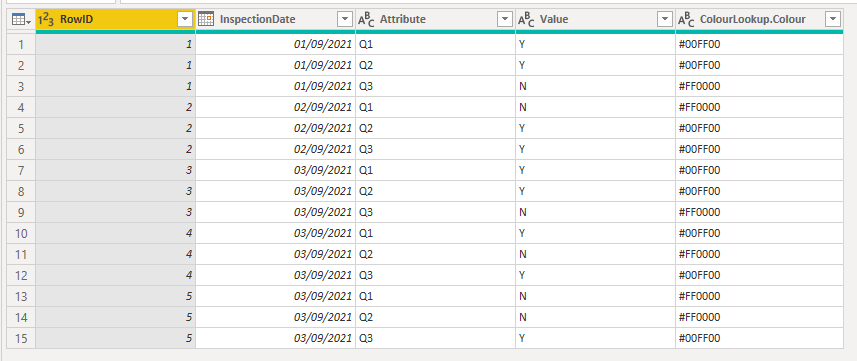
Select RowID and InspectionDate then unpivot other columns. Merge your lookup table on the new Value column to get the colours for Y and N
If needed, you could then pivot it back to columns. Although I usually find the long, slim unpivoted table easier to work with
Hey @Anonymous, when I usually have a lot of conditional stuff, I would unpivot the columns, join on a lookup table (i.e. to get your colours) and then if neccesary pivot that back into columns, using your (unaggragted) colour value as the cell value. Some steps below
Select RowID and InspectionDate then unpivot other columns. Merge your lookup table on the new Value column to get the colours for Y and N
If needed, you could then pivot it back to columns. Although I usually find the long, slim unpivoted table easier to work with
Thank you so so so so much!
Check out the April 2026 Power BI update to learn about new features.
If you have recently started exploring Fabric, we'd love to hear how it's going. Your feedback can help with product improvements.
A new Power BI DataViz World Championship is coming this June! Don't miss out on submitting your entry.
| User | Count |
|---|---|
| 43 | |
| 35 | |
| 33 | |
| 21 | |
| 15 |
| User | Count |
|---|---|
| 64 | |
| 59 | |
| 31 | |
| 27 | |
| 25 |