

Join us at FabCon Atlanta from March 16 - 20, 2026, for the ultimate Fabric, Power BI, AI and SQL community-led event. Save $200 with code FABCOMM.
Register now!The Power BI Data Visualization World Championships is back! It's time to submit your entry. Live now!
with selection
If there is data it works fine, but when there is no data a see something like this:
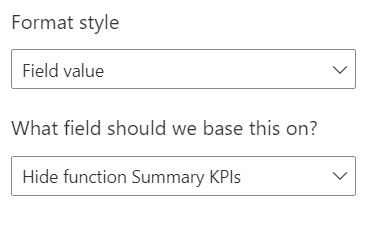
Conditional formating for this viusal not allow me to add more then one field value
Can You tell me how to fix this problem ?
Regards Piotr.
Solved! Go to Solution.
Hide function Summary KPIs =
SWITCH(TRUE(),
ISBLANK([Your measure name]),"#FFFFFF00",
NOT(ISFILTERED ('Accountflex Data'[Dealer ID and Name Filter])),"#FFFFFF00",
"#000000")
Proud to be a Super User!
Hide function Summary KPIs =
SWITCH(TRUE(),
ISBLANK([Your measure name]),"#FFFFFF00",
NOT(ISFILTERED ('Accountflex Data'[Dealer ID and Name Filter])),"#FFFFFF00",
"#000000")
Proud to be a Super User!
The Power BI Data Visualization World Championships is back! It's time to submit your entry.
Check out the January 2026 Power BI update to learn about new features.
| User | Count |
|---|---|
| 61 | |
| 45 | |
| 35 | |
| 24 | |
| 23 |
| User | Count |
|---|---|
| 144 | |
| 106 | |
| 64 | |
| 38 | |
| 31 |