cancel
Showing results for 
Search instead for 
Did you mean: 

The Power BI Data Visualization World Championships is back! Get ahead of the game and start preparing now! Learn more

Reply
skitovich
Helper I
Helper I

Help with graph

Hi all. If you remember, you recently helped me with charts: https://community.powerbi.com/t5/Desktop/Help-with-graphing/m-p/935467#M448160
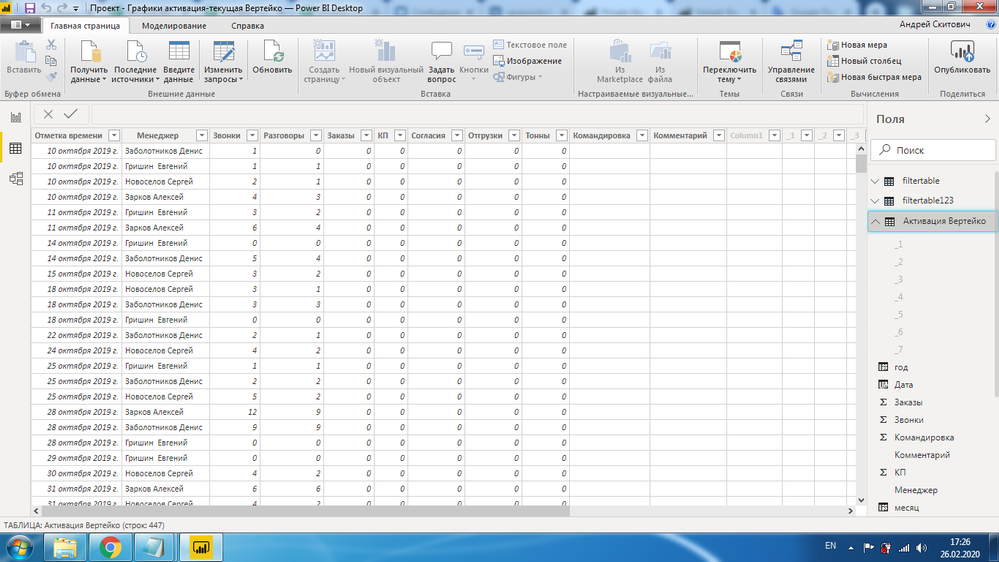
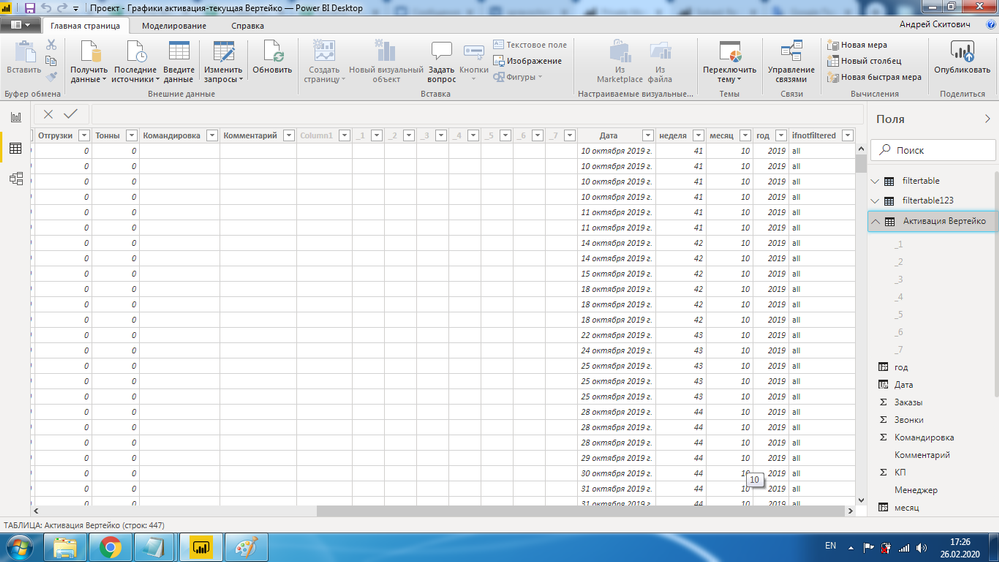
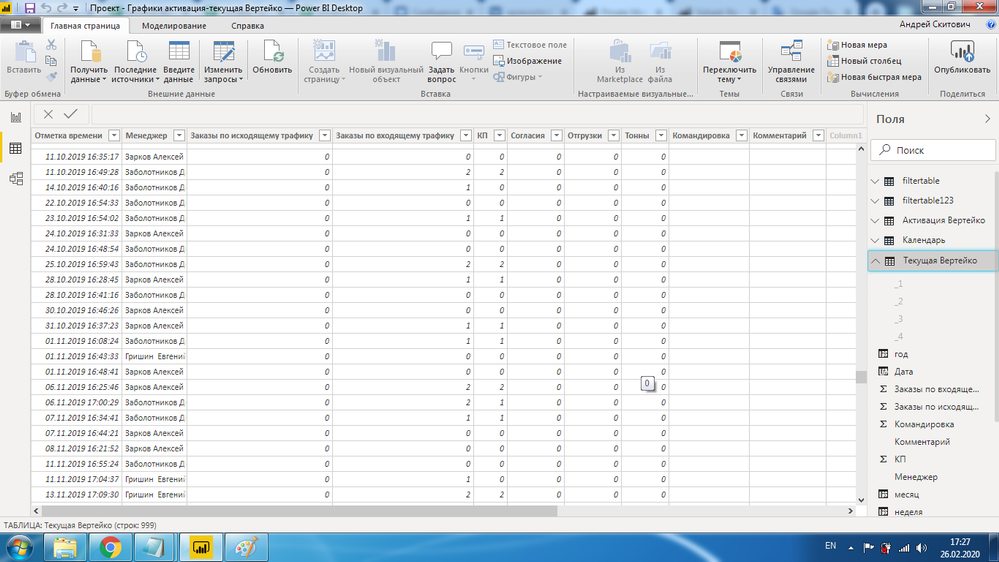
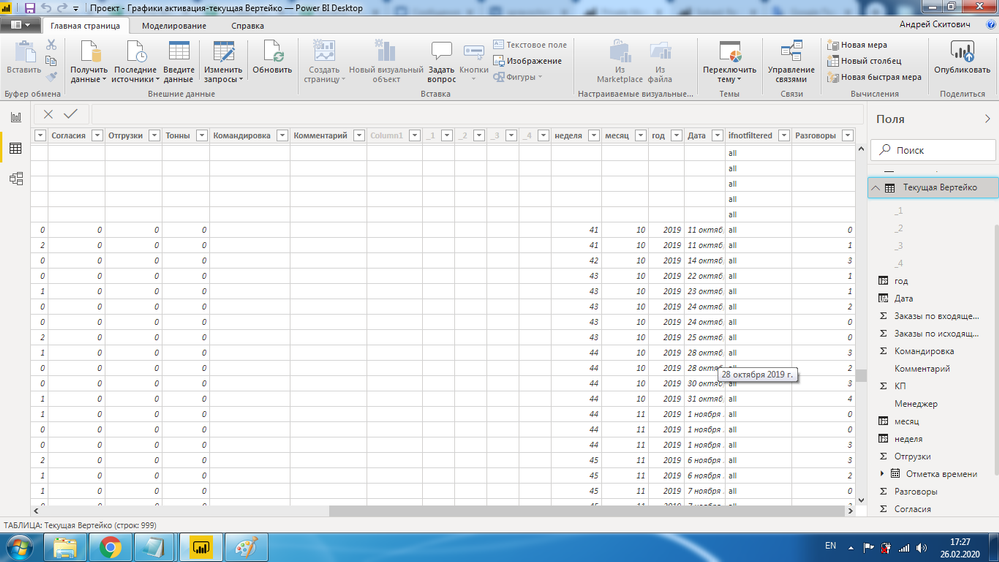
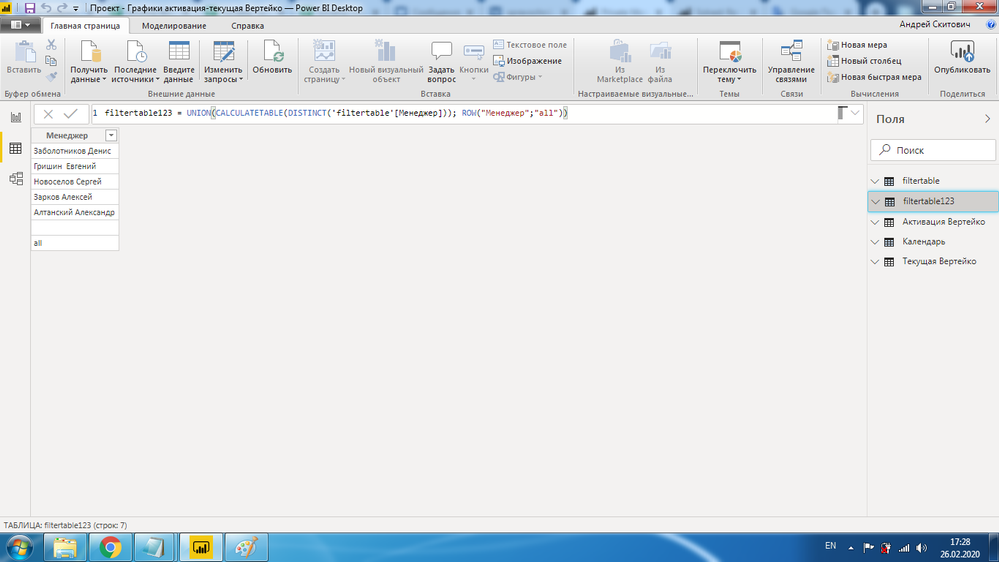
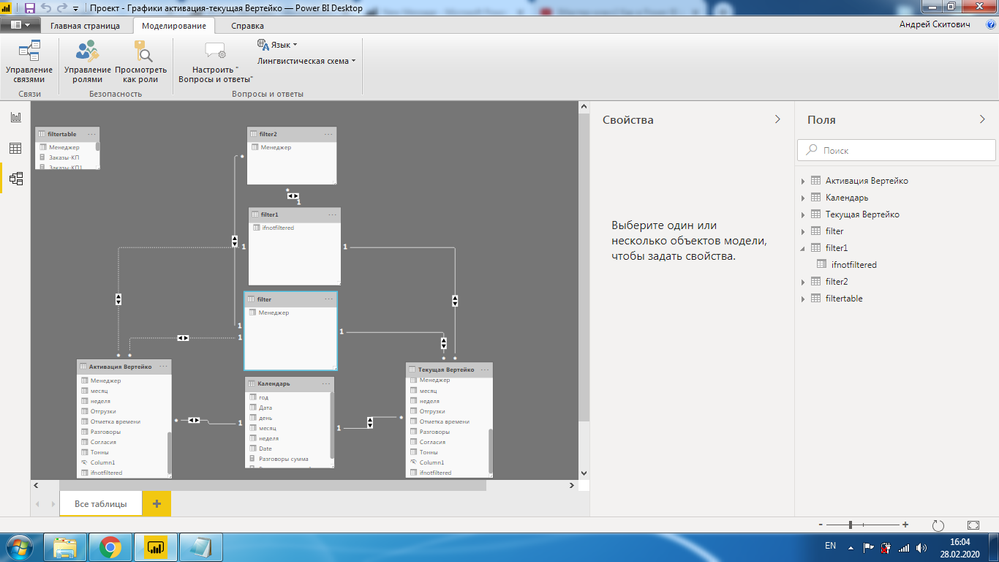
Now everything is complicated. I have two tables with data. They have the same managers. How can I do the same as in the previous task, only considering the manager from two tables. I attach the screenshots below. I tried to solve the problem, as shown in the screenshots, but it does not work. Thanks for the help earlier.1.png2.png3.png4.png5.png6.png7.png
I also tried to make a separate table of managers and a separate table of "ifnotselected", and after that I created a third table from the above tables. It still didn't work.8.png

1 ACCEPTED SOLUTION

I found solution. TY all.

View solution in original post

3 REPLIES 3
PaulDBrown
Community Champion
Community Champion

@skitovich 

This is going to sound terrible, and I apologise upfront, but would it be possible to see a mockup of the screenshots (tables and relationships) with the relevant fields in english? I have tried zooming into the images to try to make out which fields are connected in each table but I haven't been able to make them out (and the unfamiliar language characters make it very difficult to identify fields).

I'm sorry to have to ask for this, but as it is, I can't help you out.


Did I answer your question? Mark my post as a solution!
In doing so, you are also helping me. Thank you!

Proud to be a Super User!
Paul on Linkedin.


Hi. Thanks for your reply. I can hardly translate into English, but I will try to describe the specific layout more specifically. Actually, this is the problem, I attached a link to the previous problem to the post, which was successfully resolved. The essence of the problem was that when not one person was selected in the manager section, their indicators were summarized, and when 1 of them was selected, then they showed his indicators. Now the problem is as follows. I have 2 tables. I need to connect them, so that the actions described above are performed. I tried to solve as follows. Make shared tables and display data, however this did not work. I will try to make a layout.The first link shows a project in which everything works. On the second link, what I want to do, but it doesn’t work out for me.
https://www.dropbox.com/s/lqobqvv7twn16zh/123.pbix?dl=0
https://www.dropbox.com/s/qulotm0fhjzi95b/1234.pbix?dl=0


I found solution. TY all.

Helpful resources

Announcements
Power BI DataViz World Championships

Power BI Dataviz World Championships

The Power BI Data Visualization World Championships is back! Get ahead of the game and start preparing now!

December 2025 Power BI Update Carousel

Power BI Monthly Update - December 2025

Check out the December 2025 Power BI Holiday Recap!

FabCon Atlanta 2026 carousel

FabCon Atlanta 2026

Join us at FabCon Atlanta, March 16-20, for the ultimate Fabric, Power BI, AI and SQL community-led event. Save $200 with code FABCOMM.