Hi
Using a separate date table, I am trying to identify how many jobs were 'open' on any given date to plot in a bar chart.
Open is defined as where:
the StartDate is >= DateTable[Date]
the CompleteDate <=DateTable[Date]
Can I do this in a single measure, or do I need to write multiple measures?
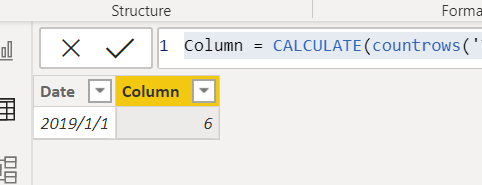
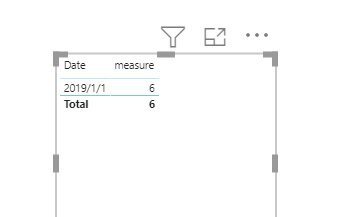
E,g, if the DateTable[Date] = 01/01/19 the count of OpenJobs would be 6
JobID StartDate CompleteDate
| 2 | 01/01/2019 00:00:00 | 11/03/2019 00:00:00 |
| 3 | 01/01/2019 00:00:00 | 11/03/2019 00:00:00 |
| 1 | 01/01/2019 00:00:00 | 14/01/2019 00:00:00 |
| 4 | 01/01/2019 00:00:00 | 11/03/2019 00:00:00 |
| 5 | 01/01/2019 00:00:00 | 11/03/2019 00:00:00 |
| 6 | 01/01/2019 00:00:00 | 11/03/2019 00:00:00 |
| 9 | 01/02/2019 00:00:00 | 11/02/2019 00:00:00 |
| 7 | 01/02/2019 00:00:00 | 11/02/2019 00:00:00 |
| 8 | 01/02/2019 00:00:00 | 11/02/2019 00:00:00 |
| 10 | 01/02/2019 00:00:00 | 11/02/2019 00:00:00 |
| 11 | 01/02/2019 00:00:00 | 11/02/2019 00:00:00 |
| 12 | 01/02/2019 00:00:00 | 11/02/2019 00:00:00 |
| 13 | 01/03/2019 00:00:00 | 11/03/2019 00:00:00 |
| 14 | 01/03/2019 00:00:00 | 11/03/2019 00:00:00 |
| 15 | 01/03/2019 00:00:00 | 11/03/2019 00:00:00 |
| 16 | 01/03/2019 00:00:00 | 11/03/2019 00:00:00 |
| 17 | 01/03/2019 00:00:00 | 11/03/2019 00:00:00 |