
Don't miss your chance to take the Fabric Data Engineer (DP-600) exam for FREE! Find out how by attending the DP-600 session on April 23rd (pacific time), live or on-demand.
Learn moreJoin the FabCon + SQLCon recap series. Up next: Power BI, Real-Time Intelligence, IQ and AI, and Data Factory take center stage. All sessions are available on-demand after the live show. Register now
Hello,
I am trying to do a radar/bar chart with some very basic values.
My final table should have all categories (Quality, Speed, Communication), the count of values (Very Good, Good, Bad) and as legend the lookup table / list (Very Good, Good, Bad). All categories point to the same lookup/list
Customer
| Customer Name | Quality | Speed | Communication |
| A | Very Good | Very Good | Bad |
| B | Good | Good | Bad |
| C | Very Good | Bad | Very Good |
LookUp
| Very Good |
| Good |
| Bad |
| ... |
hope anybody can help me with that simple issue
BR
@cousinitt13 , not sure I got it. You can join with all three Tables and use userelation to create formulas.
Please check how to use userelation
@amitchandak Thanks for the reply, but I can't do more than one relationship to my lookuptable
I have about 16 categories (columns) which have the same "legend" values ("Sehr Gut, Gut, Akzeptabel, Schlecht")
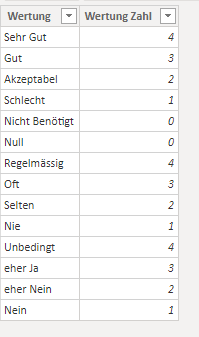
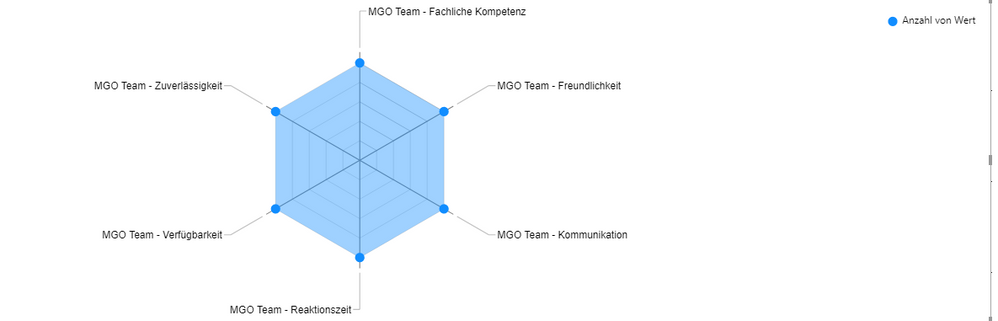
here is a screenshot of the data
and my lookup/list table is very basic
so, in this case, I can't create 16 relations to this lookup table.
To do that:
1. unpivot columns 2-4 in the query editor (just highlight your Customer Name column, right click on it, and choose unpivot other columns.
2. Load the table.
3. Get a Radar chart by hitting the ellipsis in the Visualization pane and choose Get More Visuals.
4. Put the Attribute column in the category field well and your value column in the values area (choose Count as the aggregation or provide your own measure).
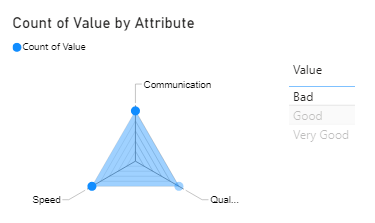
5. Make a table visual with your Value column to show Very Good, Good, etc. to be used as a slicer.
This is what it will look like
If this works for you, please mark it as solution. Kudos are appreciated too. Please let me know if not.
Regards,
Pat
To learn more about Power BI, follow me on Twitter or subscribe on YouTube.
Thanks for your quick answer, but it seems that the Count function is not working with textfields.
it shows only the whole amount of the categories, not the separated (very good, good, bad) value
Check out the April 2026 Power BI update to learn about new features.
If you have recently started exploring Fabric, we'd love to hear how it's going. Your feedback can help with product improvements.
A new Power BI DataViz World Championship is coming this June! Don't miss out on submitting your entry.
| User | Count |
|---|---|
| 48 | |
| 46 | |
| 41 | |
| 20 | |
| 17 |
| User | Count |
|---|---|
| 69 | |
| 67 | |
| 32 | |
| 27 | |
| 26 |