cancel
Showing results for 
Search instead for 
Did you mean: 

Next up in the FabCon + SQLCon recap series: The roadmap for Microsoft SQL and Maximizing Developer experiences in Fabric. All sessions are available on-demand after the live show. Register now

Reply
Anonymous
Not applicable

Help needed!! Data anonymization

Hi all, 


I recently made a Dashboard that displays the results of a survey distributed throughout the company. 


The Dashboard allows users to drill down into the survey results using multiple filters. Amoung these filters are the filters on "Job Grade" and "Project Name". 


Since there are some projects that only have one "Senior Manager" staffed, it would be posible for visitors to find out what the answers are of some particular respondents. 


Since we promised the survey could be filled in anonymous, I am now looking for a solution/workaround in the dashboard.


QuestionIs there a method/workaround to hide the results in the dashboard if the number of respondents is less than 3?


All tips are welcome 😉


Thanks in advance,


Jur

1 ACCEPTED SOLUTION
negi007
Community Champion
Community Champion

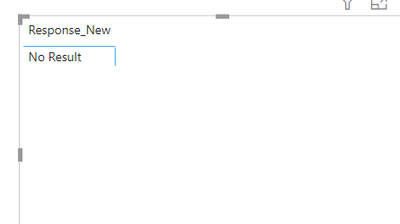
@Anonymous   I think it is possible, please do the following. If you have less or equal to 3 responses then "No Result" will be shown else orginal response will be shown on the visual


1. Create a calculated column 

Response_New = if (DISTINCTCOUNTNOBLANK(Tab[Response_Orginal]) <=3 ,"No Result", Tab[Response_Orginal])
 
negi007_0-1605108659134.png


In case you wish to combine condition basis multiple columns, you can modify the dax above as well.


Did I answer your question? Mark my post as a solution!
Appreciate your Kudos


Proud to be a Super User!


Follow me on linkedin

View solution in original post

3 REPLIES 3
v-deddai1-msft
Community Support
Community Support

Hi @Anonymous ,


Thank you for sharing the workaround. Would you please consider Accept it as the solution to help the other members find it more quickly?


Thanks for your understanding and support.


Best Regards,

Dedmon Dai

negi007
Community Champion
Community Champion

@Anonymous   I think it is possible, please do the following. If you have less or equal to 3 responses then "No Result" will be shown else orginal response will be shown on the visual


1. Create a calculated column 

Response_New = if (DISTINCTCOUNTNOBLANK(Tab[Response_Orginal]) <=3 ,"No Result", Tab[Response_Orginal])
 
negi007_0-1605108659134.png


In case you wish to combine condition basis multiple columns, you can modify the dax above as well.


Did I answer your question? Mark my post as a solution!
Appreciate your Kudos


Proud to be a Super User!


Follow me on linkedin

Anonymous
Not applicable

Thanks for your response! I found out that conditional formating is an easier workaround

Helpful resources

Announcements
New to Fabric survey Carousel

New to Fabric Survey

If you have recently started exploring Fabric, we'd love to hear how it's going. Your feedback can help with product improvements.

Power BI DataViz World Championships carousel

Power BI DataViz World Championships - June 2026

A new Power BI DataViz World Championship is coming this June! Don't miss out on submitting your entry.

FabCon and SQLCon Highlights Carousel

FabCon &SQLCon Highlights

Experience the highlights from FabCon & SQLCon, available live and on-demand starting April 14th.

March Power BI Update Carousel

Power BI Community Update - March 2026

Check out the March 2026 Power BI update to learn about new features.