This time we’re going bigger than ever. Fabric, Power BI, SQL, AI and more. We're covering it all. You won't want to miss it.
Learn moreLevel up your Power BI skills this month - build one visual each week and tell better stories with data! Get started
Hi all,
I recently made a Dashboard that displays the results of a survey distributed throughout the company.
The Dashboard allows users to drill down into the survey results using multiple filters. Amoung these filters are the filters on "Job Grade" and "Project Name".
Since there are some projects that only have one "Senior Manager" staffed, it would be posible for visitors to find out what the answers are of some particular respondents.
Since we promised the survey could be filled in anonymous, I am now looking for a solution/workaround in the dashboard.
Question: Is there a method/workaround to hide the results in the dashboard if the number of respondents is less than 3?
All tips are welcome 😉
Thanks in advance,
Jur
Solved! Go to Solution.
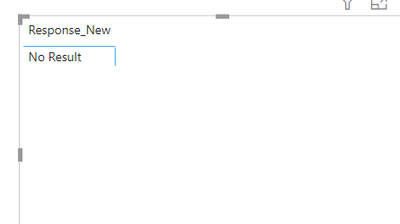
@Anonymous I think it is possible, please do the following. If you have less or equal to 3 responses then "No Result" will be shown else orginal response will be shown on the visual
1. Create a calculated column
Proud to be a Super User!
Hi @Anonymous ,
Thank you for sharing the workaround. Would you please consider Accept it as the solution to help the other members find it more quickly?
Thanks for your understanding and support.
Best Regards,
Dedmon Dai
@Anonymous I think it is possible, please do the following. If you have less or equal to 3 responses then "No Result" will be shown else orginal response will be shown on the visual
1. Create a calculated column
Proud to be a Super User!
Thanks for your response! I found out that conditional formating is an easier workaround
Check out the April 2026 Power BI update to learn about new features.
Sign up to receive a private message when registration opens and key events begin.
If you have recently started exploring Fabric, we'd love to hear how it's going. Your feedback can help with product improvements.
| User | Count |
|---|---|
| 30 | |
| 24 | |
| 23 | |
| 17 | |
| 16 |
| User | Count |
|---|---|
| 61 | |
| 35 | |
| 30 | |
| 23 | |
| 22 |