

Share feedback directly with Fabric product managers, participate in targeted research studies and influence the Fabric roadmap.
Sign up nowGet Fabric certified for FREE! Don't miss your chance! Learn more
Hello -
I am having an issue with a data import and feel like I am missing something simple. Any help is appreciated.
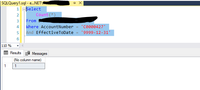
I am importing data using a SQL command (picture below).
The way this query is written with the Group By I should only have one row per account number.
When I Apply Changes, it tells me there is a duplicate value. If I create a table visual and do count of account number, I see two instances of the account number.
However, when I return to the PowerQuery editor and remove duplicates and filter by that account number, I only see one row
And when I execute the SQL query and limit to the account number in question, I get one row.
I have been working in PBI for over two years now and have never seen this issue. So what I am doing wrong here or what am I missing that is causing the particular value to show up as a duplicate? And it is it he only duplicate value in the table.
Any help is appreciated..
Matt
Hi @matthew_hampton ,
You could try the following DAX:
Measure =
CALCULATE (
COUNT ( 'Query1'[AccountNumber] ),
ALLEXCEPT ( 'Query1', 'Query1'[AccountNumber] )
)
If the result is 1, you could check if the data contains blank value.
If you love stickers, then you will definitely want to check out our Community Sticker Challenge!
Check out the January 2026 Power BI update to learn about new features.
| User | Count |
|---|---|
| 64 | |
| 63 | |
| 49 | |
| 21 | |
| 18 |
| User | Count |
|---|---|
| 121 | |
| 118 | |
| 38 | |
| 36 | |
| 29 |