Join us at FabCon Atlanta from March 16 - 20, 2026, for the ultimate Fabric, Power BI, AI and SQL community-led event. Save $200 with code FABCOMM.
Register now!The Power BI Data Visualization World Championships is back! It's time to submit your entry. Live now!
Hi,
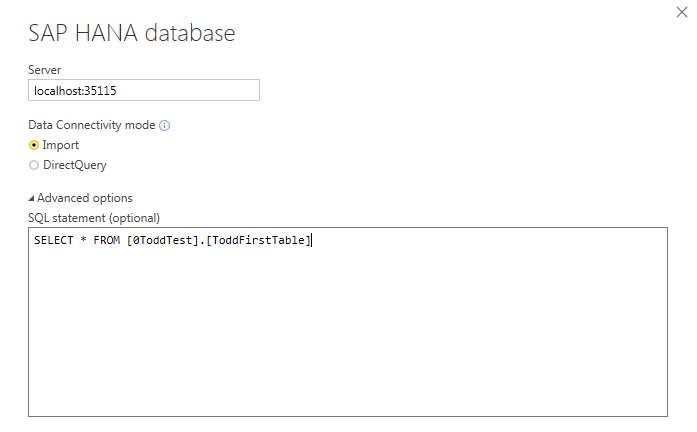
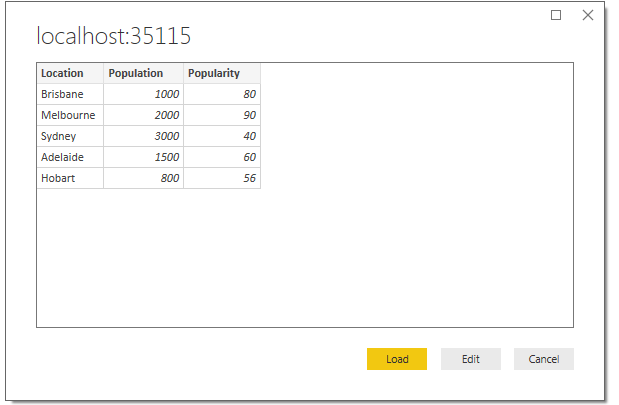
I have established a source connection to a HANA database, using "Import" connectivity type and specifying a simple SQL statement to read data from a specific table. The correct table and contents are displayed (in preview), however when I then press the "Load" button I get the following timeout error.
The message "There are pending changes in your queries that haven't been applied" appears at the top of the screen. If I press "Apply Changes" then it attempts to re-process however the same timeout error occurs.
If this is an actual timeout error, is there a way I can extend the timeout value? ...or does it point to an actual connection error somewhere? Note that if I go into "Edit Queries" I can see the query and the correct data shown, ready to load...
Thanks very much for your help!
Todd
I am facing similar problem.
I see the data in query editor but I can't run the report, even if the query returns just one row of data.
Any updates on this topic?
Regards
Hi @ToddFScholes,
You can connect the HAHA database successfully? After research, I find a similar thread, please review it. The connection creation interface wasn't very specific about the need to include a port. Did you add the port when prompted for the "server" express it like this: <servername>.<domain>.<com/net>:<port>?
If you have not, please add the port number and check if it works fine.
Best Regards,
Angelia
Hi Angelia,
Thanks for your response. Yes, I have specified the port, and I am able to connect to the database.
My HANA database is running on my trial SAP Cloud Platform account, and I am connecting to it via SAP Cloud Connector which is running on my laptop. So the server entry I specify is "localhost:35115".
When I select "connect" from this screen, the next screen I am shown is my table with the data - so it's obviously able to talk to the database ok!
It's when I then press "Load", that I get the error shown in my previous post. Is there anywhere that might display some logs to help understand the issue? Or can I increase the timeout value?
Thanks for your help.
Todd
The Power BI Data Visualization World Championships is back! It's time to submit your entry.
Check out the January 2026 Power BI update to learn about new features.
| User | Count |
|---|---|
| 61 | |
| 49 | |
| 30 | |
| 25 | |
| 23 |
| User | Count |
|---|---|
| 128 | |
| 102 | |
| 56 | |
| 39 | |
| 31 |