cancel
Showing results for 
Search instead for 
Did you mean: 

Data Days is here! Join us now for 60+ days of learning, challenges, and connection. Learn more

Reply
mzelt
Regular Visitor

Getting Value from Text Filter Visual

Is there a way to get the value searched within the Text Filter visual in order to do additional caluclations?


Ex: If the word "data" is input into the Text Filter visual, I can use the word "data" in a measure. 


Thoughts?/ Ideas?/ Alternatives?

1 ACCEPTED SOLUTION
Anonymous
Not applicable

Hi @mzelt ,


To my knowledge, you could not get the input from Text Filter unless you input the complete value accurately:


Singel selection = SELECTEDVALUE('Table'[Value])


Eyelyn9_2-1634872019321.pngEyelyn9_3-1634872033987.png


Best Regards,
Eyelyn Qin
If this post helps, then please consider Accept it as the solution to help the other members find it more quickly.

View solution in original post

4 REPLIES 4
Anonymous
Not applicable

Hi @mzelt ,


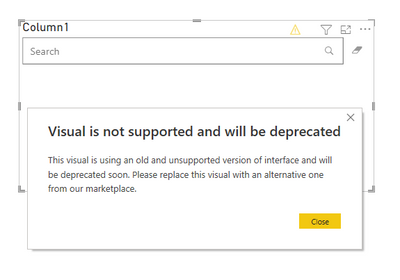
Actually, the developers of Text Filter visual don't maintain it anymore.

Eyelyn9_0-1635313923007.png

So you may use Slicer or Smart Filter visual instead.


Best Regards,
Eyelyn Qin
If this post helps, then please consider Accept it as the solution to help the other members find it more quickly.

I need a measure to be calculated depending on the exchange rate of a currency that is selected in an object

Anonymous
Not applicable

Hi @mzelt ,


To my knowledge, you could not get the input from Text Filter unless you input the complete value accurately:


Singel selection = SELECTEDVALUE('Table'[Value])


Eyelyn9_2-1634872019321.pngEyelyn9_3-1634872033987.png


Best Regards,
Eyelyn Qin
If this post helps, then please consider Accept it as the solution to help the other members find it more quickly.

Anonymous
Not applicable

If you want to use the selected value in a measure, SELECTEDVALUE() DAX function can be used. If this is not your requirement, Can you provide more details of what are you looking for?


Thanks
Raj

Helpful resources

Announcements
Fabric Data Days is here Carousel

Fabric Data Days 2026

Don't miss out on Data Days, June 15 through August 7. Learn Fabric, Power BI, SQL, AI and more.

May Power BI Update Carousel

Power BI Monthly Update - May 2026

Check out the May 2026 Power BI update to learn about new features.

Power BI DataViz World Championships carousel

Power BI DataViz World Championships - June 2026

A new Power BI DataViz World Championship is coming this June! Don't miss out on submitting your entry.