We've captured the moments from FabCon & SQLCon that everyone is talking about, and we are bringing them to the community, live and on-demand. Starts on April 14th. Register now
Is there a way to get the value searched within the Text Filter visual in order to do additional caluclations?
Ex: If the word "data" is input into the Text Filter visual, I can use the word "data" in a measure.
Thoughts?/ Ideas?/ Alternatives?
Solved! Go to Solution.
Hi @mzelt ,
To my knowledge, you could not get the input from Text Filter unless you input the complete value accurately:
Singel selection = SELECTEDVALUE('Table'[Value])
Best Regards,
Eyelyn Qin
If this post helps, then please consider Accept it as the solution to help the other members find it more quickly.
Hi @mzelt ,
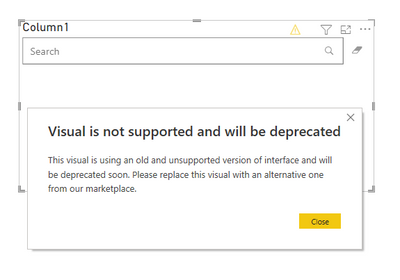
Actually, the developers of Text Filter visual don't maintain it anymore.
So you may use Slicer or Smart Filter visual instead.
Best Regards,
Eyelyn Qin
If this post helps, then please consider Accept it as the solution to help the other members find it more quickly.
I need a measure to be calculated depending on the exchange rate of a currency that is selected in an object
Hi @mzelt ,
To my knowledge, you could not get the input from Text Filter unless you input the complete value accurately:
Singel selection = SELECTEDVALUE('Table'[Value])
Best Regards,
Eyelyn Qin
If this post helps, then please consider Accept it as the solution to help the other members find it more quickly.
If you want to use the selected value in a measure, SELECTEDVALUE() DAX function can be used. If this is not your requirement, Can you provide more details of what are you looking for?
Thanks
Raj
If you have recently started exploring Fabric, we'd love to hear how it's going. Your feedback can help with product improvements.
A new Power BI DataViz World Championship is coming this June! Don't miss out on submitting your entry.
Share feedback directly with Fabric product managers, participate in targeted research studies and influence the Fabric roadmap.
| User | Count |
|---|---|
| 53 | |
| 38 | |
| 33 | |
| 17 | |
| 17 |
| User | Count |
|---|---|
| 67 | |
| 62 | |
| 38 | |
| 34 | |
| 22 |