cancel
Showing results for 
Search instead for 
Did you mean: 

The Power BI Data Visualization World Championships is back! Get ahead of the game and start preparing now! Learn more

Reply
Anonymous
Not applicable

Get values from the List column

Hi All,


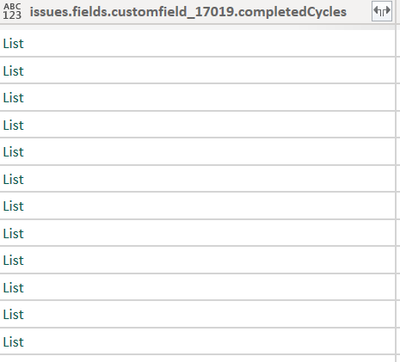
I have done Power BI and jira integration usign Rest API's and the data in few columns in the queries store Record and List values. How can I retrieve data from List values?

DerekR_0-1686214310139.png

Thanks 


2 REPLIES 2
Anonymous
Not applicable

Just adding few screenshots for the explanation:

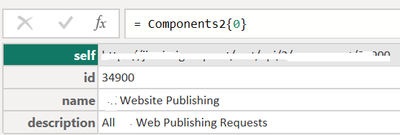
The Column name is "Components" which has List values and below is the record 

DerekR_0-1686221288226.png

How can I retreive the name from here and store it in a new column in the query?

Thanks

Anonymous
Not applicable

Hi @Anonymous,

I'd like to suggest you add a custom column with nested M query functions.

You can extract the current row as source of following operations to convert it to table. Then you can nest previous result with 'Table.Transpose' to convent the rows to columns and use the first row as table column names.

Transpose table - Power Query | Microsoft Learn

Promote or demote column headers - Power Query | Microsoft Learn

After these steps, you can do expand on this field to expand the transformed table contexts.

Optimize Power Query when expanding table columns - Power Query | Microsoft Learn

Reference documents:

Table.Transpose - PowerQuery M | Microsoft Learn

Table.PromoteHeaders - PowerQuery M | Microsoft Learn

Regards,

Xiaoxin Sheng

Helpful resources

Announcements
November Power BI Update Carousel

Power BI Monthly Update - November 2025

Check out the November 2025 Power BI update to learn about new features.

Fabric Data Days Carousel

Fabric Data Days

Advance your Data & AI career with 50 days of live learning, contests, hands-on challenges, study groups & certifications and more!

FabCon Atlanta 2026 carousel

FabCon Atlanta 2026

Join us at FabCon Atlanta, March 16-20, for the ultimate Fabric, Power BI, AI and SQL community-led event. Save $200 with code FABCOMM.

Top Kudoed Authors