Join us at FabCon Atlanta from March 16 - 20, 2026, for the ultimate Fabric, Power BI, AI and SQL community-led event. Save $200 with code FABCOMM.
Register now!The Power BI Data Visualization World Championships is back! Get ahead of the game and start preparing now! Learn more
Hello,
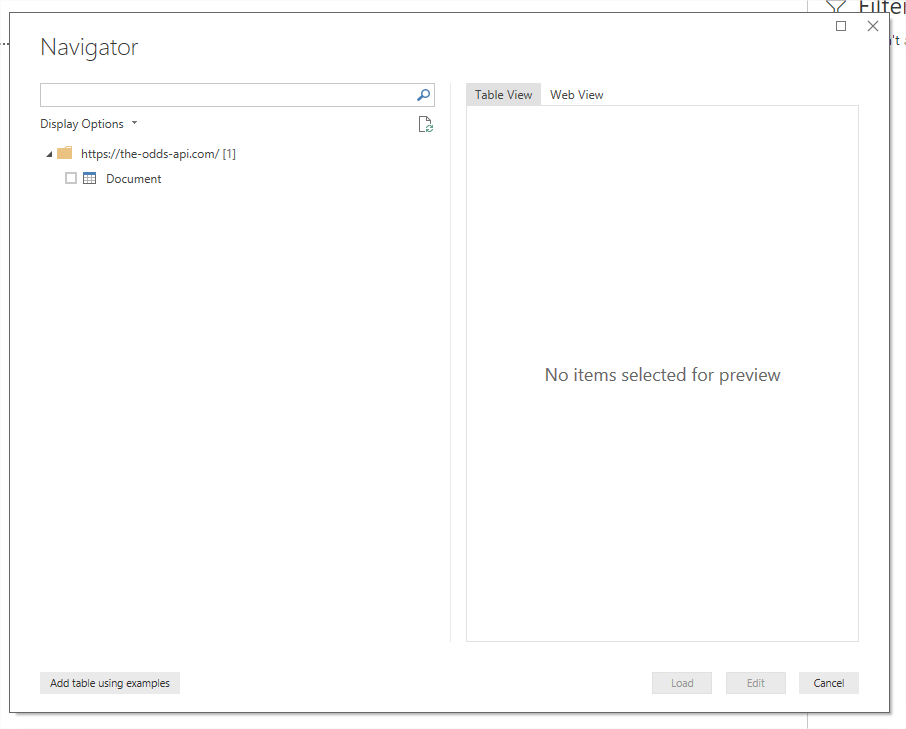
I try to load data from a web api, and initially I choose to access data anonymously, so the Power BI Desktop opens the Navigator window that shows the web page which is not what I want.
Then I got api key and now I want to switch authentication method from Anonymous to Web API, but every time I say to load data from web, and I give the api link, it goes directly to Navigator page, without going to authentication dialog where I could paste the api key.
I tried closing Power BI and even restarting PC but when I retry, it still opens Navigator dialog.
Solved! Go to Solution.
Hi @Sab,
The credential is already stored. You need to edit it or clear it. Please refer to the snapshot below.
Best Regards,
Hi @Sab,
You can either update the data source or delete it then it prompts again. Please refer to the snapshot below.
Best Regards,
That doesn't work for me, because I don't have data loaded at all.
You can try it yourself, use this link: https://the-odds-api.com, as a web data source, in the first window after this, choose Anonymous, then just click load.
Next, open new power bi instance, then try to use that link as a data source, IT WILL NOT PROMPT for selecting authentication method at all!
Hi @Sab,
The credential is already stored. You need to edit it or clear it. Please refer to the snapshot below.
Best Regards,
The Power BI Data Visualization World Championships is back! Get ahead of the game and start preparing now!
| User | Count |
|---|---|
| 40 | |
| 37 | |
| 33 | |
| 29 | |
| 27 |
| User | Count |
|---|---|
| 133 | |
| 104 | |
| 61 | |
| 59 | |
| 55 |