Join us at FabCon Atlanta from March 16 - 20, 2026, for the ultimate Fabric, Power BI, AI and SQL community-led event. Save $200 with code FABCOMM.
Register now!The Power BI Data Visualization World Championships is back! It's time to submit your entry. Live now!
Hello,
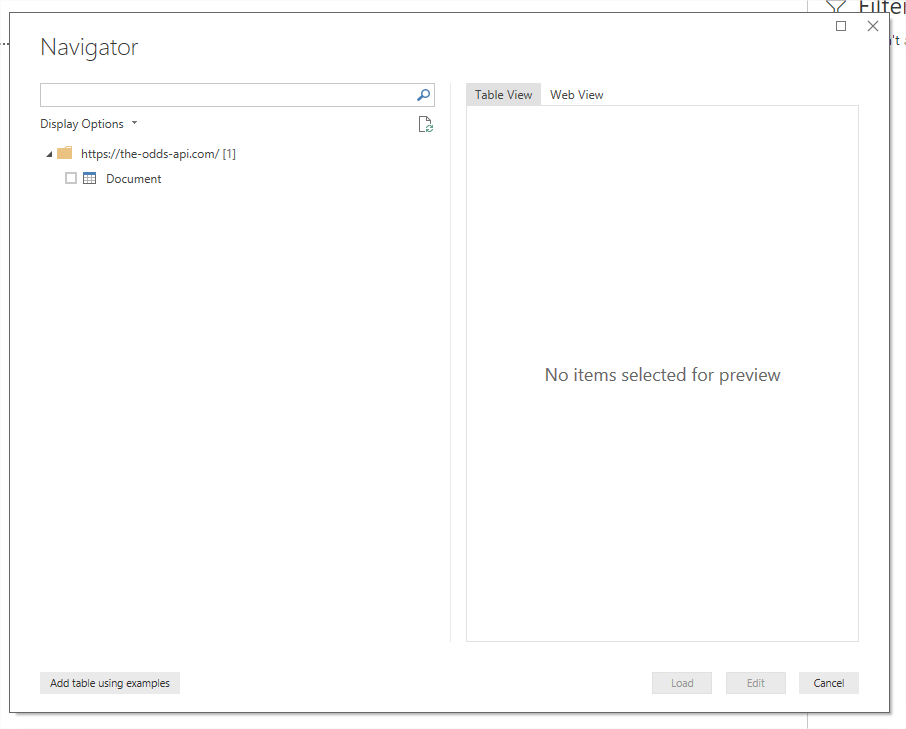
I try to load data from a web api, and initially I choose to access data anonymously, so the Power BI Desktop opens the Navigator window that shows the web page which is not what I want.
Then I got api key and now I want to switch authentication method from Anonymous to Web API, but every time I say to load data from web, and I give the api link, it goes directly to Navigator page, without going to authentication dialog where I could paste the api key.
I tried closing Power BI and even restarting PC but when I retry, it still opens Navigator dialog.
Solved! Go to Solution.
Hi @Sab,
The credential is already stored. You need to edit it or clear it. Please refer to the snapshot below.
Best Regards,
Hi @Sab,
You can either update the data source or delete it then it prompts again. Please refer to the snapshot below.
Best Regards,
That doesn't work for me, because I don't have data loaded at all.
You can try it yourself, use this link: https://the-odds-api.com, as a web data source, in the first window after this, choose Anonymous, then just click load.
Next, open new power bi instance, then try to use that link as a data source, IT WILL NOT PROMPT for selecting authentication method at all!
Hi @Sab,
The credential is already stored. You need to edit it or clear it. Please refer to the snapshot below.
Best Regards,
| User | Count |
|---|---|
| 53 | |
| 40 | |
| 31 | |
| 24 | |
| 22 |
| User | Count |
|---|---|
| 134 | |
| 111 | |
| 57 | |
| 44 | |
| 38 |