
This time we’re going bigger than ever. Fabric, Power BI, SQL, AI and more. We're covering it all. You won't want to miss it.
Learn moreDid you hear? There's a new SQL AI Developer certification (DP-800). Start preparing now and be one of the first to get certified. Register now
Hi,
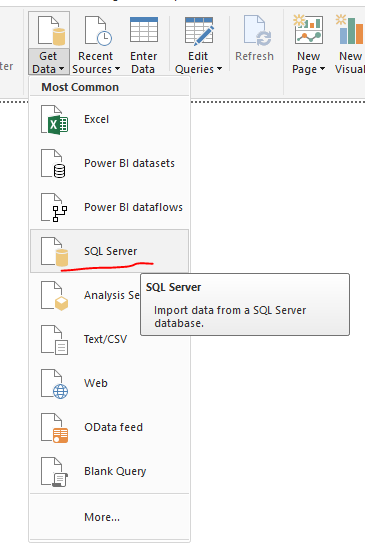
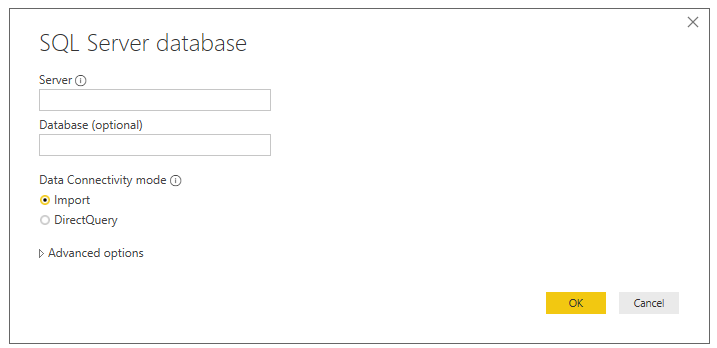
When Get Data from SQL Server, where we can input the username and password ?
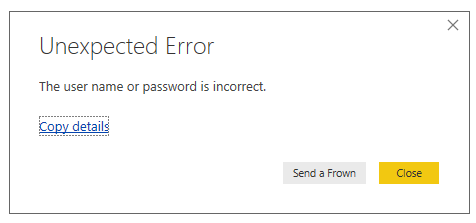
After OK button, obviously there is an error
Solved! Go to Solution.
Please check if the username and password in valid, then click data Edit queries-> Data source settings then click clear permissions.
Community Support Team _ Jimmy Tao
If this post helps, then please consider Accept it as the solution to help the other members find it more quickly.
Hi @admin_xlsior ,
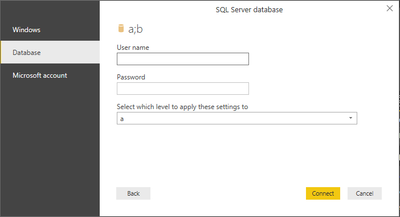
After providing Server and Database input, press "OK" and you will be prompted for credentials where you will need to select database on the left panel and input username and password, find the screenshots for the same.
Thanks,
Bhavankit
I thought so and expected to, but after click OK there is no such window, then directly to the error message.
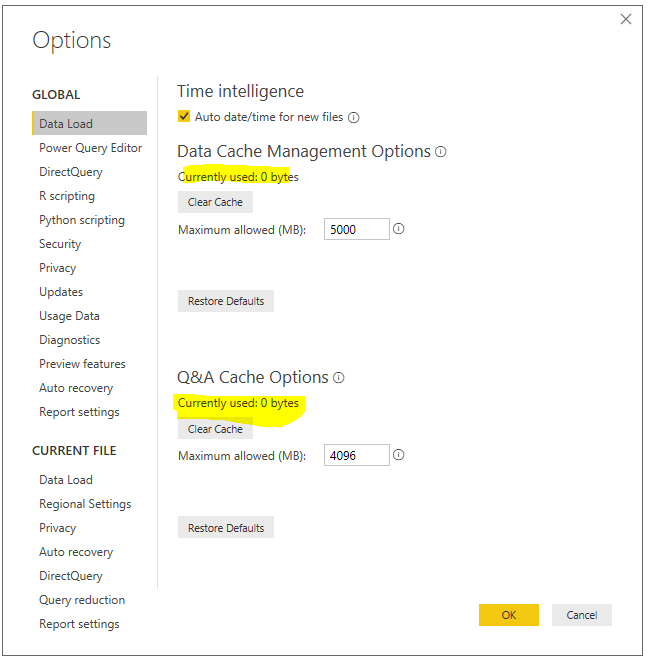
Then, click on File->Option and Settings->Options->Clear cache (both).
After that try to connect.
Thanks,
Bhavankit
I'm not sure which clear cache you are refer to, but I can only find the one in Data Load section. Is it correct ?
I'm not sure what is the connection to user profile / database, but I did.
Thanks
Yes, I am talking about that cache.
Is it work for you?
Thanks,
Bhavankit
No, it's not working.
Just FYI, I'm sign in already, and the SQL Server I want to connect (which is Azure SQL DB) has a different username and password. Is it because I'm signing with different username cuzing the problem, but this supposed to be normal, right?
It should give us another login for the database, but it did not.
Thanks
Please check if the username and password in valid, then click data Edit queries-> Data source settings then click clear permissions.
Community Support Team _ Jimmy Tao
If this post helps, then please consider Accept it as the solution to help the other members find it more quickly.
Check out the April 2026 Power BI update to learn about new features.
Sign up to receive a private message when registration opens and key events begin.
If you have recently started exploring Fabric, we'd love to hear how it's going. Your feedback can help with product improvements.
| User | Count |
|---|---|
| 35 | |
| 32 | |
| 27 | |
| 23 | |
| 16 |
| User | Count |
|---|---|
| 65 | |
| 50 | |
| 30 | |
| 25 | |
| 24 |