cancel
Showing results for 
Search instead for 
Did you mean: 

July 28 - August 9 | Final Round of the Power BI Dataviz World Championships. This is your chance. Learn more

Reply
georgejoy
New Member

Get Data from Postgres does not import relationships correctly

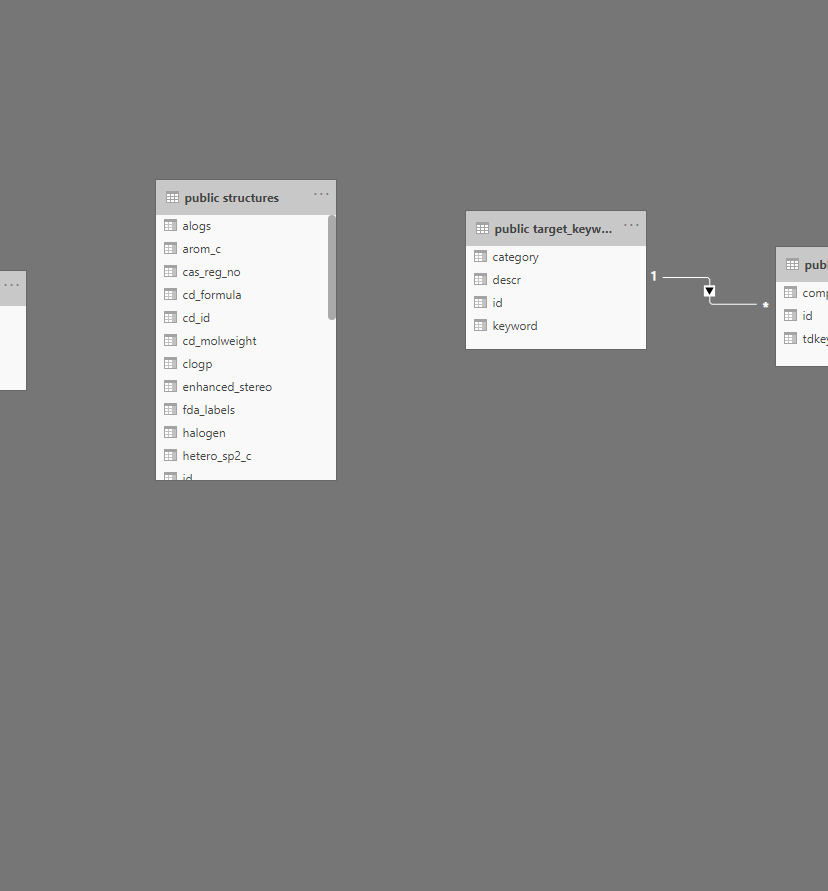
I am trying to import a medium size PostGres database (http://drugcentral.org/ActiveDownload) into PowerBI. It has 53 tables and many foreign key relations between them. I expect the Postgres connector to Get Data into PowerBI with the relations preserved accurately so I can start to use PowerBI effectively. Tables appear to be imported, but foreign key relationships are partial.


Postgres importPostgres importMissing a ton of relationshipsMissing a ton of relationshipsExample foreign keys for table "Structures"Example foreign keys for table "Structures"


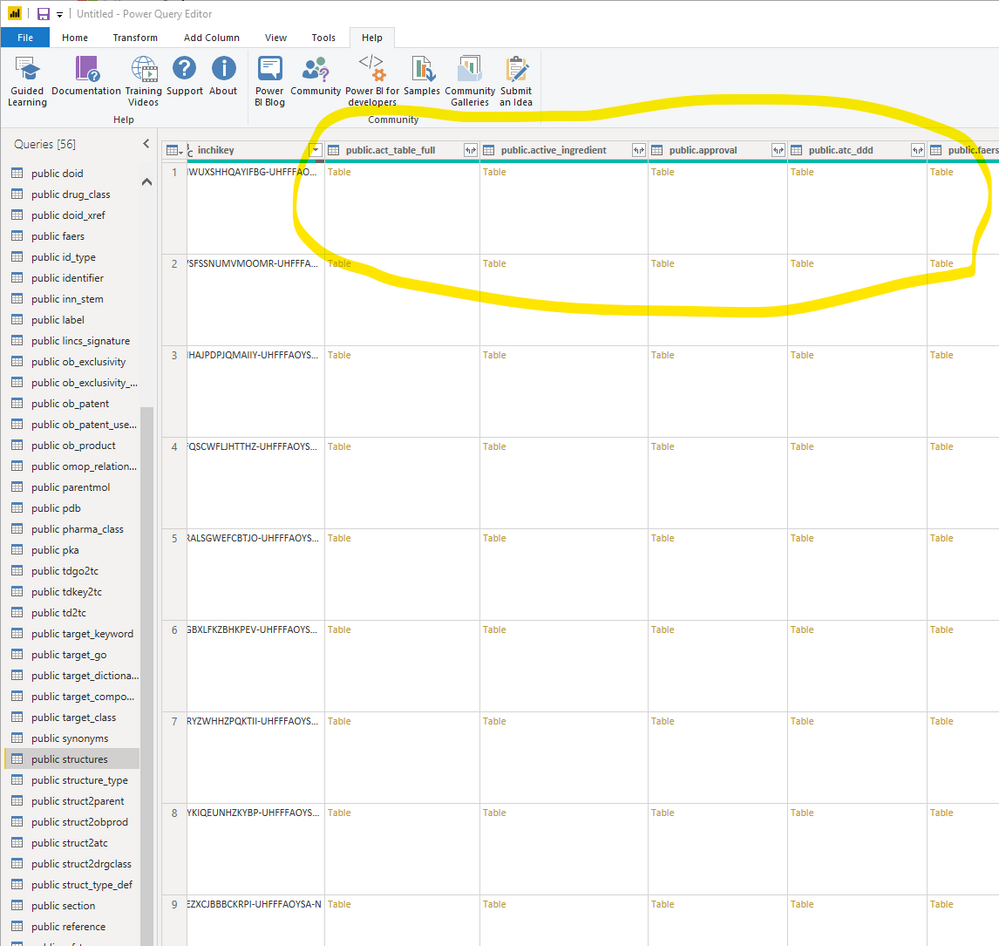
Note that  PowerQuery  editor shows the table relationships but not the Loaded data set (looks like they just got dropped  silently somewhere)Note that PowerQuery editor shows the table relationships but not the Loaded data set (looks like they just got dropped silently somewhere)

5 REPLIES 5
JeffReinhart
Regular Visitor

2026 and it still does not read the data definition to infer relationships. Is there a good place to vote to get this on the product plan?

lbendlin
Super User
Super User

Are the field names different between primary and foreign keys? 


If you have a PRO license you should raise a ticket to Microsof to have them confirm or clarify the expected functionality.


In the meantime you can adjust the Power BI data model according to your PostgreSQL relationships.


Personal opinion: 53 tables is a sure sign that your data model is too complex to be useful.

Some primary keys are the same and others are not. I don't think this matters. The foreign key relationships are part of the database definition and queryable by the PowerBI Postgres connector. Curiously the  PowerQuery editor seems to understand the relationships between tables so it is not clear why they don't show up after Load is complete.

Hi @georgejoy ,


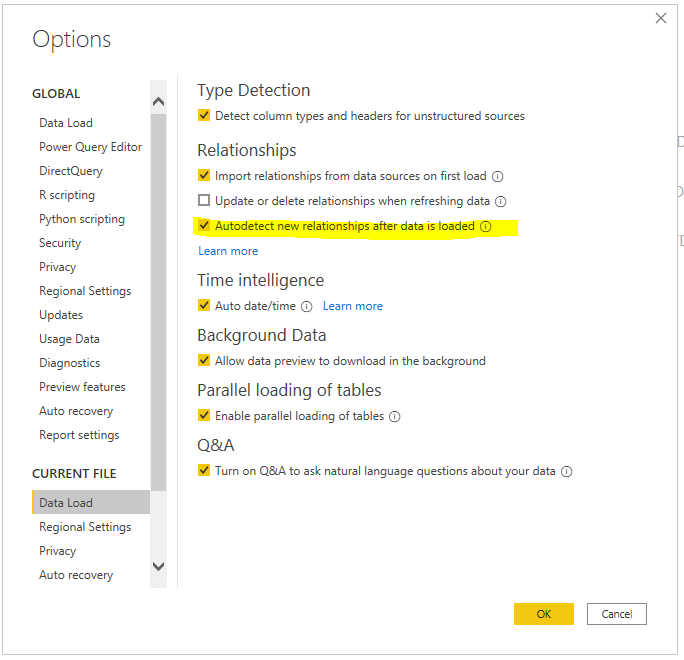
You may go to File ->Options and Settings ->CURRENT FILE ->Data Load, tick the option "Autodetect new relationships after data is loaded", then restart the Power BI Desktop to take effect of this change.

163.PNG

In addition, make sure the name of primary key and foreign key are the same .


Best Regards,

Amy 


Community Support Team _ Amy

If this post helps, then please consider Accept it as the solution to help the other members find it more quickly.

I don't have control of the primary key and foreign key names. If I am going to rename all the relationship columns, I may as well just create the relationships manually.  There are probably around 100  curated relationships so I would prefer not to create them manually.

Helpful resources

Announcements
FabCon and SQLCon Barcelona 2026

FabCon & SQLCon – Barcelona 2026

Join us in Barcelona for FabCon and SQLCon, the Fabric, Power BI, SQL, and AI community event. Save €200 with code FABCMTY200.

Fabric Community Sticker Design Challenge Barcelona Carousel

Fabric Community Sticker Challenge - Barcelona 2026

If you love stickers, then you will definitely want to check out our community sticker challenge, Barcelona edition!

July Power BI Update Carousel

Power BI Monthly Update - July 2026

Check out the July 2026 Power BI update to learn about new features.

Power BI DataViz World Championships carousel

Power BI DataViz World Championships - June 2026

A new Power BI DataViz World Championship is coming this June! Don't miss out on submitting your entry.