Join us at FabCon Atlanta from March 16 - 20, 2026, for the ultimate Fabric, Power BI, AI and SQL community-led event. Save $200 with code FABCOMM.
Register now!The Power BI Data Visualization World Championships is back! Get ahead of the game and start preparing now! Learn more
Morning guys,
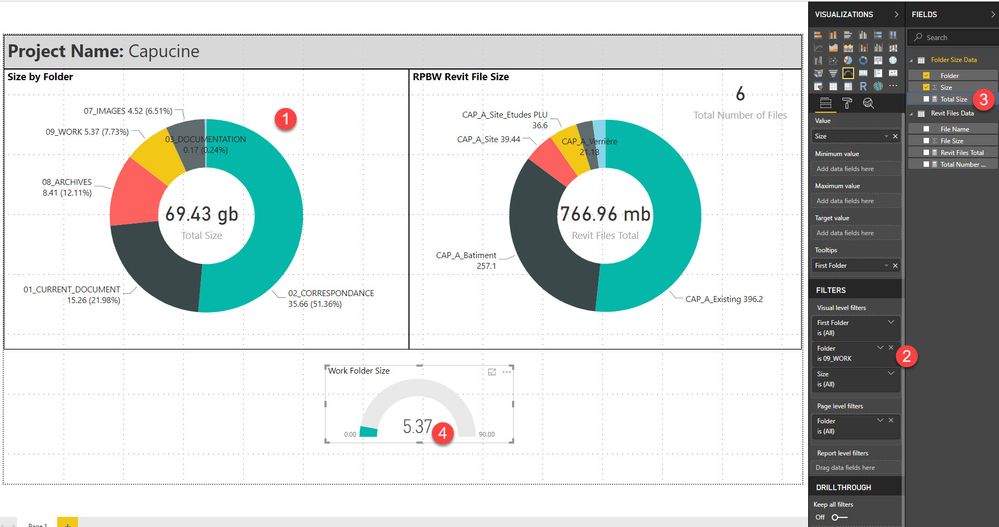
i want to create a gauge that show me the percentage of a value filtered from a series of it and i would like to link the color of the gage to the color used in another chart for the same value.
So it's a series of folder with their respective sizes. I want the gauge to show the percentage of a specific folder over the total (which is a different measure
1 : Initial visual where the folder color is set (Yellow for 09_WORK)
2 : Gauge filtered with the 09_WORK value
3 : Total size to use as the maximum value in the gauge
4 : Display a percentage
T
Thanks for any help
Solved! Go to Solution.
Hi @Anonymous,
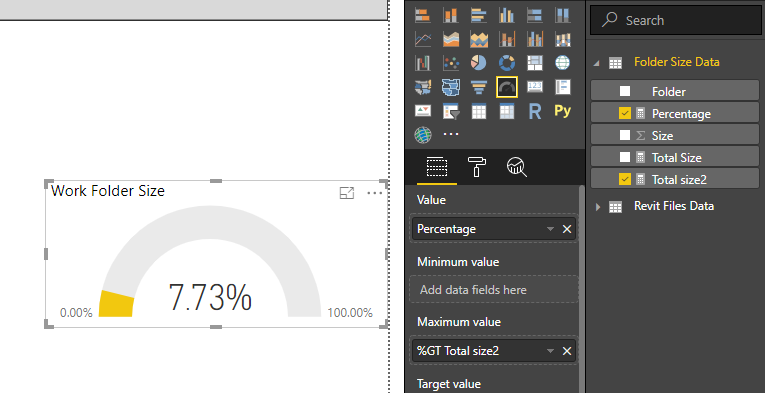
Based on test, you could refer to below measures:
Total size2 = SUM('Folder Size Data'[Size])
Percentage = CALCULATE(SUM('Folder Size Data'[Size]),FILTER('Folder Size Data','Folder Size Data'[Folder]="09_WORK"))/[Total size2]
Result:
You could also download the pbix file to have a view.
Regards,
Daniel He
Hi @Anonymous,
Based on test, you could refer to below measures:
Total size2 = SUM('Folder Size Data'[Size])
Percentage = CALCULATE(SUM('Folder Size Data'[Size]),FILTER('Folder Size Data','Folder Size Data'[Folder]="09_WORK"))/[Total size2]
Result:
You could also download the pbix file to have a view.
Regards,
Daniel He
This looks awesome Daniel 🙂
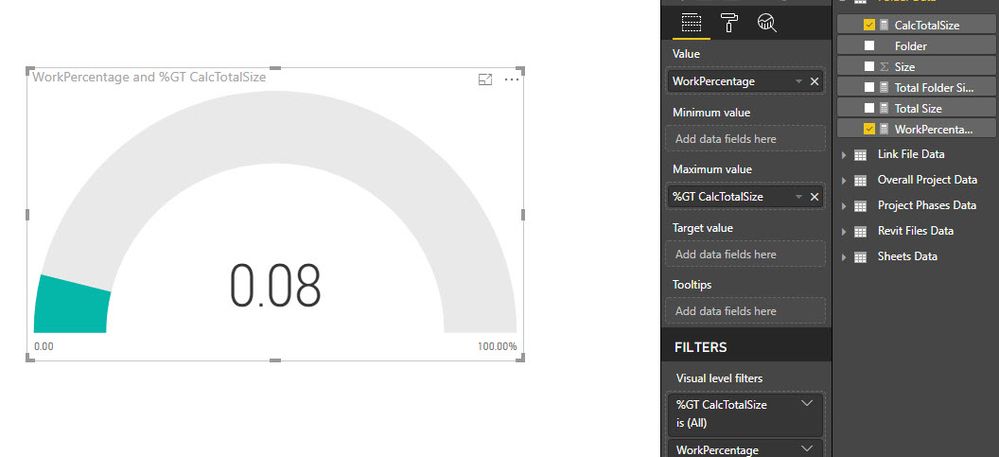
I'm trying to replicate, to make sure i understand but ...
I created a new measure
Here's a link to the pbix, sorry about that
https://www.dropbox.com/s/d5rvc9xzu22l5s7/Project%20Management%20Sample%20Dashboard.pbix?dl=0
The Power BI Data Visualization World Championships is back! Get ahead of the game and start preparing now!
| User | Count |
|---|---|
| 39 | |
| 38 | |
| 38 | |
| 28 | |
| 27 |
| User | Count |
|---|---|
| 124 | |
| 88 | |
| 73 | |
| 66 | |
| 65 |