Share feedback directly with Fabric product managers, participate in targeted research studies and influence the Fabric roadmap.
Sign up nowGet Fabric certified for FREE! Don't miss your chance! Learn more
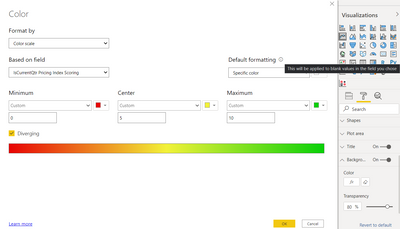
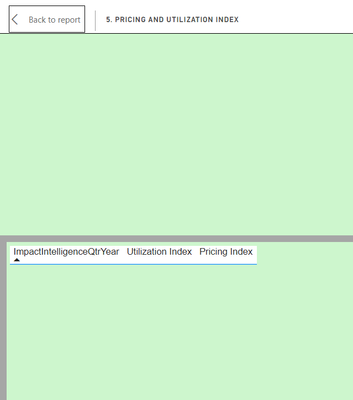
Hello, I am try to conditionally format the background of my visuals based off of a measure then a scoring level of 0 (red), 5 (yellow) or 10 (green). I am having troubles conditionally formatting the background of my visuals that do not have data. In the Background>Color settings it has Default formatting options but only for blanks. When I view my visual as a table it is emplty so I believe that my data is not returning a blank and it is seen as a zero.
Any advice on this? I can give more info if needed. Thanks!
Background>Color>fx Settings
Empty Table
Solved! Go to Solution.
@Anonymous , with Range I doubt, but with Measure color and use that in conditional formatting with field value option
Switch( true() ,
isblank([measure]) , "red" ,
[measure] =0 , "Yellow" ,
[measure] <10 , "Orange",
"green"
)
refer
https://docs.microsoft.com/en-us/power-bi/desktop-conditional-table-formatting#color-by-color-values
https://www.youtube.com/watch?v=RqBb5eBf_I4
@Anonymous , Create a measure
New measure = [measure] +0
And use this measure in coditional formatting
I think in that case if should pickup 0 .
0 can be an acceptable and scorable value from the measure so I want it to actually format the empty value as a blank like it indicates it will in the settings.
Hi @Anonymous ,
Could you pls some sample data,or if possible ,your .pbix file would be better for us to test?
Remember to remove the confidential information.
Best Regards,
Kelly
Did I answer your question? Mark my post as a solution!
Sampl;e data is not necessary. Just read slower. Pretty simple use case.
@Anonymous , with Range I doubt, but with Measure color and use that in conditional formatting with field value option
Switch( true() ,
isblank([measure]) , "red" ,
[measure] =0 , "Yellow" ,
[measure] <10 , "Orange",
"green"
)
refer
https://docs.microsoft.com/en-us/power-bi/desktop-conditional-table-formatting#color-by-color-values
https://www.youtube.com/watch?v=RqBb5eBf_I4
Share feedback directly with Fabric product managers, participate in targeted research studies and influence the Fabric roadmap.
| User | Count |
|---|---|
| 63 | |
| 53 | |
| 43 | |
| 18 | |
| 14 |
| User | Count |
|---|---|
| 108 | |
| 104 | |
| 35 | |
| 26 | |
| 26 |