Join us at FabCon Atlanta from March 16 - 20, 2026, for the ultimate Fabric, Power BI, AI and SQL community-led event. Save $200 with code FABCOMM.
Register now!The Power BI Data Visualization World Championships is back! Get ahead of the game and start preparing now! Learn more
Hello,
I am unable to rearrange my filters pane by dragging and dropping. It can be very inconvenient when trying to organize an existing report's filters, by manually deleting and adding in the correct order. I'm not sure why it won't let me drag and drop to reorder. Any help would be great! Thanks!
There is a post in the issues forum that you can go up vote.
I'm sorry, I did not try actually dropping the selection in the new spot. They are not changing for me either.
That makes me feel better that it is not only my machine. I hope they can fix this soon. Thank you!
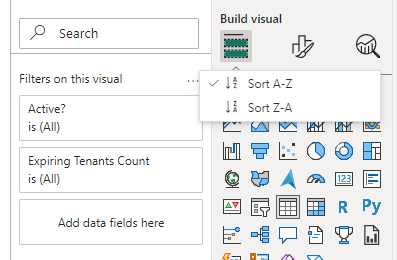
I also can't use drag and drop to arrange the filters, may be they have updated this in new version to sort based on Alphabetical order.
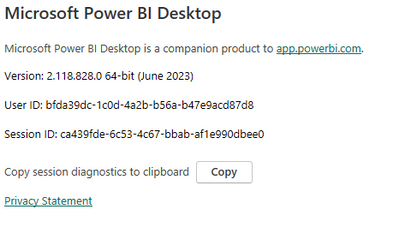
I am using this latest version:
Thanks,
Hamed
Maybe try rebooting your machine? I know it is always used as the first answer from IT but that's because it works so often.
Strange.. I am using the same version you mention. I never had a problem reordering filters until updating to this version.
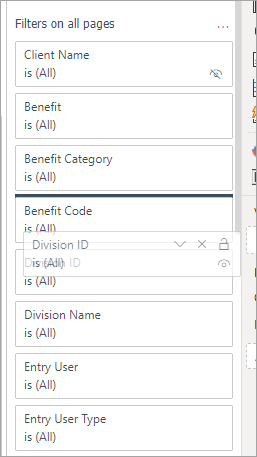
What version are you working in? I am on PowerBI desktop Version: 2.118.621.0 64-bit (June 2023) and the functionality is working how I would expect. If I grab 'Division ID' I can move it up in the list.
Perhaps try updating to the latest version?
The Power BI Data Visualization World Championships is back! Get ahead of the game and start preparing now!
| User | Count |
|---|---|
| 41 | |
| 39 | |
| 37 | |
| 29 | |
| 24 |
| User | Count |
|---|---|
| 119 | |
| 100 | |
| 72 | |
| 69 | |
| 65 |