cancel
Showing results for 
Search instead for 
Did you mean: 

July 7 - July 17 | Round 2 of the Power BI Dataviz World Championships. Don't miss your chance! Learn more

Reply
DiegoCorriendo
Frequent Visitor

Filter reset while interacting

Hi,

I have a problem with filters in a particular casuistry I will try to replicate in order to clarify it.


I have two filters related, lets say Countries and Football Teams that I need to filter my data.

It is a typical 1:N relationship where each team belongs to only one country.
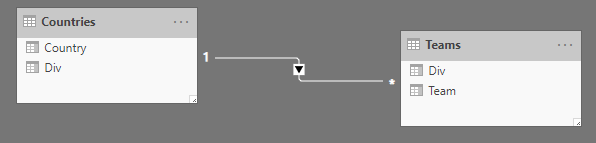
rel.png

The problem here is that if I filter a Country for (typically) reduce the Team list and select the desired one easily.
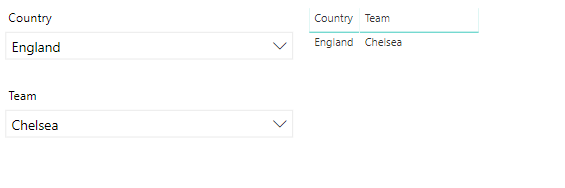
1.png

And then I change the Country filter in order to select another team, information became incompatible because as shown in images, Chelsea is not an Spanish team and displayed data is null.
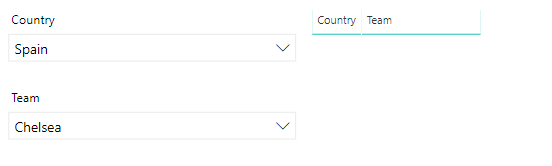
2.png


Is there any way to clear the Team filter when the Country filter is interacted or solve the problem in another way?


PD: Also, the selected value in Teams filter stays as a 'ghost value'

3.png

and it dissapear from list while deselected.
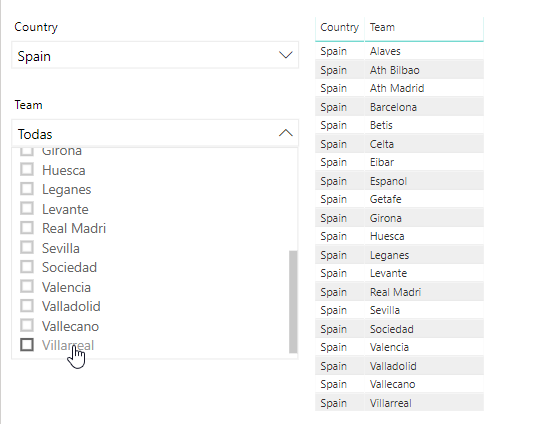
4.png

making data compatible again and being able to show the values.


Thanks in advance.

Regards.

1 ACCEPTED SOLUTION
v-juanli-msft
Community Support
Community Support

Hi @DiegoCorriendo 

As tested, it is a default behavior.

I find a workaround with Hierarchy slicer from market place.


Edit the interaction between Hierarchy slicer and default slicer as below

select "ignore" on default slicer when clicking on the Hierarchy slicer

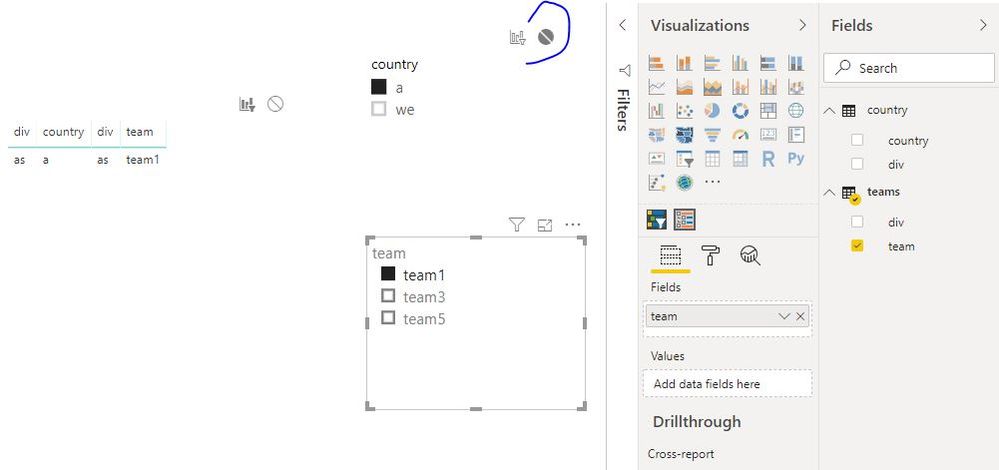
Capture1.JPG

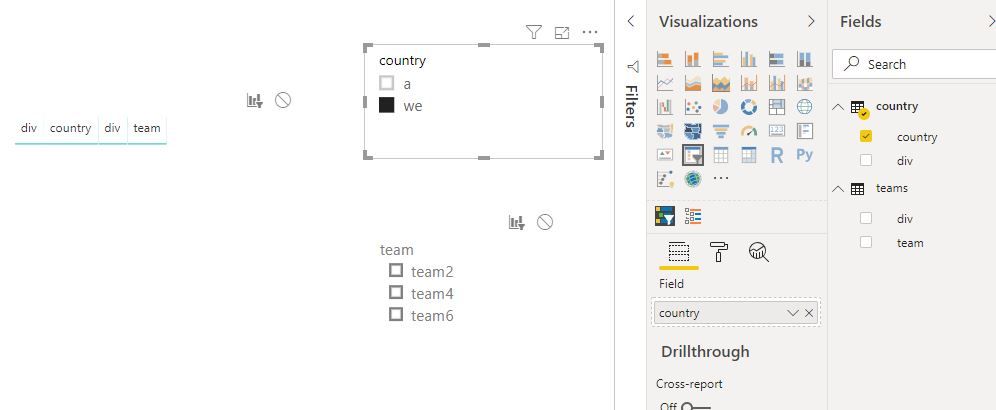
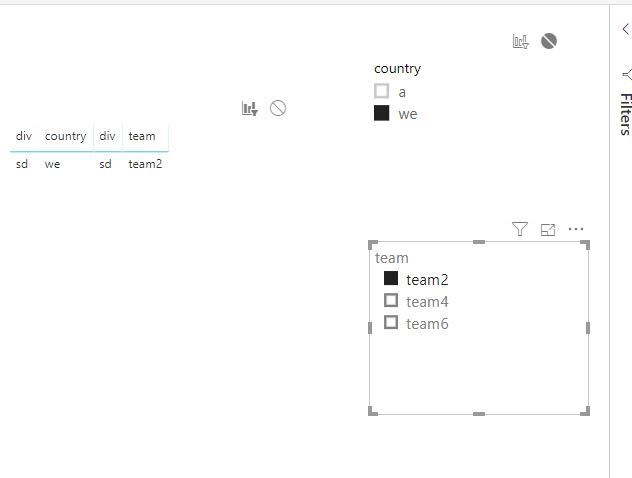
Then when you reselect from "country" slicer, the team slicer will be reset.

Capture2.JPGCapture3.JPG

Best Regards
Maggie


Community Support Team _ Maggie Li
If this post helps, then please consider Accept it as the solution to help the other members find it more quickly.

View solution in original post

1 REPLY 1
v-juanli-msft
Community Support
Community Support

Hi @DiegoCorriendo 

As tested, it is a default behavior.

I find a workaround with Hierarchy slicer from market place.


Edit the interaction between Hierarchy slicer and default slicer as below

select "ignore" on default slicer when clicking on the Hierarchy slicer

Capture1.JPG

Then when you reselect from "country" slicer, the team slicer will be reset.

Capture2.JPGCapture3.JPG

Best Regards
Maggie


Community Support Team _ Maggie Li
If this post helps, then please consider Accept it as the solution to help the other members find it more quickly.

Helpful resources

Announcements
FabCon and SQLCon Barcelona 2026

FabCon & SQLCon – Barcelona 2026

Join us in Barcelona for FabCon and SQLCon, the Fabric, Power BI, SQL, and AI community event. Save €200 with code FABCMTY200.

60 days of Data Days Carousel

Data Days 2026

Join Data Days 2026: 60 days of free live/on-demand sessions, challenges, study groups, and certification opportunities.

Power BI DataViz World Championships carousel

Power BI DataViz World Championships - June 2026

A new Power BI DataViz World Championship is coming this June! Don't miss out on submitting your entry.

Top Solution Authors