Join us at FabCon Atlanta from March 16 - 20, 2026, for the ultimate Fabric, Power BI, AI and SQL community-led event. Save $200 with code FABCOMM.
Register now!Learn from the best! Meet the four finalists headed to the FINALS of the Power BI Dataviz World Championships! Register now
With the new roll out of the Desktop version for July and August I haven't been able to load any data into my Desktop version. I am currently stuck using the June version, which works without any problems at all.
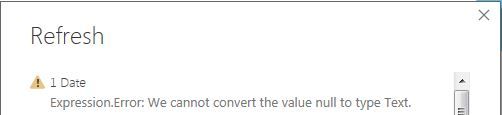
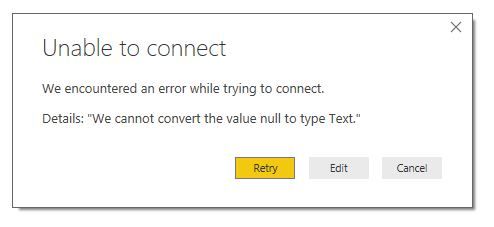
The error that I get is as below:
I have even tried starting a new file and load the date but I get the same error.
I can't figure where this error is and why it suddenly have changed with the couple of latest updates to the desktop version.
You help on this would be much appreciated!
Solved! Go to Solution.
I decided to uninstall everything that was connected to PowerBI and this took care of the problem. So I'm not sure what caused it but I have resolved it now.
Thanks!
In your scenario, which type of data source are you connected? Could you please provide us the detail steps which can reproduce this issue. So that we can try to reproduce this issue and check if this is a issue for this version of Power BI desktop.
Regards,
Charlie Liao
I decided to uninstall everything that was connected to PowerBI and this took care of the problem. So I'm not sure what caused it but I have resolved it now.
Thanks!
What did you uninstall? We have the same issue, we can't load any data into PowerBI desktop.
I deleted anything which had the PowerBI logo associated with it, On top of that I deleted any kind of connectors that might had an influence on it as well.
Share feedback directly with Fabric product managers, participate in targeted research studies and influence the Fabric roadmap.
Check out the February 2026 Power BI update to learn about new features.
| User | Count |
|---|---|
| 61 | |
| 54 | |
| 40 | |
| 17 | |
| 14 |
| User | Count |
|---|---|
| 95 | |
| 83 | |
| 35 | |
| 30 | |
| 25 |