
Join us at FabCon Atlanta from March 16 - 20, 2026, for the ultimate Fabric, Power BI, AI and SQL community-led event. Save $200 with code FABCOMM.
Register now!The Power BI Data Visualization World Championships is back! Get ahead of the game and start preparing now! Learn more
Hi All,
Source for my Power BI Report is SharePoint List.
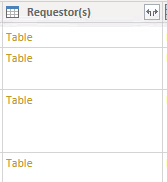
While loading the data i am getting few columns in the form of Table.
When i click the double Arrow in the top Right it shows nothing.
How to expand that or How to Make that table as a column?
Please help me on this.
Thanks in Advace
Prakash
Hi @Anonymous ,
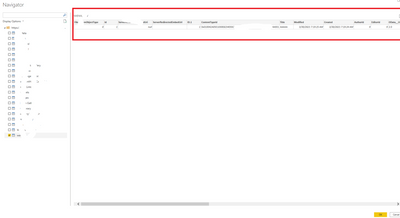
When you in the "Navigator" page, could you see the hidden columns in Preview of the table?
Best Regards,
Yuna
Can you provide the Advance Editor M code for the applied steps?
Hi @PC2790 ,
I am not doing anything apart from pulling it from SharePoint Site.
However i have Hided the SP Site Name and Source code from the above screenshot.
Regards,
Prakash
The Power BI Data Visualization World Championships is back! Get ahead of the game and start preparing now!
| User | Count |
|---|---|
| 40 | |
| 37 | |
| 33 | |
| 29 | |
| 27 |
| User | Count |
|---|---|
| 133 | |
| 104 | |
| 61 | |
| 59 | |
| 55 |