Get certified for free when you join Fabric Data Days 2026 and dive into Fabric, Power BI, SQL, AI, and other essential data skills.
Join nowJuly 7 - July 17 | Round 2 of the Power BI Dataviz World Championships. Don't miss your chance! Learn more
Hi there ,
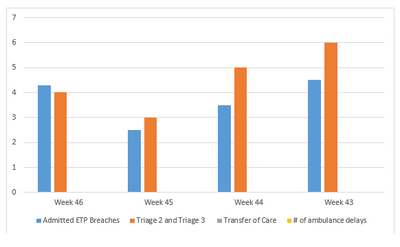
I want to show the chart like below -
Last 4 weeks chart -
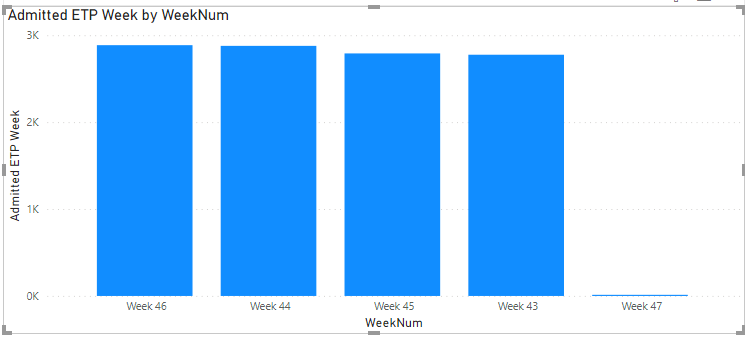
How to achieve this, which will exclude the current week 47 ?
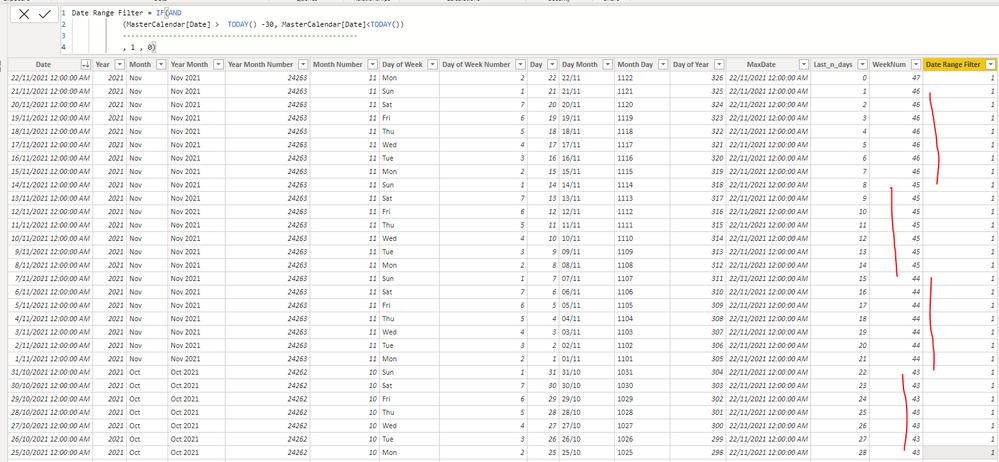
My Master Calendar -
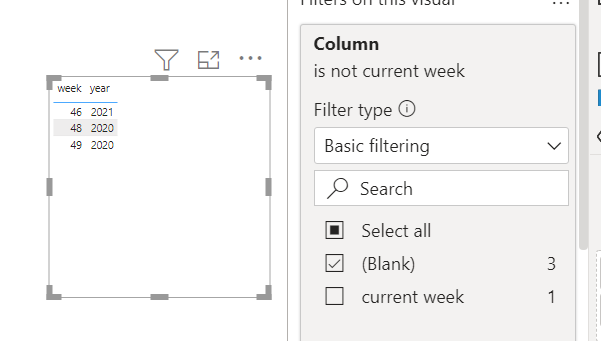
My Lastest chart is showing like below -
Solved! Go to Solution.
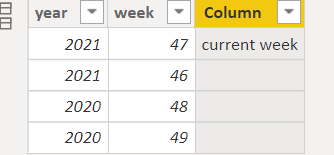
maybe you can try to create a column to get the current week.
Column =
VAR _maxyear=max('Table'[year])
VAR _maxweek=maxx(FILTER('Table','Table'[year]=_maxyear),'Table'[week])
return if('Table'[year]=_maxyear&&'Table'[week]=_maxweek,"current week")
then add the new column in the filter, and unselect current week.
Proud to be a Super User!
maybe you can try to create a column to get the current week.
Column =
VAR _maxyear=max('Table'[year])
VAR _maxweek=maxx(FILTER('Table','Table'[year]=_maxyear),'Table'[week])
return if('Table'[year]=_maxyear&&'Table'[week]=_maxweek,"current week")
then add the new column in the filter, and unselect current week.
Proud to be a Super User!
Join us in Barcelona for FabCon and SQLCon, the Fabric, Power BI, SQL, and AI community event. Save €200 with code FABCMTY200.
Join Fabric Data Days 2026: 60 days of free live/on-demand sessions, challenges, study groups, and certification opportunities.
| User | Count |
|---|---|
| 24 | |
| 24 | |
| 17 | |
| 14 | |
| 13 |
| User | Count |
|---|---|
| 64 | |
| 41 | |
| 39 | |
| 39 | |
| 38 |