This is best Fabric, Power BI, SQL and AI community event. How do we know? The last event sold out! Save €200 with code FABCMTY200.
Register nowA new Data Days event is coming soon! This time we’re going bigger than ever. Fabric, Power BI, SQL, AI and more. Don't miss out.
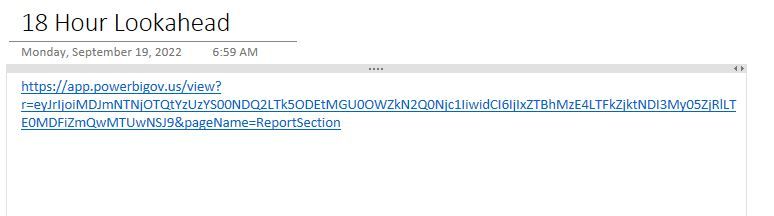
I am trying to embed a PowerBI report into OneNote but the content doesnt pour into the onenote instead it stays as a link that you have to click on versus the visual table/dashboard showing up in OneNote. I have looked for youtube videos versus the many articles i see and just am not finding the step or steps I am missing to make this work.
Hi, @cmboudreaux ;
First you need to publi to service from desktop
Publish from Power BI Desktop - Power BI | Microsoft Learn
Then you could next After pasting the URL, you need to enter.
Best Regards,
Community Support Team _ Yalan Wu
If this post helps, then please consider Accept it as the solution to help the other members find it more quickly.
Hi, I have also tried following your guide, but nothing appears when I paste int eh URl as a link. Just the text. No image. Is it still possible to embed PowerBI reports and Apps into OneDrive?
so the issue again is I can publish and i can copy and paste the link into onenote but as shown below in the comments it stays a URL it doesnt turn to an image. there is no next button or enter button when i do that - it just pastes right in. there is also no refresh since there is no image.
I am not sure if it is a government cloud thing versus the normal private cloud. The link does work i can visit it without authentication or anything since it is published to public.
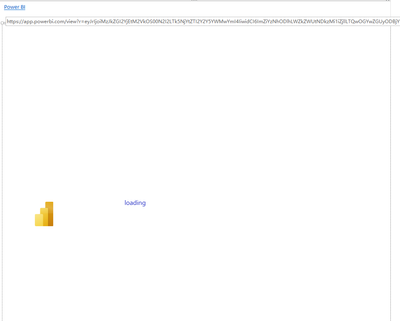
ok - so here is what i get (little different now)
Hi, @cmboudreaux ;
Power BI Embedded in Microsoft OneNote (linkedin.com)
Best Regards,
Community Support Team _ Yalan Wu
If this post helps, then please consider Accept it as the solution to help the other members find it more quickly.
Sign up to receive a private message when registration opens and key events begin.
If you have recently started exploring Fabric, we'd love to hear how it's going. Your feedback can help with product improvements.
| User | Count |
|---|---|
| 32 | |
| 26 | |
| 21 | |
| 20 | |
| 15 |
| User | Count |
|---|---|
| 65 | |
| 43 | |
| 28 | |
| 22 | |
| 22 |