cancel
Showing results for 
Search instead for 
Did you mean: 

The Power BI Data Visualization World Championships is back! Get ahead of the game and start preparing now! Learn more

Reply
Jan_Trummel
Helper IV
Helper IV

Dynamic drillthrough button doesn't work

Hello community,


I have a Power BI report with 3 pages:


  • a main page
  • a drillthrough page A
  • a drillthrough page B


drill pages.JPG


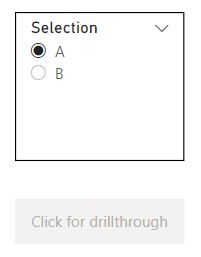
On the main page I have a slicer and a button:


drill 2.JPG


In the slicer I can select one of the values A or B.


If I select A, the button (that has a drillthough action) should lead to the page Drillthrough A, else to Drillthrough B.


For that I wrote this measure:


Drillthrough destination = IF(VALUES('Table'[Selection]) = "A", "Drillthrough A", "Drillthrough B")
 
In the settings of the button, I put the measure in the destination option:
 
drill 3.JPG
 
Unfortunatelly, the button doesn't work.
 
Can you help me?
 
Greetings


1 ACCEPTED SOLUTION

Hi @Jan_Trummel ,


Are you talking about conditional drill-through in Power BI? If yes then check this blog:

https://visualbi.com/blogs/microsoft/powerbi/conditionally-drill-action-power-bi/#:~:text=The%20Powe....


Best Regards,

Pragati Jain


MVP logo


LinkedIn | Twitter | Blog YouTube 

Did I answer your question? Mark my post as a solution! This will help others on the forum!

Appreciate your Kudos!!

Proud to be a Super User!!

View solution in original post

5 REPLIES 5
Jan_Trummel
Helper IV
Helper IV

Hello guys and thank you for your quick answers!


I my case, I really need a drillthrough and not a page navigation.


The example above is only to show, what should happen. In my case it is much more difficult. I try to explain:


On the main page the user can select between different measures. Depent on which measure he selects, the drillthrough button has to lead to different drillthrough pages.


So, how can I realize this functionality in one button?


Hope, you can understand what I mean.


Greetings!

Hi @Jan_Trummel ,


Are you talking about conditional drill-through in Power BI? If yes then check this blog:

https://visualbi.com/blogs/microsoft/powerbi/conditionally-drill-action-power-bi/#:~:text=The%20Powe....


Best Regards,

Pragati Jain


MVP logo


LinkedIn | Twitter | Blog YouTube 

Did I answer your question? Mark my post as a solution! This will help others on the forum!

Appreciate your Kudos!!

Proud to be a Super User!!

Thank you Pragati11,


that was it!

Pragati11
Super User
Super User

Hi @Jan_Trummel ,


Is your Table with SELECTION column a disconnected table?

If yes, then you really don't need a measure there.


You can direction go to your BUtton Action under formatting option and give this SELECTION column as a destination.

Something like below:

I created a disconnected table with column as shown below:
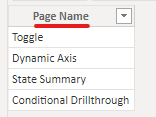
Pragati11_0-1645173012672.png

Then I created a report pade as shown below:
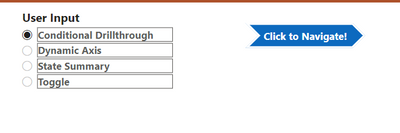
Pragati11_1-1645173053984.png

Here Click to Navigate is a page navigation button not drillthrough. You don't need a drillthrough to just naviagte to pages as in your case:
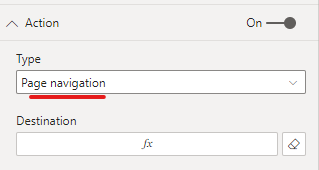
Pragati11_2-1645173129298.png

Now under destination for this page give your disconnected table column. In my case it is Page Name:
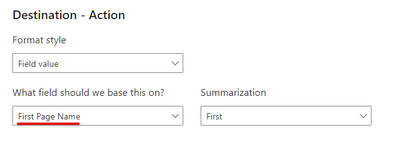
Pragati11_3-1645173189234.png

Make sure your slicer is a single selection slicer.

Now start selecting something in the slicer and then the button will start navigating you to the relevant page. Like one navigation is shown below:
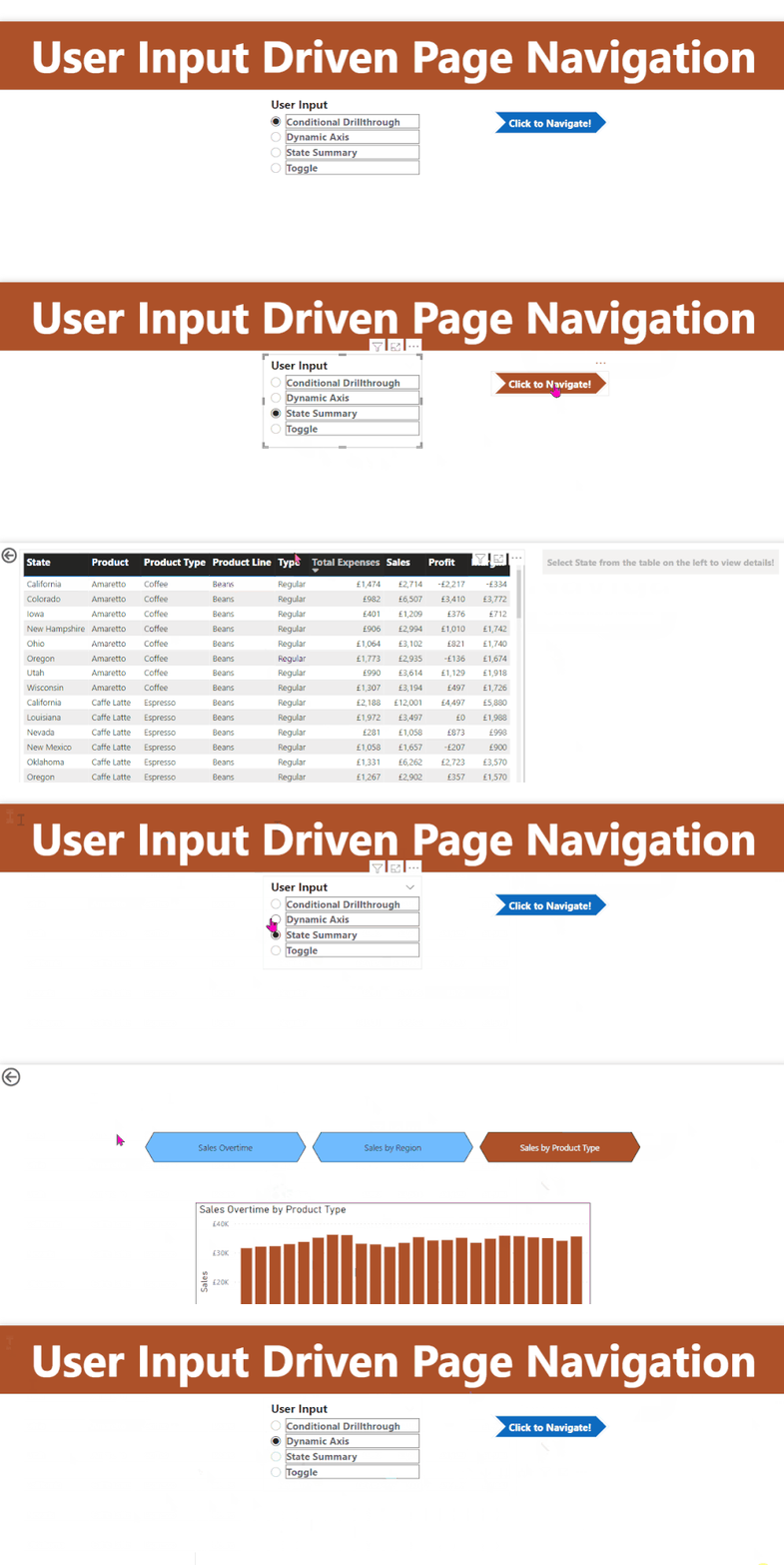
t4.gif

Hope this helps.


Best Regards,

Pragati Jain


MVP logo


LinkedIn | Twitter | Blog YouTube 

Did I answer your question? Mark my post as a solution! This will help others on the forum!

Appreciate your Kudos!!

Proud to be a Super User!!

amitchandak
Super User
Super User

@Jan_Trummel , Use page navigation button option; as drill through button need some selected value


refer if needed

Display only one page in the report, Hide rest: https://youtu.be/d4H0GKUH0r4


Need Traditional Parameter Page: https://www.youtube.com/watch?v=F3qMwQtWjvo&list=PLPaNVDMhUXGYo50Ajmr4SgSV9HIQLxc8L&index=15

Share with Power BI Enthusiasts: Full Power BI Video (20 Hours) YouTube
Microsoft Fabric Series 60+ Videos YouTube
Microsoft Fabric Hindi End to End YouTube

Helpful resources

Announcements
Power BI DataViz World Championships

Power BI Dataviz World Championships

The Power BI Data Visualization World Championships is back! Get ahead of the game and start preparing now!

December 2025 Power BI Update Carousel

Power BI Monthly Update - December 2025

Check out the December 2025 Power BI Holiday Recap!

FabCon Atlanta 2026 carousel

FabCon Atlanta 2026

Join us at FabCon Atlanta, March 16-20, for the ultimate Fabric, Power BI, AI and SQL community-led event. Save $200 with code FABCOMM.