Join us at FabCon Atlanta from March 16 - 20, 2026, for the ultimate Fabric, Power BI, AI and SQL community-led event. Save $200 with code FABCOMM.
Register now!Learn from the best! Meet the four finalists headed to the FINALS of the Power BI Dataviz World Championships! Register now
Hi all
Are you able to create a dynamic measure title?
The measure I have created is a rolling week view. Currently, the weeks are named week 1,2,3 etc. with a conversion table included. Ideally, I'd like to use the logic that is in the week conversion table to dynamically power the title in the appropriate week's measure.
So rather than current week being week 1 it would be week 16.
Is this possible?
Kind regards
Solved! Go to Solution.
@S_JB Hey Mate ,
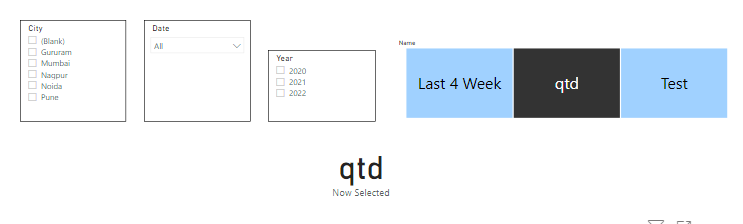
First create a disconnected table .
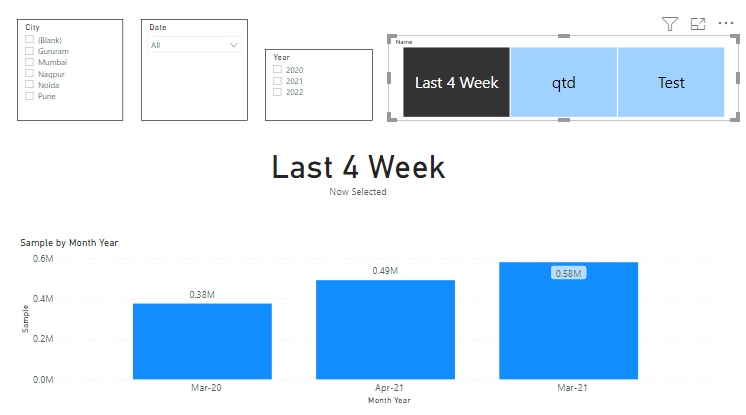
Now create a measure
Thank you and enjoy
Kudos will be appriciated .
Thanks for your assistance, it's much appreciated!
@S_JB Hey Mate ,
First create a disconnected table .
Now create a measure
Thank you and enjoy
Kudos will be appriciated .
Hi @S_JB
Currently, the name of Measures don't support change dynamically. You can vote for the idea in Power BI Ideas. In this case, you can dynamically change the title of the visual to provide some information to the users. For how to create dynamic title of visual, you can refer Power BI –Dynamically Title name change on visuals.
Best Regards
Caiyun Zheng
Is that the answer you're looking for? If this post helps, then please consider Accept it as the solution to help the other members find it more quickly.
Create two measures. One for the value and one for the title.
Share feedback directly with Fabric product managers, participate in targeted research studies and influence the Fabric roadmap.
Check out the February 2026 Power BI update to learn about new features.
| User | Count |
|---|---|
| 61 | |
| 54 | |
| 39 | |
| 16 | |
| 14 |
| User | Count |
|---|---|
| 98 | |
| 84 | |
| 35 | |
| 30 | |
| 25 |