Get certified for free when you join Fabric Data Days 2026 and dive into Fabric, Power BI, SQL, AI, and other essential data skills.
Join nowJuly 7 - July 17 | Round 2 of the Power BI Dataviz World Championships. Don't miss your chance! Learn more
Good afternoon,
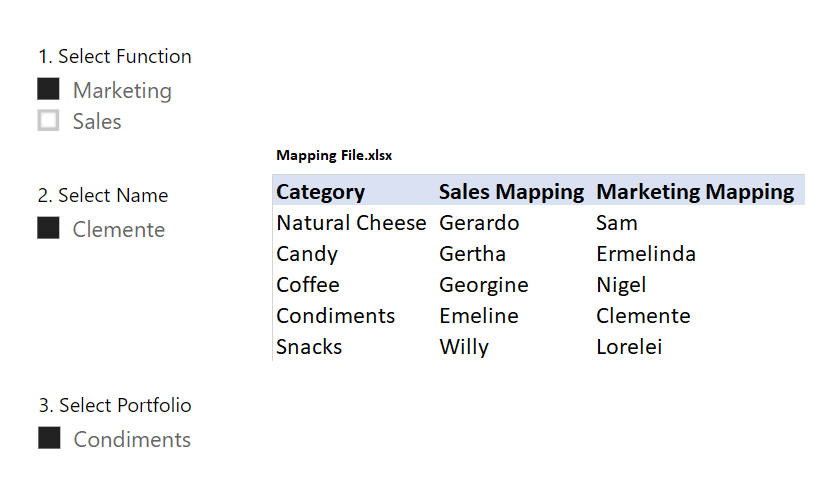
Would something like this be possible? Trying to build a Dashboard that can serve our two largest functions to help them track their performance vs. Budget and Prior Year, but they are also the most scared of Excel/numbers.
#1) User logs in
#2) They select their function
#3) They select their name
#4) Their categories populate (for simplicity, each only has one for now, but in reality have 20+)
I also included a simple mapping table I can create in my organization.
Thanks in advance,
Hi @Anonymous
Is this problem sloved?
If it is sloved, could you kindly accept it as a solution to close this case?
If not, please let me know.
Best Regards
Maggie
I never got an automated reply off of your first reply, my apologies.
Will try this later on today. Thank you in advance Maggie.
Hi @Anonymous
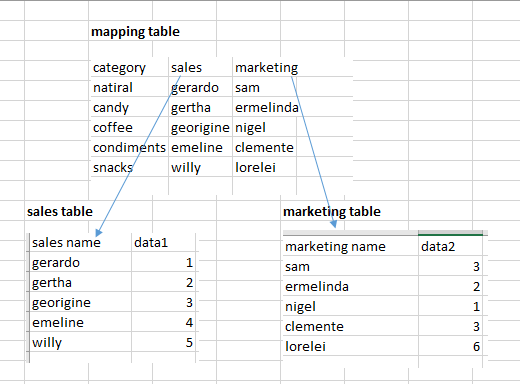
I test with the following tables and relationships
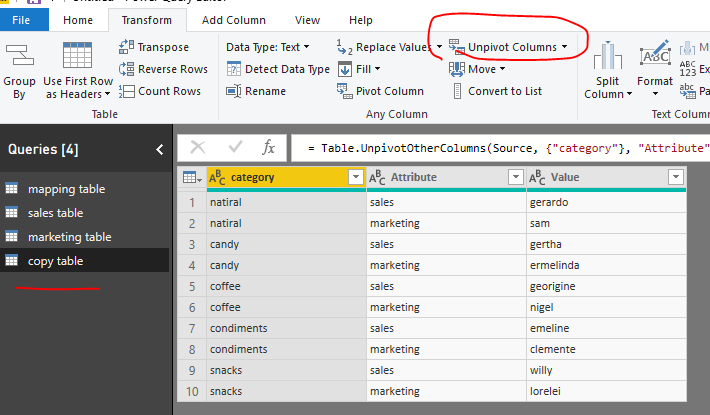
Go to Edit queries, copy "mapping table", in this copied table, unpivot columns for "marketing" and "sales" columns
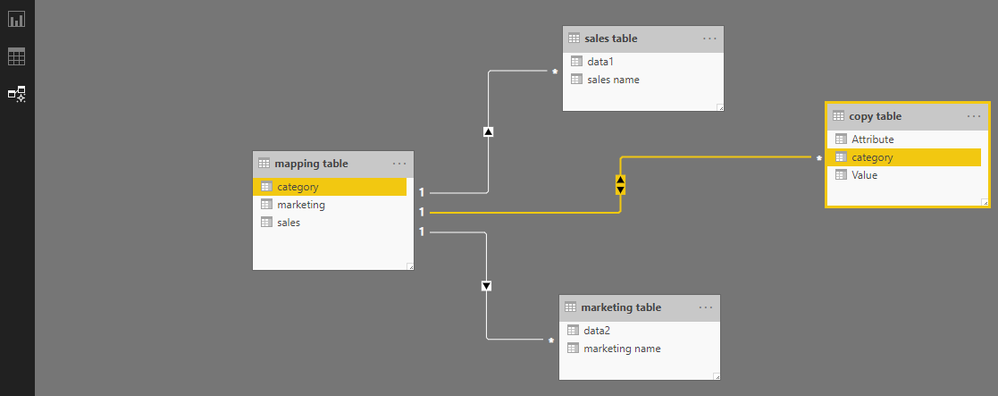
Close&&apply, go to relationship view", create relationships as below
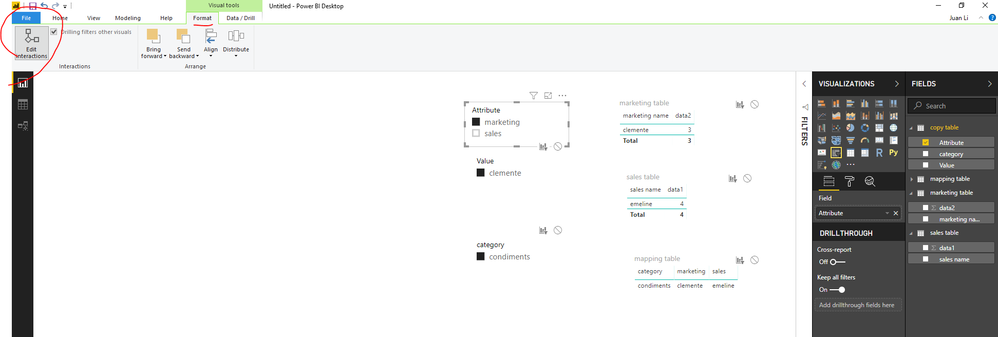
Then in report view, add columns from "copy table" into the slicers, edit interactions among these slicers (see details on my report)
Best Regards
Maggie
Community Support Team _ Maggie Li
If this post helps, then please consider Accept it as the solution to help the other members find it more quickly.
Join us in Barcelona for FabCon and SQLCon, the Fabric, Power BI, SQL, and AI community event. Save €200 with code FABCMTY200.
Join Fabric Data Days 2026: 60 days of free live/on-demand sessions, challenges, study groups, and certification opportunities.
| User | Count |
|---|---|
| 23 | |
| 22 | |
| 18 | |
| 17 | |
| 13 |
| User | Count |
|---|---|
| 67 | |
| 48 | |
| 46 | |
| 41 | |
| 39 |