This time we’re going bigger than ever. Fabric, Power BI, SQL, AI and more. We're covering it all. You won't want to miss it.
Learn moreDid you hear? There's a new SQL AI Developer certification (DP-800). Start preparing now and be one of the first to get certified. Register now
Hi Everyone,
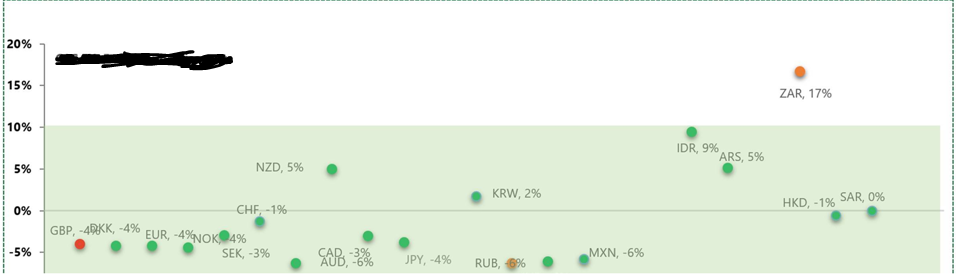
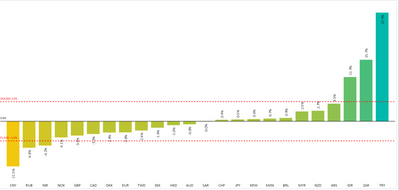
Can some one help me to replicate the below chart ,
I have just two columns,
1. Currency Code,
2. Variance(in %)
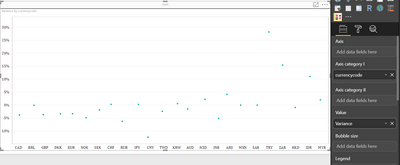
I tried to use DOT PLOT BY MAQ SOFTWARE and do this,
I tried to drag the same Variance field into Tooltip but did not work.
Any help is very much appreciated.
Thank you
Solved! Go to Solution.
Hi @pxg08680
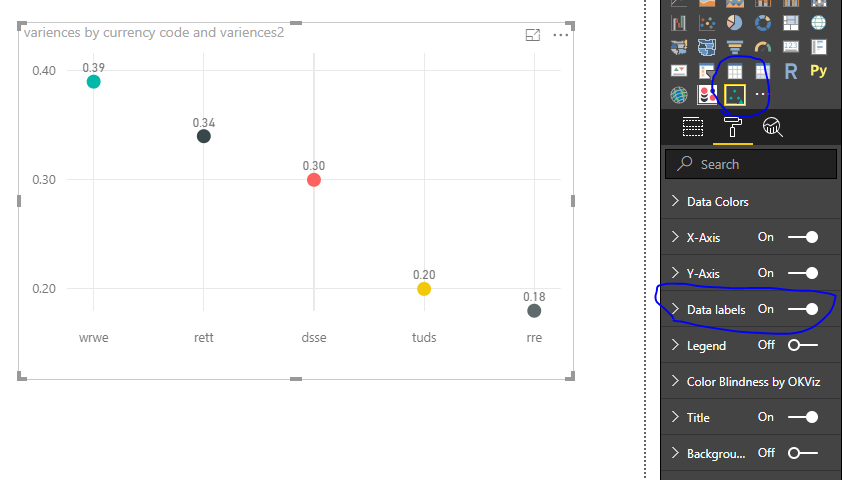
As tested, i'm unable to find any option to have data lables on the DOT PLOT BY MAQ SOFTWARE .
Could you consider "Dot plot ny OKViz" custom visual?
Best Regards
Maggie
Hello @pxg08680,
Currently, Dot Plot by MAQ Software does not support to have data labels for the dots plotted.
We have added your request to our backlog.
We will notify you on this thread when we upgrade Dot Plot with this feature.
Thanks.
Hi @pxg08680
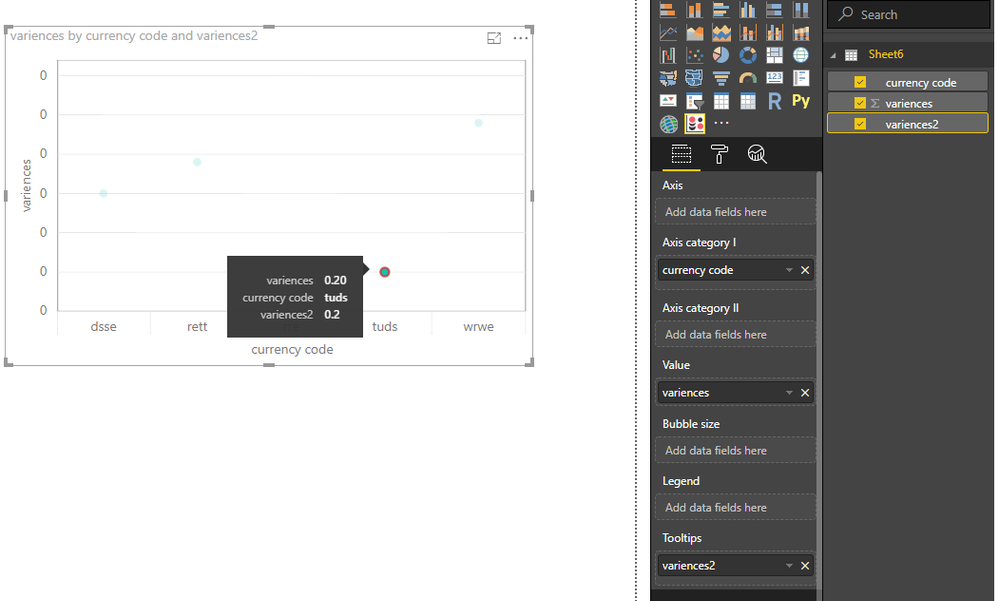
As tested, if i drag the same Variance field into Tooltip , it did not work.
But if i copy the [Variance] column as [Variance2] column, then add it in the Tooltip, it can work.
Best Regards
Maggie
Thank you for the suggestion but I am looking for a different view.
I need the variances to be displayed along with the dots even before hovering.
In this bar chart the values are displayed on top of every currencycode. In the same manner I am trying to create it for dot plot.
Thank you
Hi @pxg08680
As tested, i'm unable to find any option to have data lables on the DOT PLOT BY MAQ SOFTWARE .
Could you consider "Dot plot ny OKViz" custom visual?
Best Regards
Maggie
Thank you @slounsbury, your soultion looks close to mine.
Thank you @v-juanli-msft for all the time.
Can you provide your PBIX file or the data you are wanting to use so I can replicate?
Thanks,
Scott Lounsbury
Check out the April 2026 Power BI update to learn about new features.
Sign up to receive a private message when registration opens and key events begin.
If you have recently started exploring Fabric, we'd love to hear how it's going. Your feedback can help with product improvements.
| User | Count |
|---|---|
| 34 | |
| 31 | |
| 25 | |
| 20 | |
| 16 |
| User | Count |
|---|---|
| 61 | |
| 49 | |
| 28 | |
| 23 | |
| 23 |