This time we’re going bigger than ever. Fabric, Power BI, SQL, AI and more. We're covering it all. You won't want to miss it.
Learn moreLevel up your Power BI skills this month - build one visual each week and tell better stories with data! Get started
Hello,
Hope you are well,
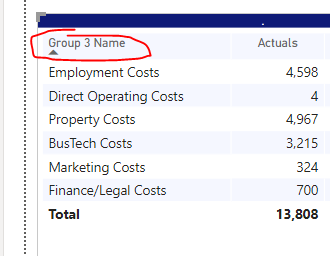
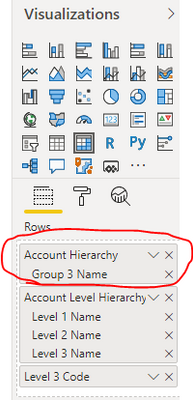
I would like to delete the first row headers name, however i couldnt find such thing. I cannot change the name to something like "-" because it is a hierarchy.
Could you please help?
Thanks,
Ahmet
Solved! Go to Solution.
Hi @Anonymous ,
Normally you can rename the header of field when you using live connection.
However you can't rename the column header on hierachy.
I'd like to suggest you to submit this idea.
https://ideas.powerbi.com/ideas/
Best Regards,
Jay
Hi @Anonymous ,
Double Click on the Hierarch and you can change the name of the hierarchy.
Regards,
Harsh Nathani
Appreciate with a Kudos!! (Click the Thumbs Up Button)
Did I answer your question? Mark my post as a solution!
I think because i am using LIVE CUBE , i dont have that option
Thanks anyway
Hi @Anonymous ,
Normally you can rename the header of field when you using live connection.
However you can't rename the column header on hierachy.
I'd like to suggest you to submit this idea.
https://ideas.powerbi.com/ideas/
Best Regards,
Jay
@Anonymous
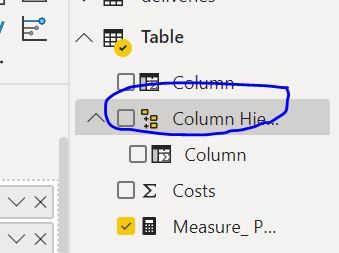
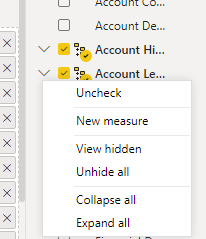
Hi, You can do it in the Fields Pane, Right-click on the item that needs to be renamed and the hierarchy and rename.
If you are satisfied with my answer, please mark it as a solution so others can easily find it.
Don't forget to give KUDOS ? to replies that help answer your questions
Subscribe to ExcelFort: Learn Power BI, Power Query and Excel
⭕ Subscribe and learn Power BI from these videos
⚪ Website ⚪ LinkedIn ⚪ PBI User Group
Check out the April 2026 Power BI update to learn about new features.
Sign up to receive a private message when registration opens and key events begin.
If you have recently started exploring Fabric, we'd love to hear how it's going. Your feedback can help with product improvements.
| User | Count |
|---|---|
| 35 | |
| 32 | |
| 26 | |
| 21 | |
| 18 |
| User | Count |
|---|---|
| 68 | |
| 37 | |
| 32 | |
| 25 | |
| 23 |