This time we’re going bigger than ever. Fabric, Power BI, SQL, AI and more. We're covering it all. You won't want to miss it.
Learn moreLevel up your Power BI skills this month - build one visual each week and tell better stories with data! Get started
Hi All,
I am new to Dax and currently facing issues in defining variables.
Can we define table columns in Variable? Like I have a Table called Customer Master and I want to define a variable storing the customer ID. But the error is coming as Var is expecting a scalar value?
Kindly help!!
Solved! Go to Solution.
I think I got the solution of this issue. I was trying to write a measure instead of the calculated column.
Consider the following problem posted on this forum -
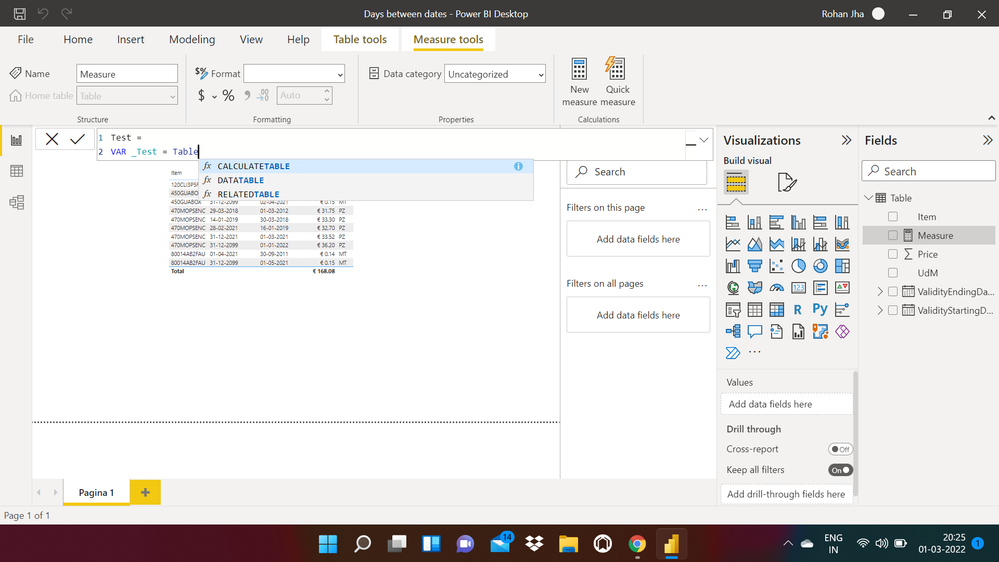
When I am trying to write this particular part of the code -
I think I got the solution of this issue. I was trying to write a measure instead of the calculated column.
You can work with columns in DAX but your measure has to return a scalar value. For example, in the dax below I'm storing a column in a variable but returning the sum of the column. If you reply with your specific use case, we may be able to help in more detail!
measure =
var sales = 'sales'[sales_amount]
return sum(sales)
Hi Syk, I build similar logic, but it doesn't work
@Syk wrote:You can work with columns in DAX but your measure has to return a scalar value. For example, in the dax below I'm storing a column in a variable but returning the sum of the column. If you reply with your specific use case, we may be able to help in more detail!
measure =
var sales = 'sales'[sales_amount]
return sum(sales)
Hi @rhinorocks ,
It depends on the logic and also on measure/column calculation you are trying to write using DAX.
Check this simple blog on variables:
https://www.purplefrogsystems.com/blog/2021/09/variables-in-dax/
Check out the April 2026 Power BI update to learn about new features.
Sign up to receive a private message when registration opens and key events begin.
If you have recently started exploring Fabric, we'd love to hear how it's going. Your feedback can help with product improvements.
| User | Count |
|---|---|
| 33 | |
| 29 | |
| 29 | |
| 21 | |
| 18 |
| User | Count |
|---|---|
| 70 | |
| 50 | |
| 33 | |
| 24 | |
| 24 |