Join us at FabCon Atlanta from March 16 - 20, 2026, for the ultimate Fabric, Power BI, AI and SQL community-led event. Save $200 with code FABCOMM.
Register now!Get Fabric Certified for FREE during Fabric Data Days. Don't miss your chance! Request now
Hey guys
I just started out with Power BI so please be gentle.
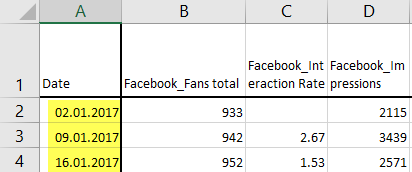
I have a very simple data set with weekly dates.
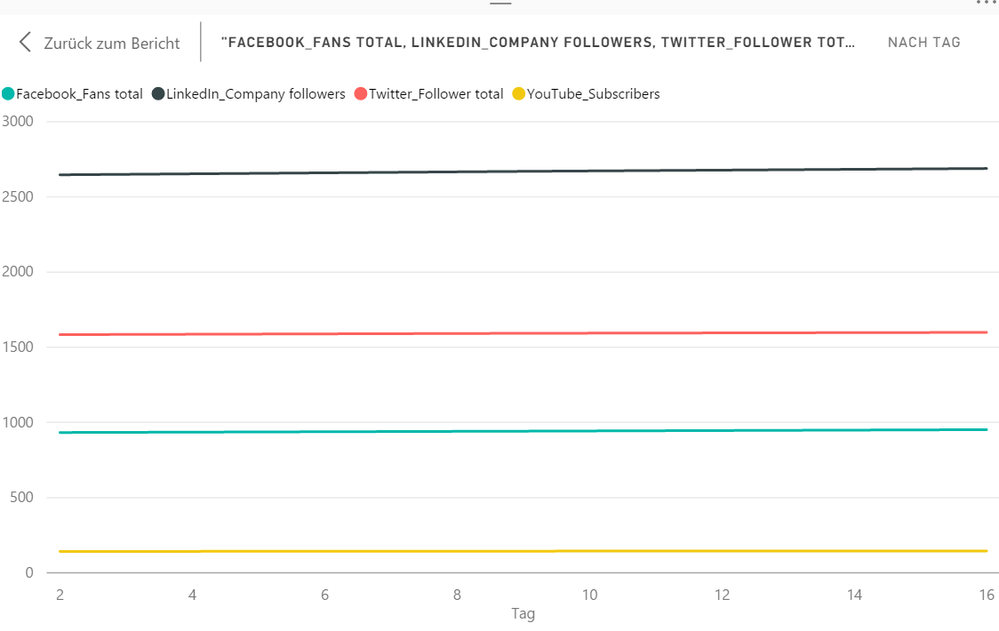
Now I'd like to visualize that data. And when I do so, that's what I get:
Dates are set to "day". Obviously I don't want to see absolute numbers but the dates I put in. When I model the variable the data type is set to "date" (dd.MM.yyyy).
What do I have to show the dates in the original Excel sheet?
Thanks for your help in advance!
Kevin
Solved! Go to Solution.
@kest This might be a "Type" setting issue based on what you are saying...
Click on the visual, click the paintbrush (formatting) -> x-axis -> Type -> Select categorical instead of Continous
Either that, or check edit queries and make sure the data type in the "load" section is also date.
@kest This might be a "Type" setting issue based on what you are saying...
Click on the visual, click the paintbrush (formatting) -> x-axis -> Type -> Select categorical instead of Continous
Either that, or check edit queries and make sure the data type in the "load" section is also date.
Check out the November 2025 Power BI update to learn about new features.
Advance your Data & AI career with 50 days of live learning, contests, hands-on challenges, study groups & certifications and more!