Join us at FabCon Atlanta from March 16 - 20, 2026, for the ultimate Fabric, Power BI, AI and SQL community-led event. Save $200 with code FABCOMM.
Register now!The Power BI Data Visualization World Championships is back! Get ahead of the game and start preparing now! Learn more
Hello all,
I am using Power BI embedded with direct query to vislualize data in my web app.
I want to have a dashboard containing data from the last 30 days and am running into some problems.
I have created a table in my database with an entry for each day of the year called data. I have also created a measure on that table called days ago looking like this Days Ago = DATEDIFF('Date'[Date],TODAY(),DAY)
I have a slicer on the date field and a Page level filter that says Days Ago >= 0 and Days Ago <= 30
It works in the sense that that date slicer shown the correct date span - the last 30 days - but the rest of the visuals don't reflelct this. They show data form the entire period in the database. Only if I just move the date slider slighty do they refresh to show the correct information.
What can I do so that the data is correct when the page loads?
Best regards
Alex
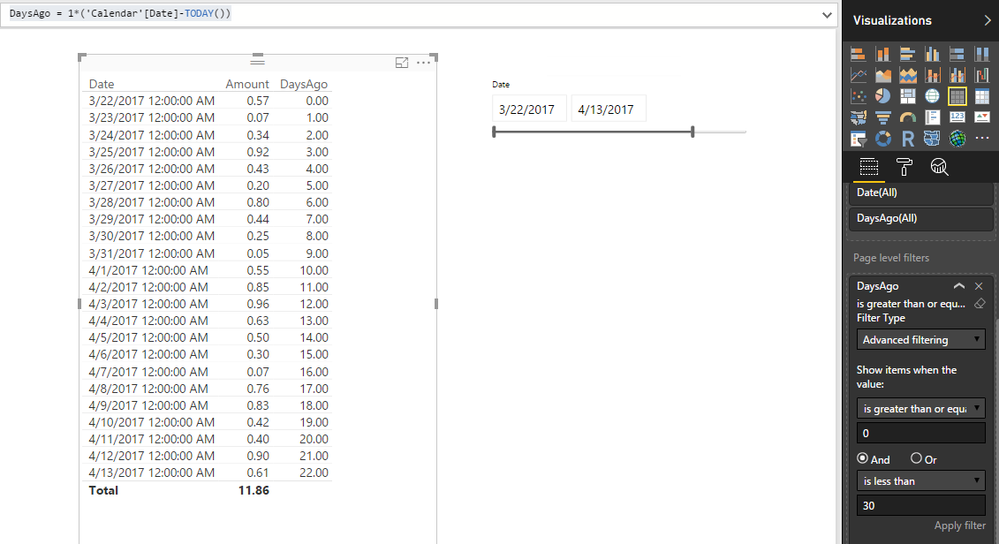
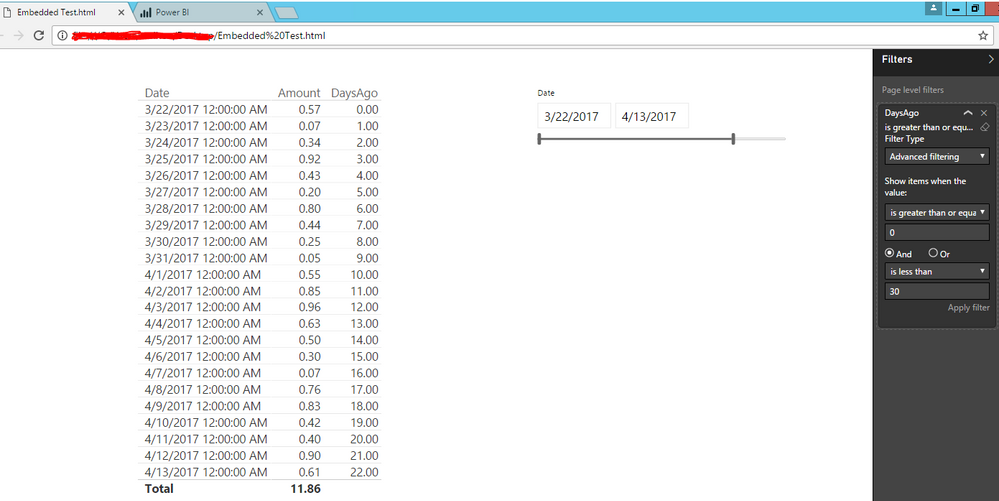
I can't reproduce this issue. Then Page Level Filter and date slicer are applied properly when integrated into my web page.
I created a calculated column instead of measure for the date difference.
DaysAgo = 1*('Calendar'[Date]-TODAY())
It shows same thing in my embedded web page.
Regards,
Thanks for a very elaborate reply - greatly appreciated
I checked again and I can get the same behavior you have.
The problem comes on tables when you have visualizations on the page that are not using the Date table directly.
I have another table that is linked to my Date table via the Days Ago relationsship and that does not filter based on the date slider until I move the slider and it refreshes the visuals.
I wonder if this can have something to do with the days ago field being a measure.
You can see the two tables and the relationsship here:
Check out the November 2025 Power BI update to learn about new features.
Advance your Data & AI career with 50 days of live learning, contests, hands-on challenges, study groups & certifications and more!
| User | Count |
|---|---|
| 57 | |
| 45 | |
| 42 | |
| 20 | |
| 18 |