Join us at FabCon Atlanta from March 16 - 20, 2026, for the ultimate Fabric, Power BI, AI and SQL community-led event. Save $200 with code FABCOMM.
Register now!The Power BI Data Visualization World Championships is back! Get ahead of the game and start preparing now! Learn more
Hi,
I have the may edition of the Desktop. I cannot see the option for 'Relative' on the drop down when I add a date field for the slicer.
My date field is in foramt Date/Time
Any ideas?
Solved! Go to Solution.
Hi @Anonymous
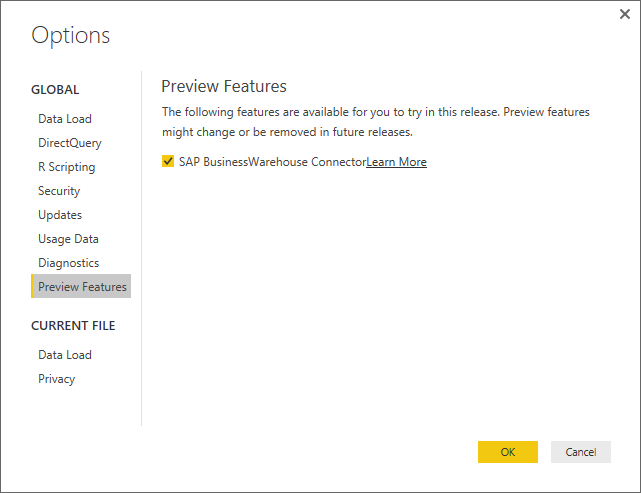
Make sure that you have gone into the Options and Settings and then Options and enabled the Preview Feature
Here is the link to the blog post: https://powerbi.microsoft.com/en-us/blog/power-bi-desktop-may-feature-summary/#relativeDateSlicer
Hi @Anonymous
Make sure that you have gone into the Options and Settings and then Options and enabled the Preview Feature
Here is the link to the blog post: https://powerbi.microsoft.com/en-us/blog/power-bi-desktop-may-feature-summary/#relativeDateSlicer
Oops I'm such a mug !
Thanks gauvaq
No problem @Anonymous
I have done it myself before ![]()
The Power BI Data Visualization World Championships is back! Get ahead of the game and start preparing now!
Check out the November 2025 Power BI update to learn about new features.
| User | Count |
|---|---|
| 59 | |
| 46 | |
| 42 | |
| 23 | |
| 18 |
| User | Count |
|---|---|
| 193 | |
| 123 | |
| 99 | |
| 67 | |
| 49 |