Join us at FabCon Atlanta from March 16 - 20, 2026, for the ultimate Fabric, Power BI, AI and SQL community-led event. Save $200 with code FABCOMM.
Register now!The Power BI Data Visualization World Championships is back! Get ahead of the game and start preparing now! Learn more
Hi,
I have the may edition of the Desktop. I cannot see the option for 'Relative' on the drop down when I add a date field for the slicer.
My date field is in foramt Date/Time
Any ideas?
Solved! Go to Solution.
Hi @Anonymous
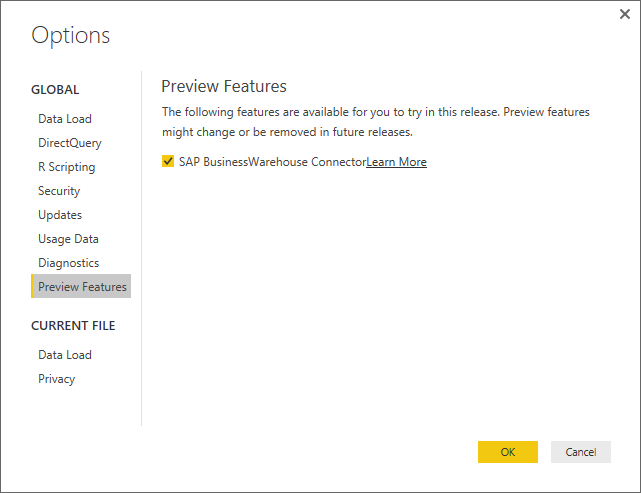
Make sure that you have gone into the Options and Settings and then Options and enabled the Preview Feature
Here is the link to the blog post: https://powerbi.microsoft.com/en-us/blog/power-bi-desktop-may-feature-summary/#relativeDateSlicer
Hi @Anonymous
Make sure that you have gone into the Options and Settings and then Options and enabled the Preview Feature
Here is the link to the blog post: https://powerbi.microsoft.com/en-us/blog/power-bi-desktop-may-feature-summary/#relativeDateSlicer
Oops I'm such a mug !
Thanks gauvaq
No problem @Anonymous
I have done it myself before ![]()
The Power BI Data Visualization World Championships is back! Get ahead of the game and start preparing now!
| User | Count |
|---|---|
| 41 | |
| 38 | |
| 36 | |
| 30 | |
| 28 |
| User | Count |
|---|---|
| 128 | |
| 88 | |
| 79 | |
| 67 | |
| 62 |