Don't miss your chance to take exam DP-600 or DP-700 on us!
Request nowLearn from the best! Meet the four finalists headed to the FINALS of the Power BI Dataviz World Championships! Register now
Hello all,
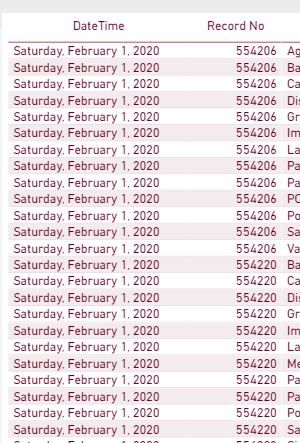
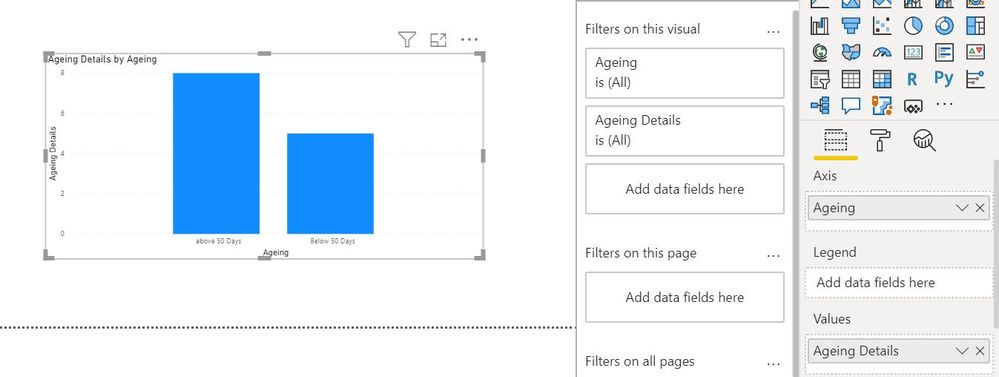
I am trying to create a calculated column that gives the age (in days) between a date in a column and the current date. I then want to create an additional measure based on this one. The date column has duplicate values in a second column called "record no," and the problem is that when I create the "age" measure it sums up the age on the duplicate "record no" column, and that affects the second measure based on other parameters. In a nutshell, I want to see the age for each "record no" based on the date, but I don't want it to aggregate based on the multiple duplicate rows of record no. Thank you in advance!
Hi @socal225 ,
If possible could you please inform me more detailed information(such as your expected output and your sample data )? Then I will help you more correctly.
Please do mask sensitive data before uploading.
Thanks for your understanding and support.
Best Regards,
Zoe Zhi
If this post helps, then please consider Accept it as the solution to help the other members find it more quickly.
Hi @socal225 ,
What are the other measures?
You can Calculated Columns
You could do it as a calcualted table that you link back to your main table based on the item number.
Table 2 =
ADDCOLUMNS (
SUMMARIZE ( 'Table', 'Table'[Item], 'Table'[Date] ),
"DateDiff", DATEDIFF ( 'Table'[Date], TODAY (), DAY )
)
If you can do it as a measure instead that might be easier.
DateDiff =
VAR _ItemDate = SELECTEDVALUE('Table'[Date])
RETURN DATEDIFF(_ItemDate,TODAY(),DAY)
Share feedback directly with Fabric product managers, participate in targeted research studies and influence the Fabric roadmap.
Check out the February 2026 Power BI update to learn about new features.
| User | Count |
|---|---|
| 51 | |
| 40 | |
| 37 | |
| 14 | |
| 14 |
| User | Count |
|---|---|
| 85 | |
| 71 | |
| 38 | |
| 29 | |
| 26 |