Join us at FabCon Atlanta from March 16 - 20, 2026, for the ultimate Fabric, Power BI, AI and SQL community-led event. Save $200 with code FABCOMM.
Register now!Vote for your favorite vizzies from the Power BI Dataviz World Championship submissions. Vote now!
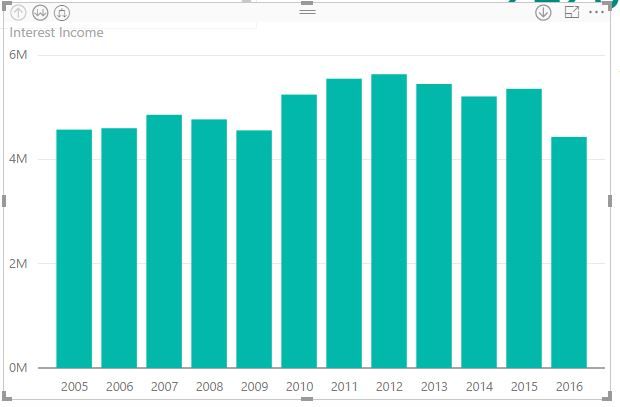
Hi, Why does my date appear properly on desktop but not on the published version. The published version appears with commas.
How abouts do I fix this?
Solved! Go to Solution.
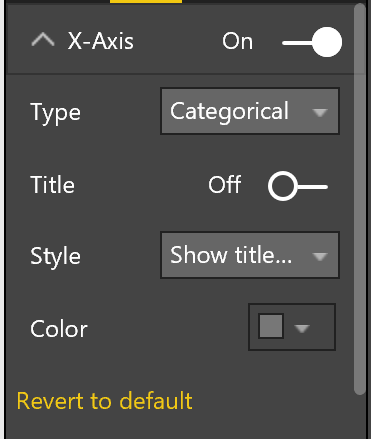
@minh23tran You need to do it in the web portion after you publish, not the Desktop. Change from "Continuous" to "Catagorical"
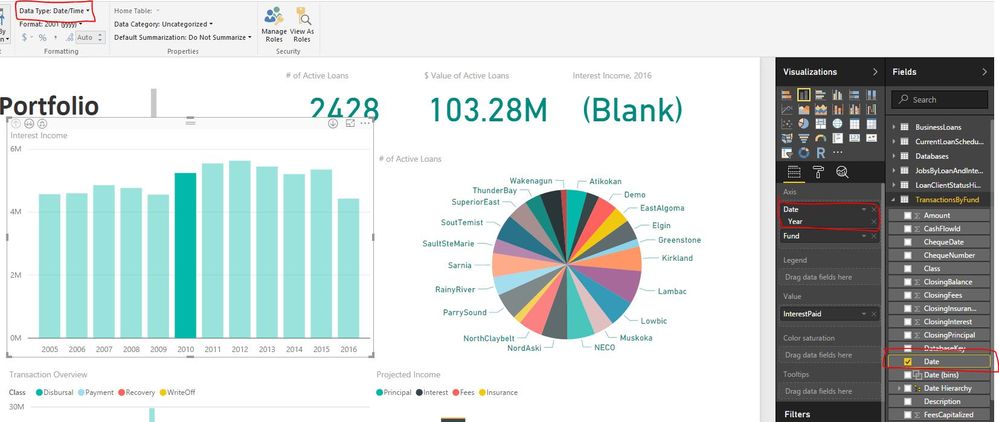
@minh23tran What is the data type you have for the x axis? I can't replicate the issue with the year being a whole number...
I'm running Version: 2.40.4554.463 64-bit (October 2016) Desktop
Hi @Anonymous,
My DataType is a DateTime.
@minh23tran In the Service. Go to format -> select x-axis -> change to categorical instead of linear. This should resolve your issue.
Hi Enos
I've attempted your suggestions but i'm unable to do so. Those options aren't available.
@minh23tran You need to do it in the web portion after you publish, not the Desktop. Change from "Continuous" to "Catagorical"
@Anonymous THANK YOU!
Vote for your favorite vizzies from the Power BI World Championship submissions!
If you love stickers, then you will definitely want to check out our Community Sticker Challenge!
Check out the January 2026 Power BI update to learn about new features.
| User | Count |
|---|---|
| 64 | |
| 53 | |
| 42 | |
| 20 | |
| 17 |
| User | Count |
|---|---|
| 121 | |
| 103 | |
| 46 | |
| 30 | |
| 24 |