Don't miss your chance to take the Fabric Data Engineer (DP-700) exam on us!
Learn moreWe've captured the moments from FabCon & SQLCon that everyone is talking about, and we are bringing them to the community, live and on-demand. Starts on April 14th. Register now
Hi all, I have seen other posts here but am having an issue that does not appear to be explained in these posts. So when I import new data is a lock occurring on the source database by PowerBI? I am wondering because when I am importing records from a timekeeping system I will be reading records at a fast clip, but when someone goes and enters time my import slows to a halt, shows as suspended and the table gets locked. Then after a few or several minutes, it starts flying again. I will go from loading 15K records a second to 5 records a second. We have a call into the software vendor as well, but I do not know why this would be occurring. Any assistance would be helpful. TIA.
Solved! Go to Solution.
Hi @Razorbx13 ,
I test it ,when I import data.
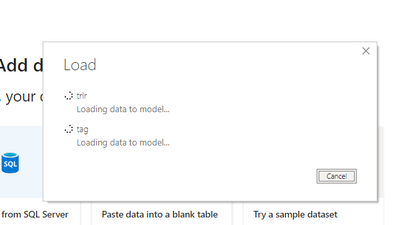
And I use the following to query if the table is locking in the sqlserver.
select request_session_id spid,OBJECT_NAME(resource_associated_entity_id) tableName
from sys.dm_tran_locks where resource_type='OBJECT'
Retrun me blank.
So in my opinion, when exporting, there is no lock, you can use the above query statement to query the lock process when you import slowly.Generally, locking a table only occurs when there are additions, deletions, and changes to the table.
View locked tables:
select request_session_id spid,OBJECT_NAME(resource_associated_entity_id) tableName
from sys.dm_tran_locks where resource_type='OBJECT'
spid lock Process
tableName Locked Table Name
Unlocked:
declare @spid int
Set @spid = 57 --Lock table process
declare @sql varchar(1000)
set @sql='kill '+cast(@spid as varchar)
exec(@sql)
Did I answer your question? Mark my post as a solution!
Best Regards
Lucien
Hi @Razorbx13 ,
I test it ,when I import data.
And I use the following to query if the table is locking in the sqlserver.
select request_session_id spid,OBJECT_NAME(resource_associated_entity_id) tableName
from sys.dm_tran_locks where resource_type='OBJECT'
Retrun me blank.
So in my opinion, when exporting, there is no lock, you can use the above query statement to query the lock process when you import slowly.Generally, locking a table only occurs when there are additions, deletions, and changes to the table.
View locked tables:
select request_session_id spid,OBJECT_NAME(resource_associated_entity_id) tableName
from sys.dm_tran_locks where resource_type='OBJECT'
spid lock Process
tableName Locked Table Name
Unlocked:
declare @spid int
Set @spid = 57 --Lock table process
declare @sql varchar(1000)
set @sql='kill '+cast(@spid as varchar)
exec(@sql)
Did I answer your question? Mark my post as a solution!
Best Regards
Lucien
That is indeed a question for the software vendor. I think the lock is generated during the write operation (as it should be, frankly) and Power BI is the victim here, not the culprit.
If you have recently started exploring Fabric, we'd love to hear how it's going. Your feedback can help with product improvements.
A new Power BI DataViz World Championship is coming this June! Don't miss out on submitting your entry.
Share feedback directly with Fabric product managers, participate in targeted research studies and influence the Fabric roadmap.
| User | Count |
|---|---|
| 57 | |
| 38 | |
| 35 | |
| 19 | |
| 17 |
| User | Count |
|---|---|
| 74 | |
| 70 | |
| 37 | |
| 35 | |
| 25 |