Don't miss your chance to take the Fabric Data Engineer (DP-600) exam for FREE! Find out how by attending the DP-600 session on April 23rd (pacific time), live or on-demand.
Learn moreNext up in the FabCon + SQLCon recap series: The roadmap for Microsoft SQL and Maximizing Developer experiences in Fabric. All sessions are available on-demand after the live show. Register now
Hi!
I have a certain file that I can't get the export options to appear. I can get all the other files, but my main one, I can't...
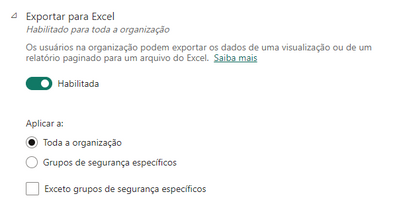
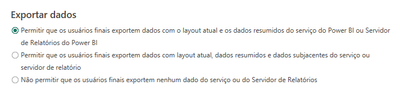
All export options are enabled, so much so that the rest work fine.
Does anyone know what could be happening? It is SQL data and is a file created in 2019.
Solved! Go to Solution.
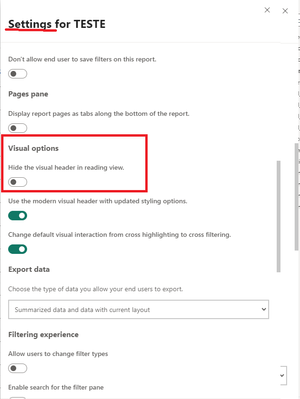
After a lot of searching, I found the problem. It's in the file settings within the Workspace. At some point, it got marked for hiding.
That's exactly the problem! The menu does not appear in any of my visuals. I don't even know if it's possible to hide... I've never seen that option.
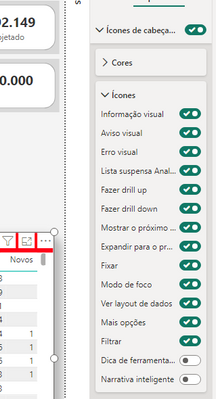
They're in the "general" tab for the visual - you can toggle all or specific ones piecemeal:
Hi, Cristina!
Icons are not hidden. In PBI Desktop they appear normally.
Could the problem have to do with RLS? We work with this parameter...
RLS wouldn't do that, hmmm... you could check in the report settings in the desktop vs in the web - they are not always the same between the two, meaning it could be enabled in the desktop app but disabled in the web report settings.
You might also try creating a new table with the same data on a test page and see if you have the same problem there (publish to your personal workspace if you don't want people to see it) - that will tell you if it's a report issue or a visual issue.
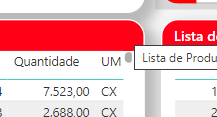
Have you hidden the header icons in the visual settings? I don't see the ellipsis menu in your screenshot. The visual export requires the header icon menu to be enabled to get to it--
If you have recently started exploring Fabric, we'd love to hear how it's going. Your feedback can help with product improvements.
A new Power BI DataViz World Championship is coming this June! Don't miss out on submitting your entry.
| User | Count |
|---|---|
| 46 | |
| 43 | |
| 39 | |
| 19 | |
| 15 |
| User | Count |
|---|---|
| 68 | |
| 67 | |
| 31 | |
| 27 | |
| 24 |