This time we’re going bigger than ever. Fabric, Power BI, SQL, AI and more. We're covering it all. You won't want to miss it.
Learn moreLevel up your Power BI skills this month - build one visual each week and tell better stories with data! Get started
hello all,
I am trying to create a R visual in powerbi.
R code which is working fine in Rstudio is
Data <- read_excel(path = "D:\\Book1.xlsx",sheet = "Sheet4")
Data$pathString <- paste("name",
Data$Level1,
Data$Level2,
Data$Level3,
Data$Level4,
Data$Level5,
Data$Level6,
sep = "/")
library(data.tree)
Network <- as.Node(Data)
plot(Network)
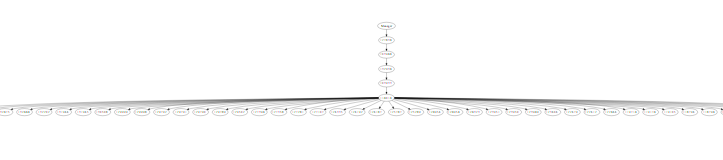
and it is giving me output a visual as below image
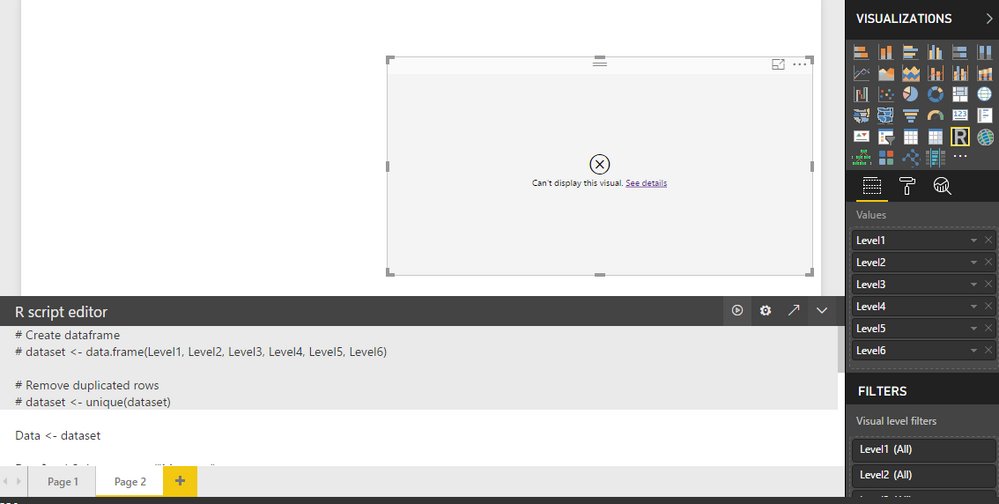
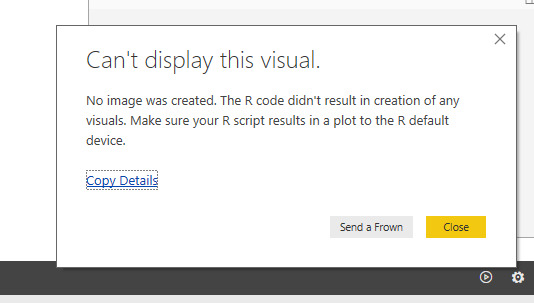
But when i try the same code in powerbi it is not working.
But when i clicked EDIT IN EXTERNEL R IDE it worked perfectly.
This is for the first time that im trying to create R visuals in powerbi.
Can anyone please suggest me about this.
Solved! Go to Solution.
I got it to work. Here's an example of how to get it to render:
library(DiagrammeR)
library(DiagrammeRsvg)
library(magrittr)
library(svglite)
library(rsvg)
library(png)
library(data.tree)
Type <- c('Car','Car','Car','Car')
Manufacturer <- c('Chevrolet', 'Chevrolet', 'Honda', 'Toyota')
Model <- c('Impala', 'Silverado', 'CR-V', 'Camery')
dataset<- data.frame(Type, Manufacturer, Model, stringsAsFactors=FALSE)
dataset$pathString <- paste(dataset$Type, dataset$Manufacturer, dataset$Model,sep = "/")
tree <- as.Node(dataset)
export_svg(plot(tree))%>%charToRaw %>% rsvg %>% png::writePNG('001.png')
The last part is how you export it manually to a .png, which power BI seems to be looking for.

I got it to work. Here's an example of how to get it to render:
library(DiagrammeR)
library(DiagrammeRsvg)
library(magrittr)
library(svglite)
library(rsvg)
library(png)
library(data.tree)
Type <- c('Car','Car','Car','Car')
Manufacturer <- c('Chevrolet', 'Chevrolet', 'Honda', 'Toyota')
Model <- c('Impala', 'Silverado', 'CR-V', 'Camery')
dataset<- data.frame(Type, Manufacturer, Model, stringsAsFactors=FALSE)
dataset$pathString <- paste(dataset$Type, dataset$Manufacturer, dataset$Model,sep = "/")
tree <- as.Node(dataset)
export_svg(plot(tree))%>%charToRaw %>% rsvg %>% png::writePNG('001.png')
The last part is how you export it manually to a .png, which power BI seems to be looking for.

Hi, thanks to the workaround provided.
We use it and managed partialy to resolve the visualization problem.
However, once report is published into Power BI Service it throws an error that not all libraries used in a visual are supported.
Have you faced the same problem?
Any ideas how it can be resolved?
Thanks!
I am having the exact same problem. Downloaded and installed the older version (0.7.0) of data.tree. Still does not work. Works fine in R studio.
This would be extremely helpful in a project I'm working on, but I'm about ready to give up...
@Anonymous,
You may check Requirements and Limitations of R packages.
@v-chuncz-msft thanks for the reply.
I jus checekd the link that you have provided.
I dont see any limitations for the Data tree package..
and i dont see any perticular limitations which the funtions and packages that i have used
Check out the April 2026 Power BI update to learn about new features.
Sign up to receive a private message when registration opens and key events begin.
If you have recently started exploring Fabric, we'd love to hear how it's going. Your feedback can help with product improvements.
| User | Count |
|---|---|
| 30 | |
| 24 | |
| 23 | |
| 17 | |
| 15 |
| User | Count |
|---|---|
| 61 | |
| 36 | |
| 29 | |
| 22 | |
| 21 |